Saturday, November 29, 2025

Configure Network Bonding


Configure Network Bonding

 
Configure Network Bonding to bind multiple network interfaces into a single load balanced or fault-toleranced interface and so on.
The Network Teaming feature which is the same solution of network load-balancing or fault-tolerance is also provided.
Refer to the comparison of network teaming and bonding features below.
⇒ https://access.redhat.com/documentation/en-us/red_hat_enterprise_linux/7/html/networking_guide/sec-comparison_of_network_teaming_to_bonding
There are some modes for configuring network bonding like follows.
ModeMode NameDescription
0balance-rrSets a round-robin policy for fault tolerance and load balancing.
Transmissions are received and sent out sequentially on each bonded member interface beginning with the first one available.
1active-backupSets an active-backup policy for fault tolerance.
Transmissions are received and sent out via the first available bonded member interface.
Another bonded member interface is only used if the active bonded member interface fails.
2balance-xorSets an XOR (exclusive-or) policy for fault tolerance and load balancing.
Using this method, the interface matches up the incoming request's MAC address with the MAC address for one of the member NICs.
Once this link is established, transmissions are sent out sequentially beginning with the first available interface.
3broadcastSets a broadcast policy for fault tolerance.
All transmissions are sent on all member interfaces.
4802.3adSets an IEEE 802.3ad dynamic link aggregation policy.
Creates aggregation groups that share the same speed and duplex settings.
Transmits and receives on all members in the active aggregator. Requires a switch that is 802.3ad compliant.
5balance-tlbSets a Transmit Load Balancing (TLB) policy for fault tolerance and load balancing.
The outgoing traffic is distributed according to the current load on each member interface. Incoming traffic is received by the current member NIC.
If the receiving member fails, another member takes over the MAC address of the failed member.
6balance-albSets an Active Load Balancing (ALB) policy for fault tolerance and load balancing.
Includes transmit and receive load balancing for IPV4 traffic.
Receive load balancing is achieved through ARP negotiation.

[1]Configure Network Bonding.
# display network devices

[root@dlp ~]# 
nmcli device

DEVICE  TYPE      STATE         CONNECTION
enp1s0  ethernet  connected     enp1s0
enp7s0  ethernet  disconnected  --
lo      loopback  unmanaged     --

# delete existing network connections

[root@dlp ~]# 
nmcli connection delete enp1s0

Connection 'enp1s0' (0c5a95c5-1c2a-351d-add2-7fee398c96ab) successfully deleted.

[root@dlp ~]# 
nmcli device

DEVICE  TYPE      STATE         CONNECTION
enp1s0  ethernet  disconnected  --
enp7s0  ethernet  disconnected  --
lo      loopback  unmanaged     --

# add a new bonding device [bond0] (any name you like)
# refer to the description above for each mode (OK to specify with mode number for [mode=*])

[root@dlp ~]# 
nmcli connection add type bond ifname bond0 con-name bond0 bond.options "mode=balance-rr"

Connection 'bond0' (c0c1097e-476e-4c5c-ac5a-3284fb053ce8) successfully added.

# add member devices to the bonding device

[root@dlp ~]# 
nmcli connection add type ethernet ifname enp1s0 master bond0

Connection 'bond-slave-enp1s0' (0e799b5a-cc8d-4062-bf0d-927c080863ff) successfully added.
[root@dlp ~]# 
nmcli connection add type ethernet ifname enp7s0 master bond0

Connection 'bond-slave-enp7s0' (d4a65fb1-9a77-40bd-b8be-aa88ce64cc5f) successfully added.

[root@dlp ~]# 
nmcli device

DEVICE  TYPE      STATE      CONNECTION
bond0   bond      connected  bond0
enp1s0  ethernet  connected  bond-slave-enp1s0
enp7s0  ethernet  connected  bond-slave-enp7s0
lo      loopback  unmanaged  --

[root@dlp ~]# 
nmcli connection

NAME               UUID                                  TYPE      DEVICE
bond0              c0c1097e-476e-4c5c-ac5a-3284fb053ce8  bond      bond0
bond-slave-enp1s0  0e799b5a-cc8d-4062-bf0d-927c080863ff  ethernet  enp1s0
bond-slave-enp7s0  d4a65fb1-9a77-40bd-b8be-aa88ce64cc5f  ethernet  enp7s0

# set IP address and so on to the bonding device and restart it
# IP address

[root@dlp ~]# 
nmcli connection modify bond0 ipv4.addresses 10.0.0.30/24
# gatway

[root@dlp ~]# 
nmcli connection modify bond0 ipv4.gateway 10.0.0.1
# DNS - specify with space separated if set multiple DNS servers

[root@dlp ~]# 
nmcli connection modify bond0 ipv4.dns "10.0.0.10 10.0.0.11"
# DNS search base - specify with space separated if set multiple domains

[root@dlp ~]# 
nmcli connection modify bond0 ipv4.dns-search "srv.world"
[root@dlp ~]# 
nmcli connection modify bond0 ipv4.method manual

[root@dlp ~]# 
nmcli connection down bond0 && nmcli connection up bond0

Connection 'bond0' successfully deactivated (D-Bus active path: /org/freedesktop/NetworkManager/ActiveConnection/2)
Connection successfully activated (master waiting for slaves) (D-Bus active path: /org/freedesktop/NetworkManager/ActiveConnection/5)
# verify bonding state

[root@dlp ~]# 
cat /proc/net/bonding/bond0

Ethernet Channel Bonding Driver: v5.14.0-115.el9.x86_64

Bonding Mode: load balancing (round-robin)
MII Status: up
MII Polling Interval (ms): 100
Up Delay (ms): 0
Down Delay (ms): 0
Peer Notification Delay (ms): 0

Slave Interface: enp1s0
MII Status: up
Speed: Unknown
Duplex: Unknown
Link Failure Count: 0
Permanent HW addr: 52:54:00:6e:a3:17
Slave queue ID: 0

Slave Interface: enp7s0
MII Status: up
Speed: Unknown
Duplex: Unknown
Link Failure Count: 0
Permanent HW addr: 52:54:00:fe:cd:82
Slave queue ID: 0

[root@dlp ~]# 
ip address

1: lo: <LOOPBACK,UP,LOWER_UP> mtu 65536 qdisc noqueue state UNKNOWN group default qlen 1000
    link/loopback 00:00:00:00:00:00 brd 00:00:00:00:00:00
    inet 127.0.0.1/8 scope host lo
       valid_lft forever preferred_lft forever
    inet6 ::1/128 scope host
       valid_lft forever preferred_lft forever
2: enp1s0: <BROADCAST,MULTICAST,SLAVE,UP,LOWER_UP> mtu 1500 qdisc fq_codel master bond0 state UP group default qlen 1000
    link/ether 52:54:00:6e:a3:17 brd ff:ff:ff:ff:ff:ff
3: enp7s0: <BROADCAST,MULTICAST,SLAVE,UP,LOWER_UP> mtu 1500 qdisc fq_codel master bond0 state UP group default qlen 1000
    link/ether 52:54:00:6e:a3:17 brd ff:ff:ff:ff:ff:ff permaddr 52:54:00:fe:cd:82
5: bond0: <BROADCAST,MULTICAST,MASTER,UP,LOWER_UP> mtu 1500 qdisc noqueue state UP group default qlen 1000
    link/ether 52:54:00:6e:a3:17 brd ff:ff:ff:ff:ff:ff
    inet 10.0.0.30/24 brd 10.0.0.255 scope global noprefixroute bond0
       valid_lft forever preferred_lft forever
    inet6 fe80::34ce:9e06:c339:558a/64 scope link noprefixroute
       valid_lft forever preferred_lft forever

# configuration files are stored under the place

[root@dlp ~]# 
ll /etc/NetworkManager/system-connections

total 12
-rw-------. 1 root root 288 Jun 29 14:27 bond0.nmconnection
-rw-------. 1 root root 153 Jun 29 14:25 bond-slave-enp1s0.nmconnection
-rw-------. 1 root root 153 Jun 29 14:25 bond-slave-enp7s0.nmconnection

Configure Network Teaming


Configure Network Teaming

 
Configure Network Teaming to bind multiple network interfaces into a single load balanced or fault-toleranced interface and so on.
The Network Bonding feature which is the same solution of network load-balancing or fault-tolerance is also provided.
Refer to the comparison of network teaming and bonding features below.
⇒ https://access.redhat.com/documentation/en-us/red_hat_enterprise_linux/7/html/networking_guide/sec-comparison_of_network_teaming_to_bonding
There are some runners (modes) for configuring network teaming like follows.
RunnerDescription
roundrobinTransmits data over all ports in turn.
activebackupTransmits data over one port while the others are kept as a backup.
loadbalanceTransmits data over all ports with active Tx load balancing and Berkeley Packet Filter (BPF)-based Tx port selectors.
randomTransmits data on a randomly selected port.
lacpImplements the 802.3ad Link Aggregation Control Protocol (LACP).
broadcastTransmits data over all ports.

[1]Configure Network Teaming.
# display network devices

[root@dlp ~]# 
nmcli device

DEVICE  TYPE      STATE         CONNECTION
enp1s0  ethernet  connected     enp1s0
enp7s0  ethernet  disconnected  --
lo      loopback  unmanaged     --

# delete existing network connections

[root@dlp ~]# 
nmcli connection delete enp1s0

Connection 'enp1s0' (0c5a95c5-1c2a-351d-add2-7fee398c96ab) successfully deleted.

[root@dlp ~]# 
nmcli device

DEVICE  TYPE      STATE         CONNECTION
enp1s0  ethernet  disconnected  --
enp7s0  ethernet  disconnected  --
lo      loopback  unmanaged     --

# add a new teaming device [team0] (any name you like)
# refer to the description above for each runner

[root@dlp ~]# 
nmcli connection add type team con-name team0 ifname team0 config '{"runner": {"name": "roundrobin"}}'

Connection 'team0' (d69d25e5-e6b7-4f52-b704-d5b92386782d) successfully added.

# add member devices to the teaming device

[root@dlp ~]# 
nmcli connection add type team-slave con-name team0-member0 ifname enp1s0 master team0

Connection 'team0-member0' (cc71a02d-c5d5-4770-810a-1bab658adec7) successfully added.
[root@dlp ~]# 
nmcli connection add type team-slave con-name team0-member1 ifname enp7s0 master team0

Connection 'team0-member1' (d34c57d5-d6df-47f5-a7a1-d6de3ad951da) successfully added.

[root@dlp ~]# 
nmcli device

DEVICE  TYPE      STATE      CONNECTION
team0   team      connected  team0
enp1s0  ethernet  connected  team0-member0
enp7s0  ethernet  connected  team0-member1
lo      loopback  unmanaged  --

[root@dlp ~]# 
nmcli connection

NAME           UUID                                  TYPE      DEVICE
team0          d69d25e5-e6b7-4f52-b704-d5b92386782d  team      team0
team0-member0  cc71a02d-c5d5-4770-810a-1bab658adec7  ethernet  enp1s0
team0-member1  d34c57d5-d6df-47f5-a7a1-d6de3ad951da  ethernet  enp7s0

# set IP address and so on to the teaming device and restart it
# IP address

[root@dlp ~]# 
nmcli connection modify team0 ipv4.addresses 10.0.0.30/24
# gatway

[root@dlp ~]# 
nmcli connection modify team0 ipv4.gateway 10.0.0.1
# DNS - specify with space separated if set multiple DNS servers

[root@dlp ~]# 
nmcli connection modify team0 ipv4.dns "10.0.0.10 10.0.0.11"
# DNS search base - specify with space separated if set multiple domains

[root@dlp ~]# 
nmcli connection modify team0 ipv4.dns-search "srv.world"
[root@dlp ~]# 
nmcli connection modify team0 ipv4.method manual

[root@dlp ~]# 
nmcli connection down team0 && nmcli connection up team0

Connection 'team0' successfully deactivated (D-Bus active path: /org/freedesktop/NetworkManager/ActiveConnection/2)
Connection successfully activated (master waiting for slaves) (D-Bus active path: /org/freedesktop/NetworkManager/ActiveConnection/5)
# verify teaming state

[root@dlp ~]# 
teamdctl team0 state

setup:
  runner: roundrobin
ports:
  enp1s0
    link watches:
      link summary: up
      instance[link_watch_0]:
        name: ethtool
        link: up
        down count: 0
  enp7s0
    link watches:
      link summary: up
      instance[link_watch_0]:
        name: ethtool
        link: up
        down count: 0

[root@dlp ~]# 
ip address

1: lo: <LOOPBACK,UP,LOWER_UP> mtu 65536 qdisc noqueue state UNKNOWN group default qlen 1000
    link/loopback 00:00:00:00:00:00 brd 00:00:00:00:00:00
    inet 127.0.0.1/8 scope host lo
       valid_lft forever preferred_lft forever
    inet6 ::1/128 scope host
       valid_lft forever preferred_lft forever
2: enp1s0: <BROADCAST,MULTICAST,UP,LOWER_UP> mtu 1500 qdisc fq_codel master team0 state UP group default qlen 1000
    link/ether 52:54:00:dc:08:f7 brd ff:ff:ff:ff:ff:ff
3: enp7s0: <BROADCAST,MULTICAST,UP,LOWER_UP> mtu 1500 qdisc fq_codel master team0 state UP group default qlen 1000
    link/ether 52:54:00:dc:08:f7 brd ff:ff:ff:ff:ff:ff permaddr 52:54:00:7b:26:e7
5: team0: <BROADCAST,MULTICAST,UP,LOWER_UP> mtu 1500 qdisc noqueue state UP group default qlen 1000
    link/ether 52:54:00:dc:08:f7 brd ff:ff:ff:ff:ff:ff
    inet 10.0.0.30/24 brd 10.0.0.255 scope global noprefixroute team0
       valid_lft forever preferred_lft forever
    inet6 fe80::7433:2d1a:fd37:aee9/64 scope link noprefixroute
       valid_lft forever preferred_lft forever

# configuration files are stored under the place

[root@dlp ~]# 
ll /etc/NetworkManager/system-connections

total 12
-rw-------. 1 root root 162 Jun 29 14:36 team0-member0.nmconnection
-rw-------. 1 root root 162 Jun 29 14:37 team0-member1.nmconnection
-rw-------. 1 root root 314 Jun 29 14:39 team0.nmconnection

Jenkins : Install


Jenkins : Install

 
Install CD (Continuous Delivery) System, Jenkins.
[1]
[2]Install and start Jenkins.
# get Jenkins official repository

[root@dlp ~]# 
curl https://pkg.jenkins.io/redhat-stable/jenkins.repo > /etc/yum.repos.d/jenkins.repo
# get GPG key and install Jenkins

[root@dlp ~]# 
rpm --import https://pkg.jenkins.io/redhat-stable/jenkins.io.key

[root@dlp ~]# 
dnf -y install jenkins
[root@dlp ~]# 
vi /etc/sysconfig/jenkins
# line 67 : add IP address Jenkins listens
# * listen all with [0.0.0.0]

JENKINS_LISTEN_ADDRESS="
10.0.0.30
"
[root@dlp ~]# 
systemctl enable --now jenkins

[3]If Firewalld is running, allow service ports.
[root@dlp ~]# 
firewall-cmd --add-port=8080/tcp

success
[root@dlp ~]# 
firewall-cmd --runtime-to-permanent

success
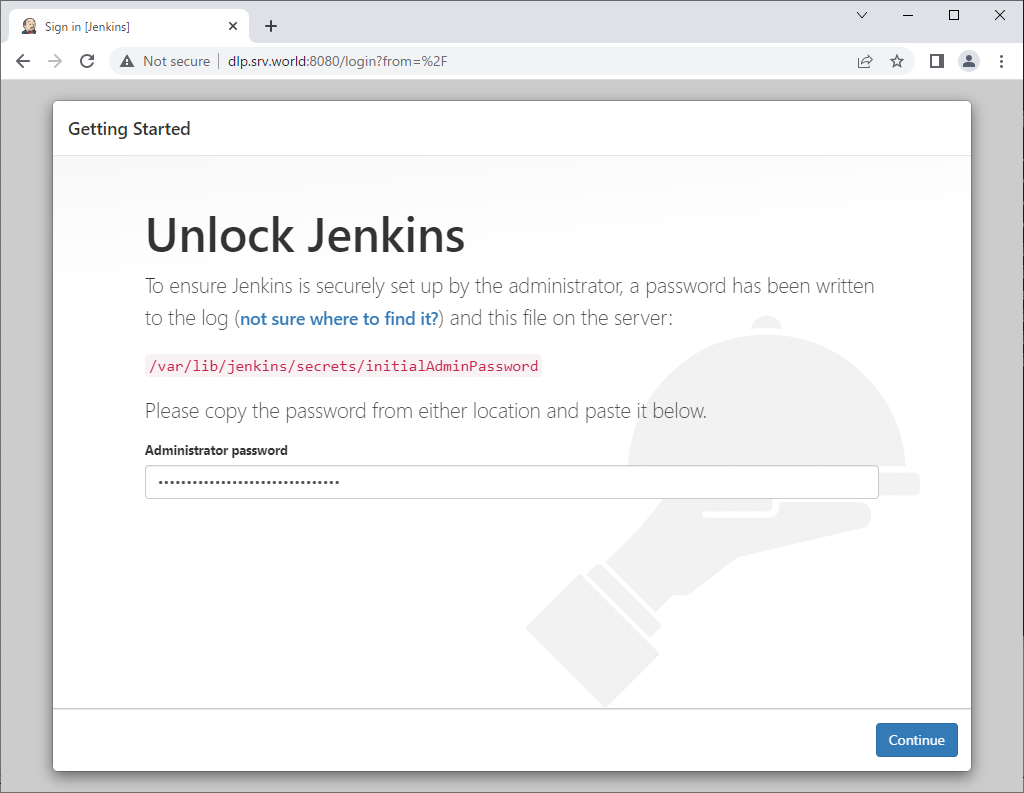
[4]Access to [https://(server's hostname or IP address):8080/] with Web browser from localhost or any Client Host, then, initial admin password is required to enter initial setup. Make sure initial admin password that is saved in [/var/lib/jenkins/secrets/initialAdminPassword] and input it to enter setup.
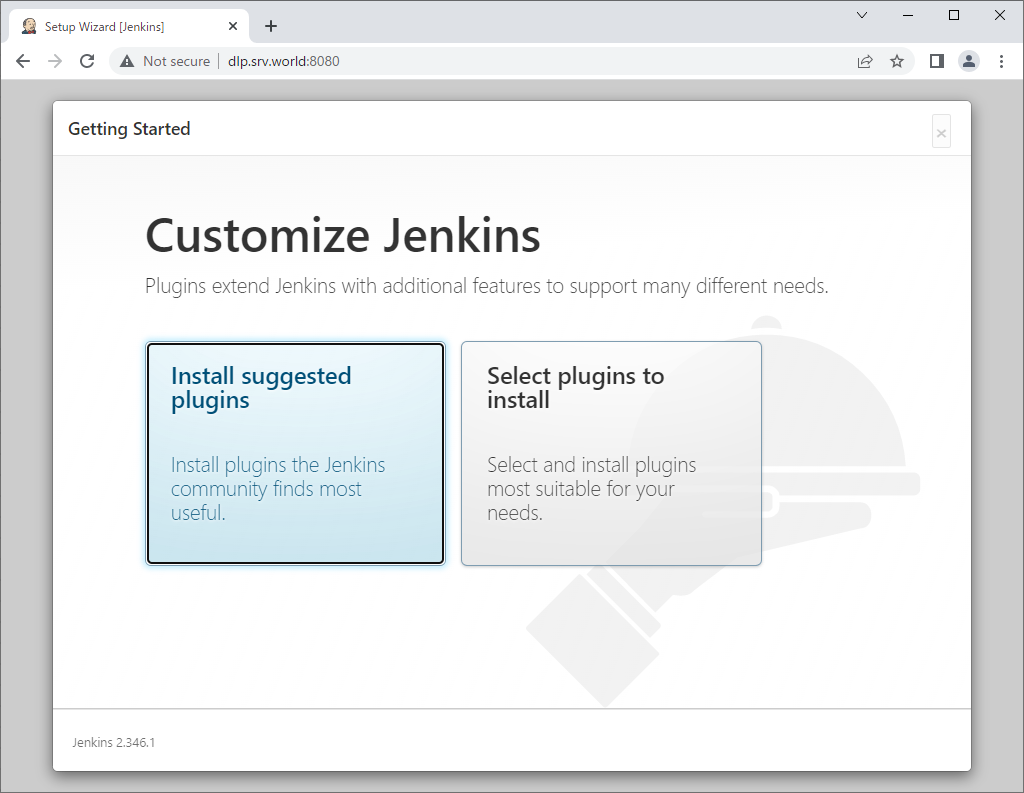
[5]This is the Jenkins initial setup. Select to install suggested plugins or to install from your own selected plugins. (proceed with [suggested plugins] on this example)
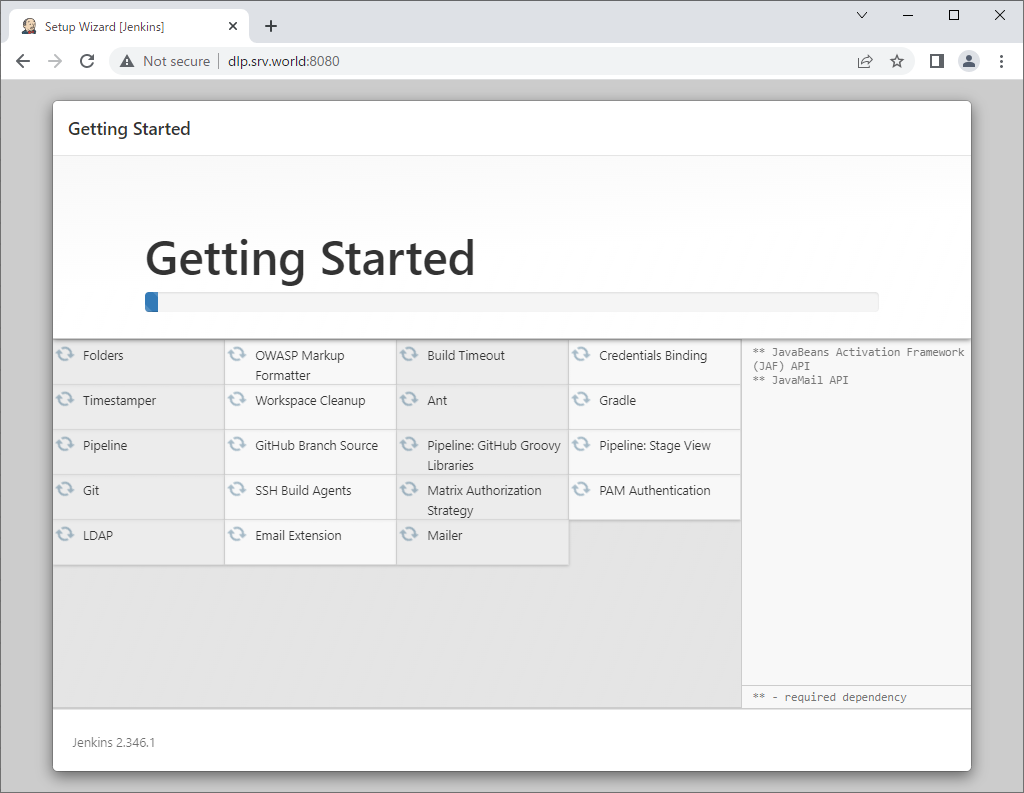
[6]The initial setup tasks run.
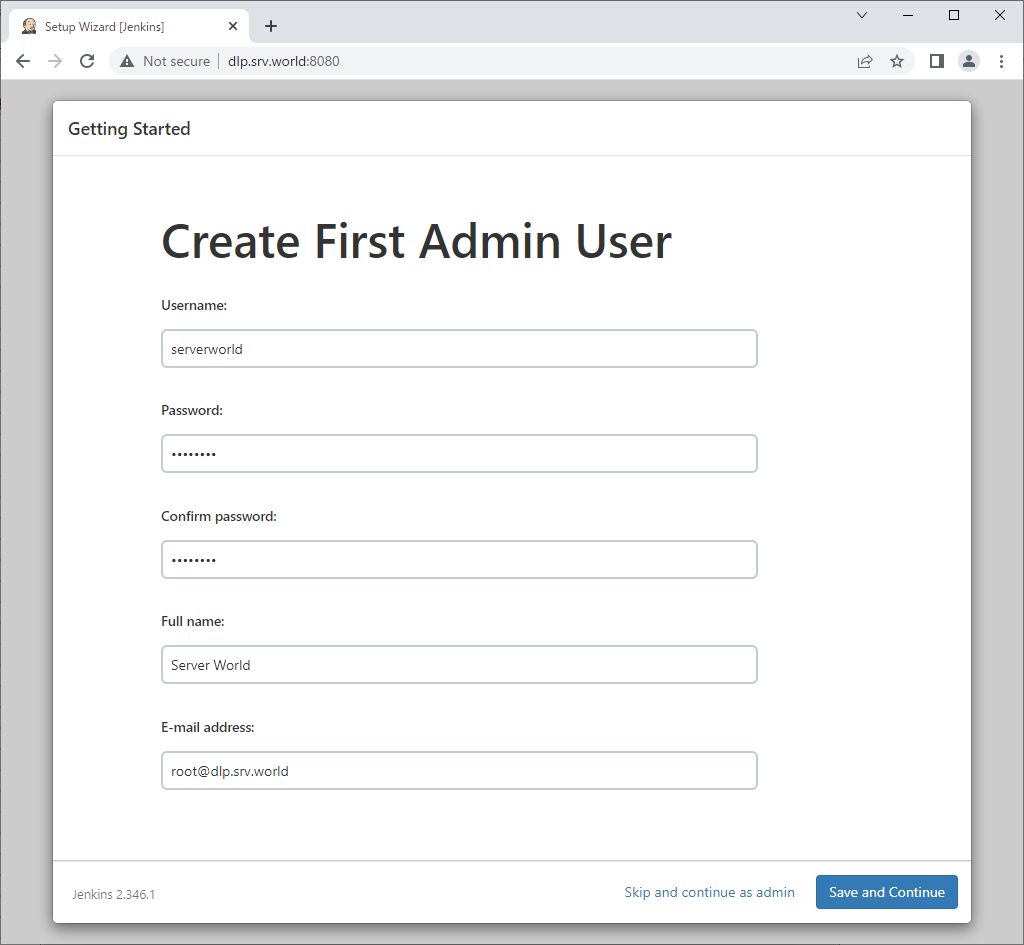
[7]Setting administrative user and password is required. Set any username and password you like.
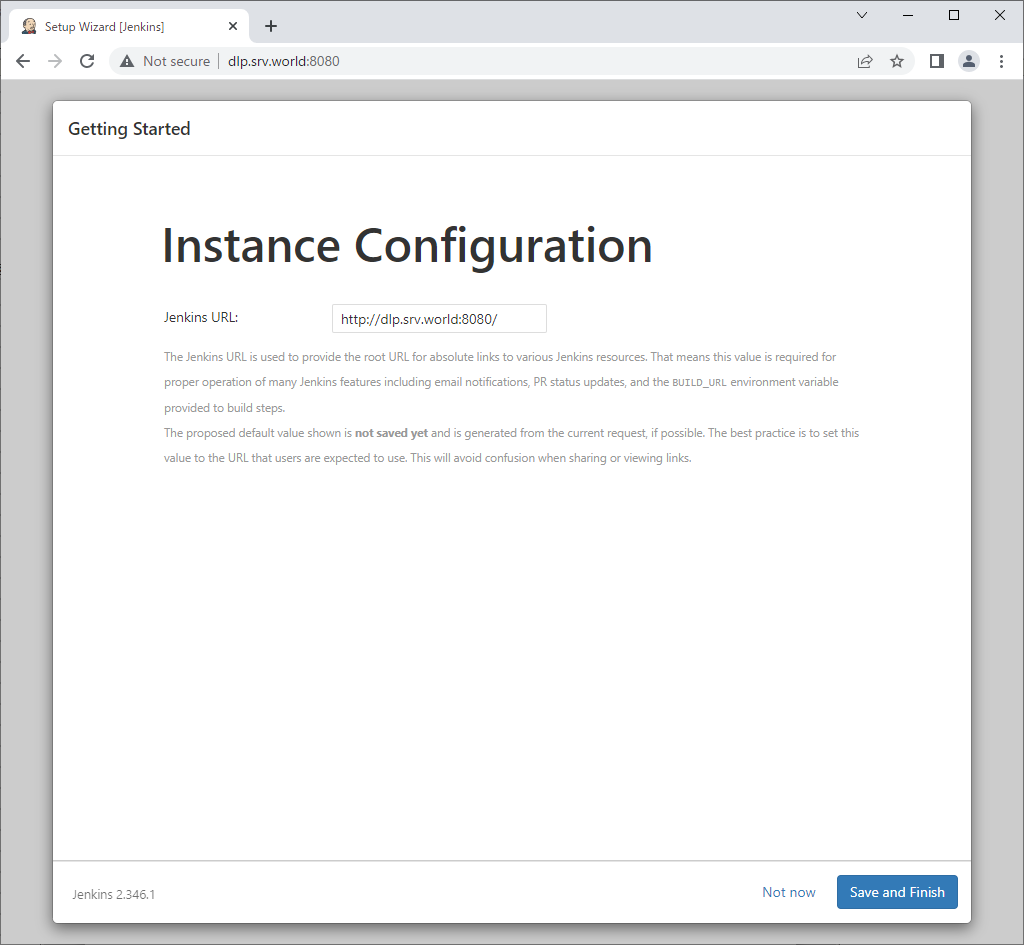
[8]If you'd like to change Jenkins URL, change it on here. (proceed with default on this example)
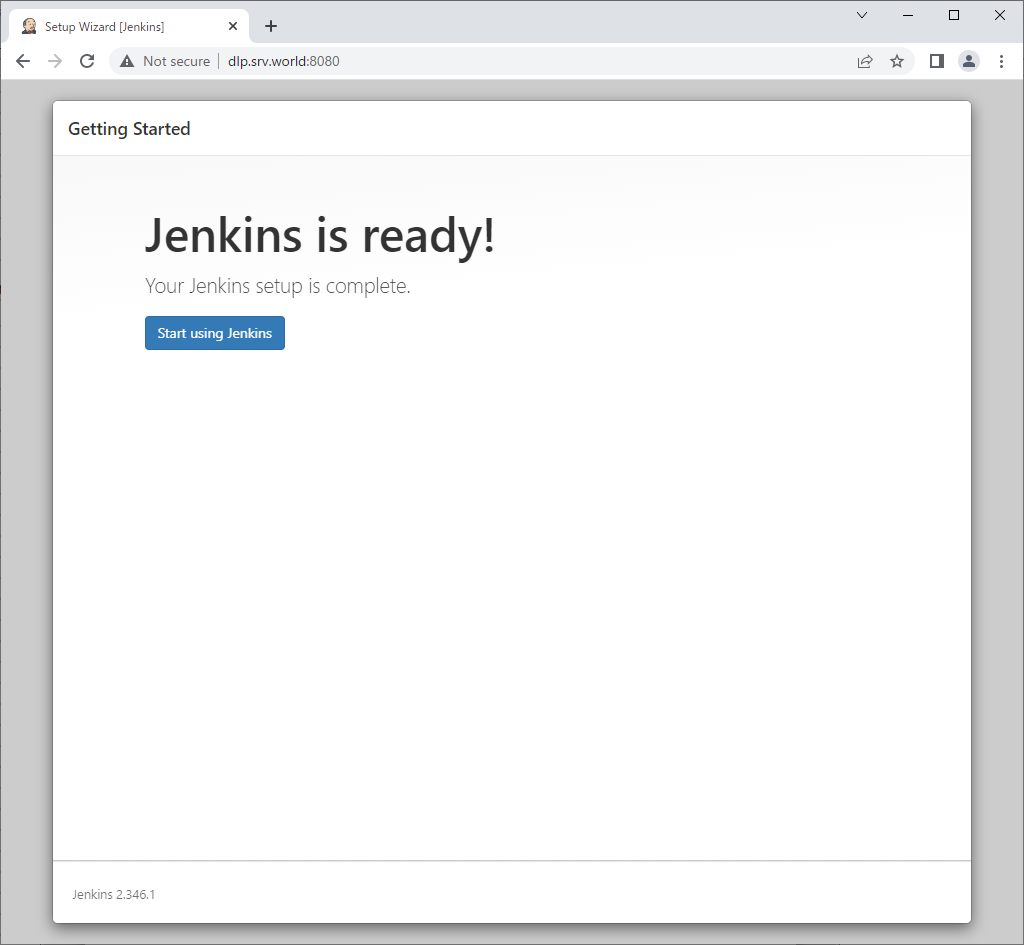
[9]Initial setup finished. Click [Start using Jenkins] button to move Jenkins index page.
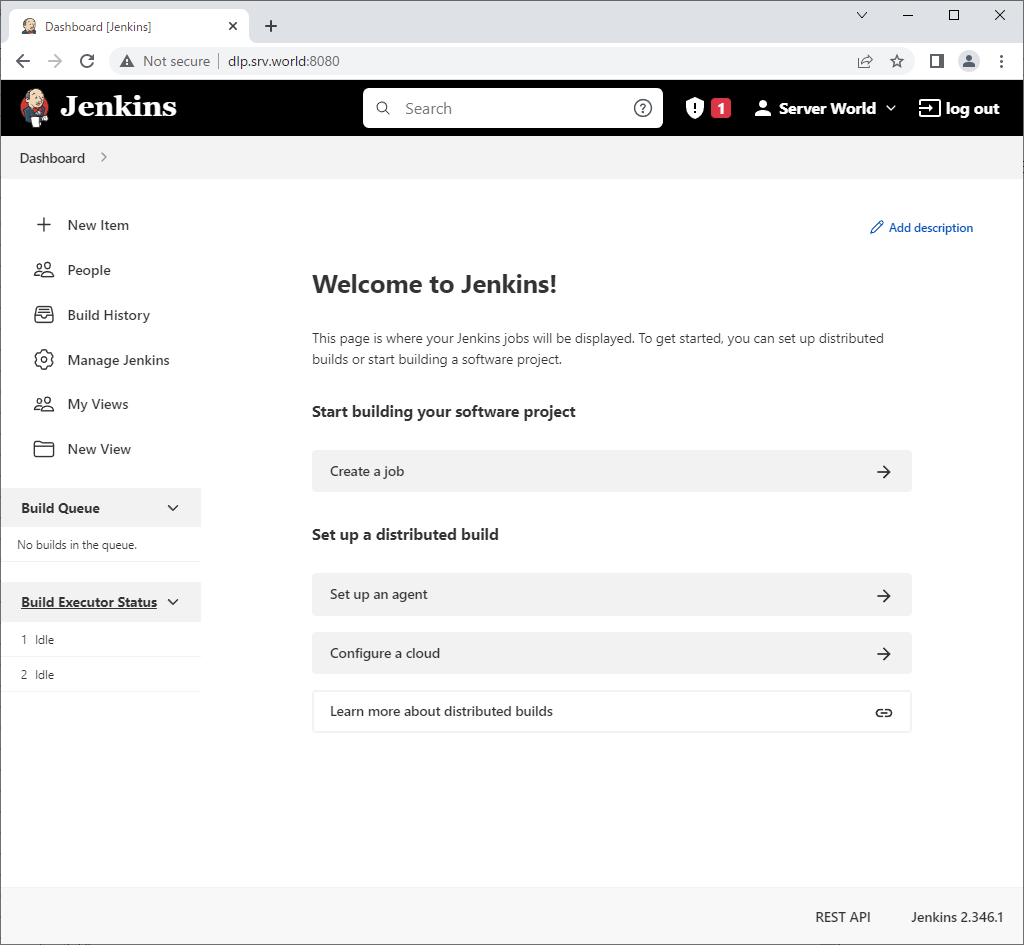
[10]This is the Jenkins index page.
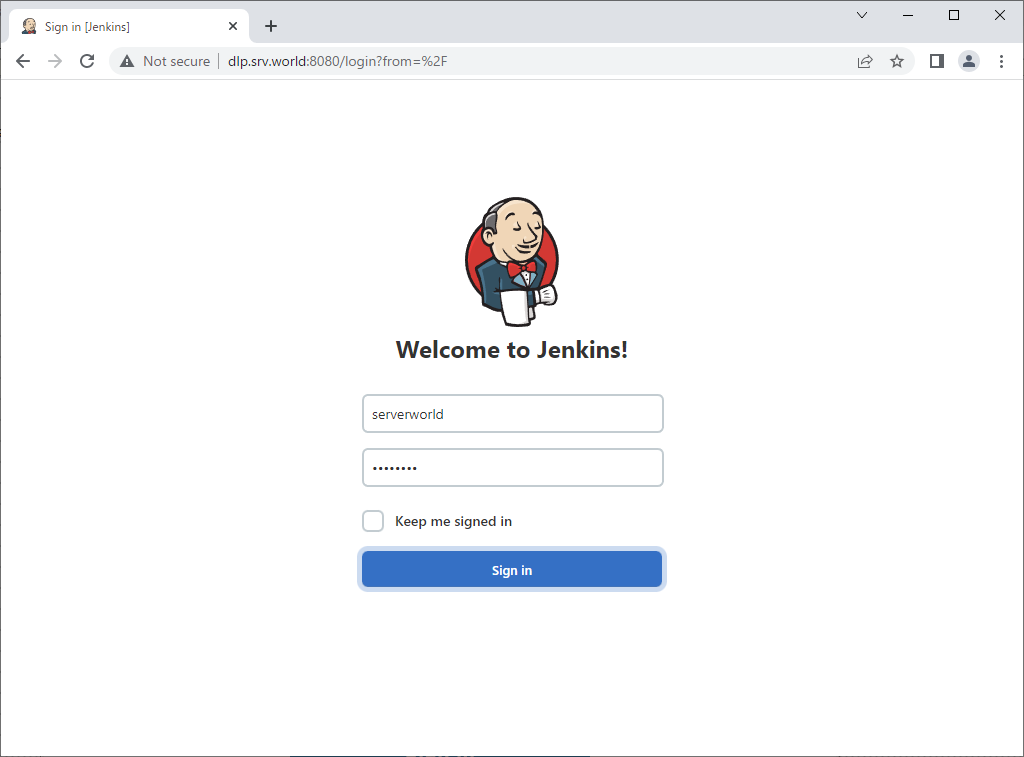
[11]For next access to Jenkins, Login form is shown like follows, it's possible to authenticate with users you added in Jenkins.


Tomcat 10 : Install


Tomcat 10 : Install

 
Install Tomcat 10 to configure Java Application Server.
[1]
[2]Install Tomcat 10.
Make sure the latest version and source URL on download site.
⇒ https://tomcat.apache.org/download-10.cgi
[root@dlp ~]# 
curl -O http://ftp.riken.jp/net/apache/tomcat/tomcat-10/v10.0.22/bin/apache-tomcat-10.0.22.tar.gz

[root@dlp ~]# 
tar zxvf apache-tomcat-10.0.22.tar.gz

[root@dlp ~]# 
mv apache-tomcat-10.0.22 /usr/libexec/tomcat10

[root@dlp ~]# 
useradd -M -d /usr/libexec/tomcat10 tomcat

[root@dlp ~]# 
chown -R tomcat. /usr/libexec/tomcat10
[3]Create a Systemd Setting file.
[root@dlp ~]# 
vi /usr/lib/systemd/system/tomcat10.service
# create new

[Unit]
Description=Apache Tomcat 10
After=network.target

[Service]
Type=oneshot
ExecStart=/usr/libexec/tomcat10/bin/startup.sh
ExecStop=/usr/libexec/tomcat10/bin/shutdown.sh
RemainAfterExit=yes
User=tomcat
Group=tomcat

[Install]
WantedBy=multi-user.target

[root@dlp ~]# 
systemctl enable --now tomcat10

[4]If SELinux is enabled, change policy to start Tomcat.
[root@dlp ~]# 
vi catalinash.te
# create new

module catalinash 1.0;

require {
        type init_t;
        type admin_home_t;
        class file { append execute execute_no_trans ioctl open read };
}

#============= init_t ==============
allow init_t admin_home_t:file { append execute execute_no_trans ioctl open read };

[root@dlp ~]# 
checkmodule -m -M -o catalinash.mod catalinash.te

[root@dlp ~]# 
semodule_package --outfile catalinash.pp --module catalinash.mod

[root@dlp ~]# 
semodule -i catalinash.pp

[5]If Firewalld is running and also access to Tomcat from other Hosts, allow ports.
[root@dlp ~]# 
firewall-cmd --add-port=8080/tcp

success
[root@dlp ~]# 
firewall-cmd --runtime-to-permanent

success
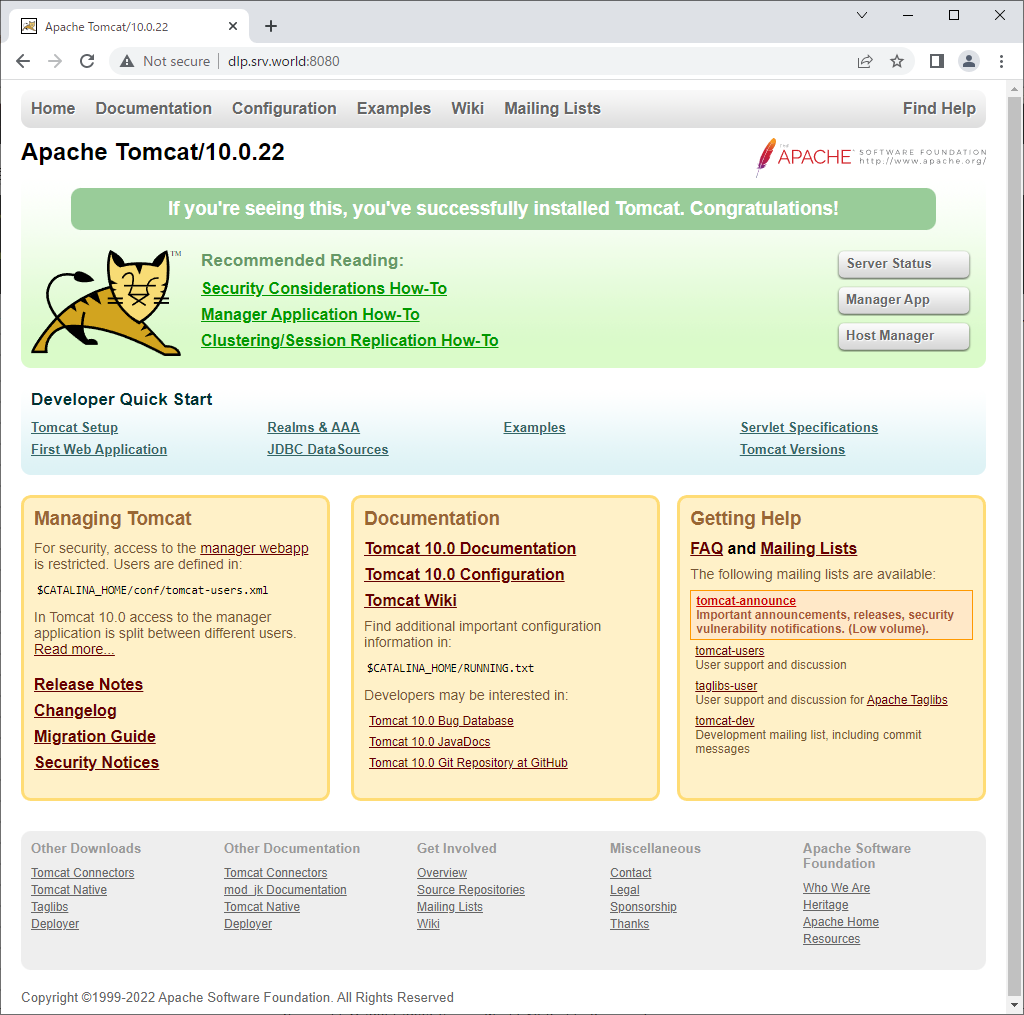
[6]Start a Web browser on localhost or clients on the network and access to [http://(server's hostname or IP address):8080/], then Tomcat default site is displayed like follows.
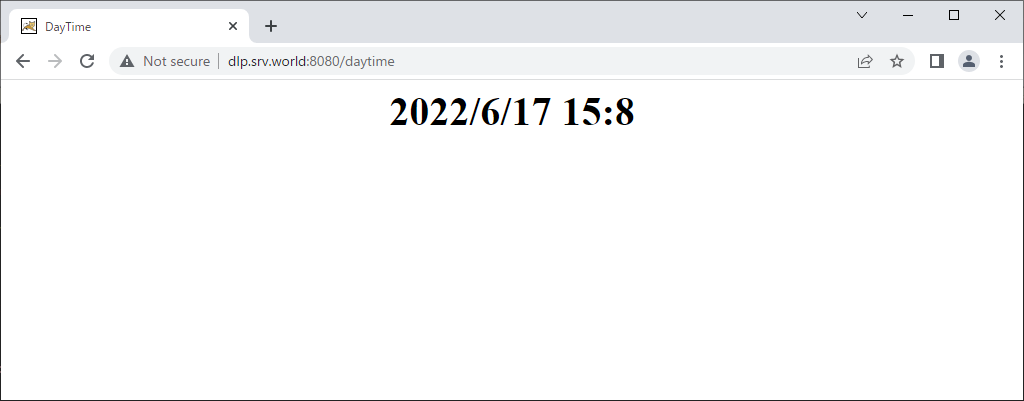
[7]Create a test servlet which shows current date and make sure it works normally.
[root@dlp ~]# 
mkdir /usr/libexec/tomcat10/webapps/ROOT/WEB-INF/classes

[root@dlp ~]# 
chown tomcat. /usr/libexec/tomcat10/webapps/ROOT/WEB-INF/classes

[root@dlp ~]# 
cd /usr/libexec/tomcat10/webapps/ROOT/WEB-INF/classes

[root@dlp classes]# 
vi daytime.java
# from Tomcat 10, migrated to Jakarta EE
# so it needs to replace [javax.*] to [jakarta.*]

import java.io.*;
import jakarta.servlet.*;
import jakarta.servlet.http.*;
import java.util.Calendar;

public class daytime extends HttpServlet {
    public void doGet(HttpServletRequest request
    ,HttpServletResponse response)

    throws IOException, ServletException{
        response.setContentType("text/html");
        PrintWriter out = response.getWriter();
        Calendar cal = Calendar.getInstance();
        out.println("<html>\n<head>\n<title>DayTime</title>\n</head>\n<body>");
        out.println("<div style=\"font-size: 40px; text-align: center; font-weight: bold\">");
        out.println(cal.get(Calendar.YEAR) + "/" + (cal.get(Calendar.MONTH) + 1) + "/" + 
        cal.get(Calendar.DATE) + " " + cal.get(Calendar.HOUR_OF_DAY) + ":" + cal.get(Calendar.MINUTE));
        out.println("</div>\n</body>\n</html>");
    }
}

[root@dlp classes]# 
javac -classpath /usr/libexec/tomcat10/lib/servlet-api.jar daytime.java

[root@dlp classes]# 
vi /usr/libexec/tomcat10/webapps/ROOT/WEB-INF/web.xml
# add follows between <web-app> - </web-app>

  <servlet>
     <servlet-name>daytime</servlet-name>
     <servlet-class>daytime</servlet-class>
  </servlet>
  <servlet-mapping>
     <servlet-name>daytime</servlet-name>
     <url-pattern>/daytime</url-pattern>
  </servlet-mapping>
[8]Access to [http://(server's hostname or IP address):8080/daytime] to make sure it works normally.

OpenJDK 21 : Install


OpenJDK 21 : Install


Install OpenJDK 21.

[1]If you need only JRE, Install only [java-21-openjdk] package,
but if you need compiler, Install [java-21-openjdk-devel] package, too.
[root@dlp ~]# 
dnf -y install java-21-openjdk java-21-openjdk-devel
[root@dlp ~]# 
cat > /etc/profile.d/java.sh <<'EOF'
export JAVA_HOME=$(dirname $(dirname $(readlink $(readlink $(which java)))))
export PATH=$PATH:$JAVA_HOME/bin
EOF
[root@dlp ~]# 
source /etc/profile.d/java.sh
[root@dlp ~]# 
java --version

openjdk 17.0.3 2022-04-19 LTS
OpenJDK Runtime Environment 21.9 (build 17.0.3+7-LTS)
OpenJDK 64-Bit Server VM 21.9 (build 17.0.3+7-LTS, mixed mode, sharing)

# verify to create test program

[root@dlp ~]# cat > java_test.java <<'EOF'
class java_test {
    public static void main(String[] args) {
        System.out.println("Hello Java World !");
    }
}
EOF 

[root@dlp ~]# 
javac java_test.java

[root@dlp ~]# 
java java_test

Hello Java World !
[2]If you installed multiple version of Java from CentOS official repository, it's possible to switch them with [alternatives].
[root@dlp ~]# 
alternatives --config java

There are 2 programs which provide 'java'.

  Selection    Command
-----------------------------------------------
*+ 1           java-17-openjdk.x86_64 (/usr/lib/jvm/java-17-openjdk-17.0.13.0.11-4.el9.x86_64/bin/java)
   2           java-21-openjdk.x86_64 (/usr/lib/jvm/java-21-openjdk-21.0.5.0.11-2.el9.x86_64/bin/java)

Enter to keep the current selection[+], or type selection number: 2

[root@dlp ~]# 
alternatives --config javac

There are 2 programs which provide 'javac'.

  Selection    Command
-----------------------------------------------
*+ 1           java-17-openjdk.x86_64 (/usr/lib/jvm/java-17-openjdk-17.0.13.0.11-4.el9.x86_64/bin/javac)
   2           java-21-openjdk.x86_64 (/usr/lib/jvm/java-21-openjdk-21.0.5.0.11-2.el9.x86_64/bin/javac)

Enter to keep the current selection[+], or type selection number: 2

[root@dlp ~]# 
java --version

openjdk 21.0.5 2024-10-15 LTS
OpenJDK Runtime Environment (Red_Hat-21.0.5.0.11-1) (build 21.0.5+11-LTS)
OpenJDK 64-Bit Server VM (Red_Hat-21.0.5.0.11-1) (build 21.0.5+11-LTS, mixed mode, sharing)

[root@dlp ~]# 
javac --version

javac 21.0.5

Ruby on Rails 7 : Install


Ruby on Rails 7 : Install

 
Install Ruby on Rails 6 to build Ruby Framework environment.
[1]
[2]Install some other required packages.
[root@dlp ~]# 
curl https://dl.yarnpkg.com/rpm/yarn.repo > /etc/yum.repos.d/yarn.repo

[root@dlp ~]# 
dnf --enablerepo=crb -y install ruby-devel rpm-build make gcc gcc-c++ libxml2 libxml2-devel mariadb-devel zlib-devel libxslt-devel nodejs git yarn
[3]Install Rails 7.
[root@dlp ~]# 
gem install bundler

[root@dlp ~]# 
gem install nokogiri -- --use-system-libraries

[root@dlp ~]# 
gem install rails --version="~>7.0"

[root@dlp ~]# 
rails -v

Rails 7.0.3
[4]Create a sample application and make sure it works normally.
Install MariaDB Server for this sample app, refer to here.
Furthermore, if Firewalld is running and also access to Rails from other Hosts, it needs to allow port 3000.
[root@dlp ~]# 
gem install mysql2 -- --with-mysql-config=/usr/bin/mysql_config

[root@dlp ~]# 
rails new SampleApp -d mysql

[root@dlp ~]# 
cd SampleApp

[root@dlp SampleApp]# 
vi config/database.yml
default: &default
  adapter: mysql2
  encoding: utf8mb4
  pool: <%= ENV.fetch("RAILS_MAX_THREADS") { 5 } %>
  username: serverworld     # MariaDB connection user
  password: password        # MariaDB connection password
  host: localhost

[root@dlp SampleApp]# 
vi config/application.rb
module SampleApp
  class Application < Rails::Application
    # Initialize configuration defaults for originally generated Rails version.
    config.load_defaults 7.0
    # line 13 : specify hosts
    # if not specified, users can access to only [localhost] and IP address
    # if allow all sub-domain, specify domain name like follows
    config.hosts << ".srv.world" 

# create sample application

[root@dlp SampleApp]# 
rails db:create

Created database 'SampleApp_development'
Created database 'SampleApp_test'
[root@dlp SampleApp]# 
rails generate scaffold testapp name:string title:string body:text

[root@dlp SampleApp]# 
rails db:migrate

== 20220617042553 CreateTestapps: migrating ===================================
-- create_table(:testapps)
   -> 0.1467s
== 20220617042553 CreateTestapps: migrated (0.1478s) ==========================

[root@dlp SampleApp]# 
rails server --binding=0.0.0.0

=> Booting Puma
=> Rails 7.0.3 application starting in development
=> Run `bin/rails server --help` for more startup options
Puma starting in single mode...
* Puma version: 5.6.4 (ruby 3.0.3-p157) ("Birdie's Version")
*  Min threads: 5
*  Max threads: 5
*  Environment: development
*          PID: 13547
* Listening on http://0.0.0.0:3000
Use Ctrl-C to stop
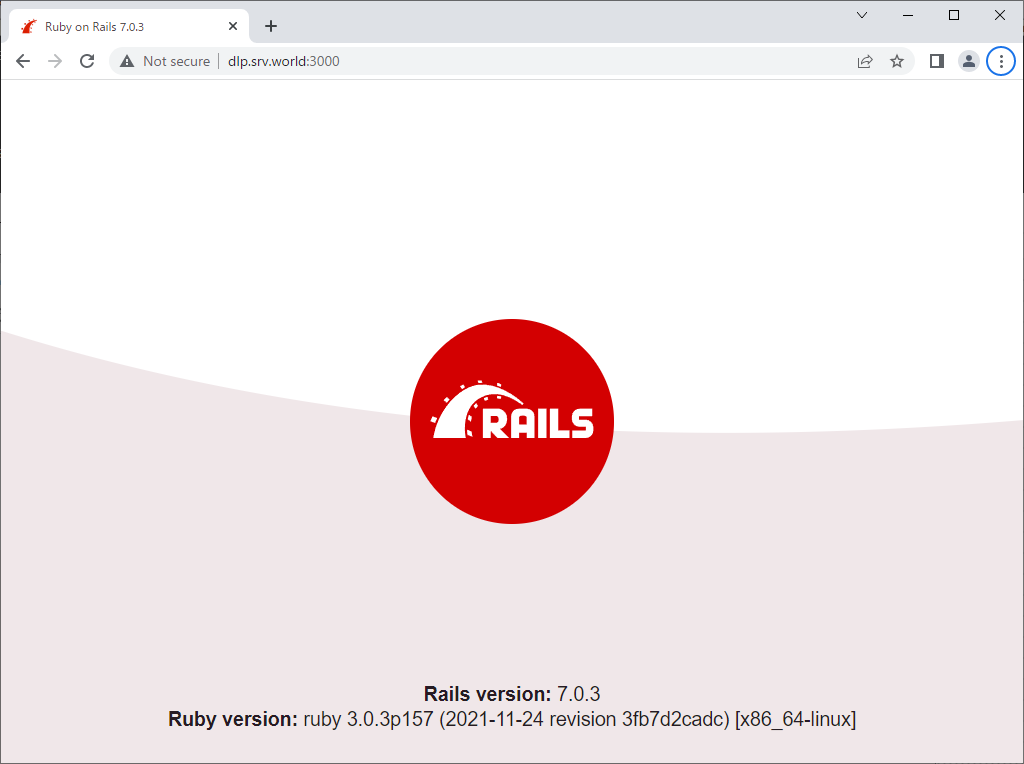
[5]Access to the [http://(server's hostname or IP address):3000/] from a client computer. It's OK if following site is displayed normally.
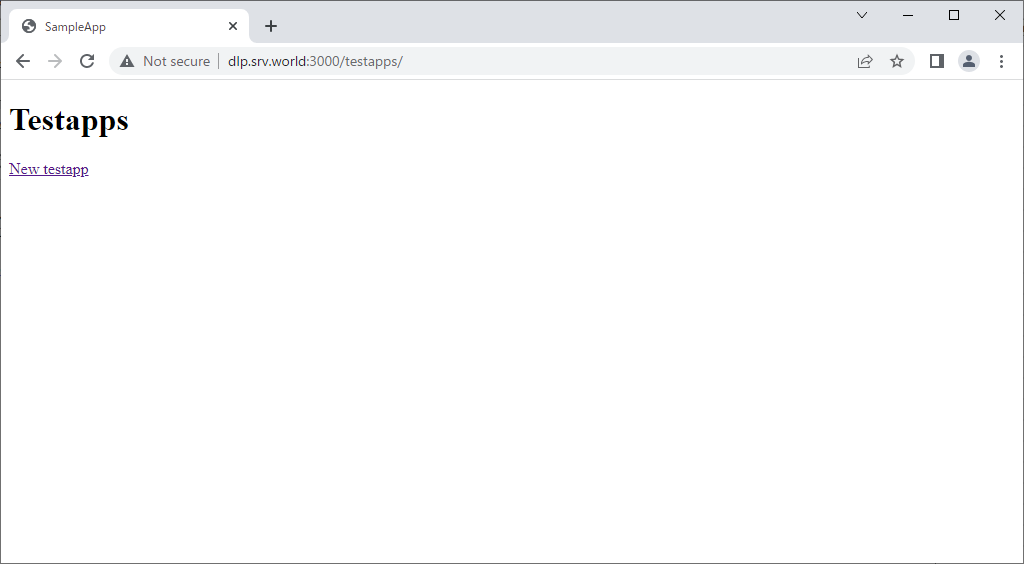
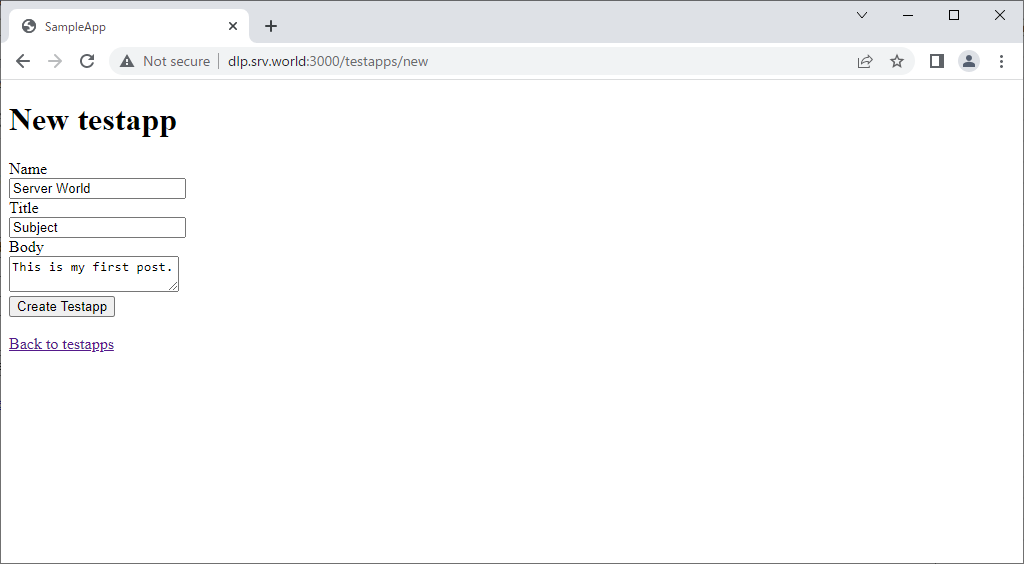
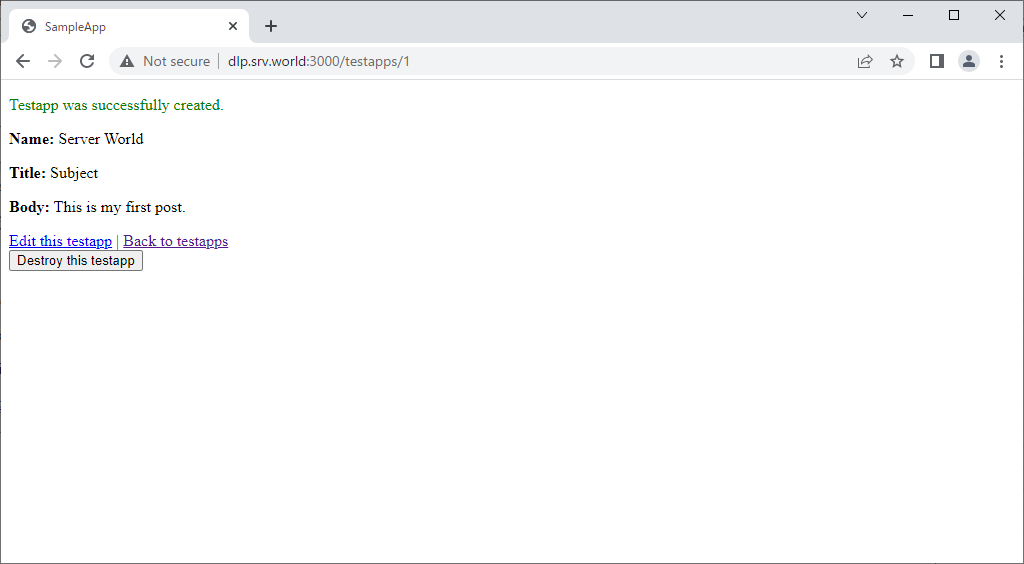
 Access to [http://(server's hostname or IP address):3000/testapps/], then it's possible to use sample app like follows.