NetData : Install |
Install NetData to monitor System resources timely via Web browser. | |
| [1] | Install NetData. |
[root@dlp ~]# vi /etc/netdata/netdata.conf # line 31 : change bind IP address if you'd like to access to NetData Web from other Hosts # specify own IP address or [0.0.0.0] bind to = 10.0.0.30 systemctl enable --now netdata |
| [2] | If Firewalld is running, allow ports. |
| [root@dlp ~]# firewall-cmd --add-port=19999/tcp success [root@dlp ~]# firewall-cmd --runtime-to-permanent success |
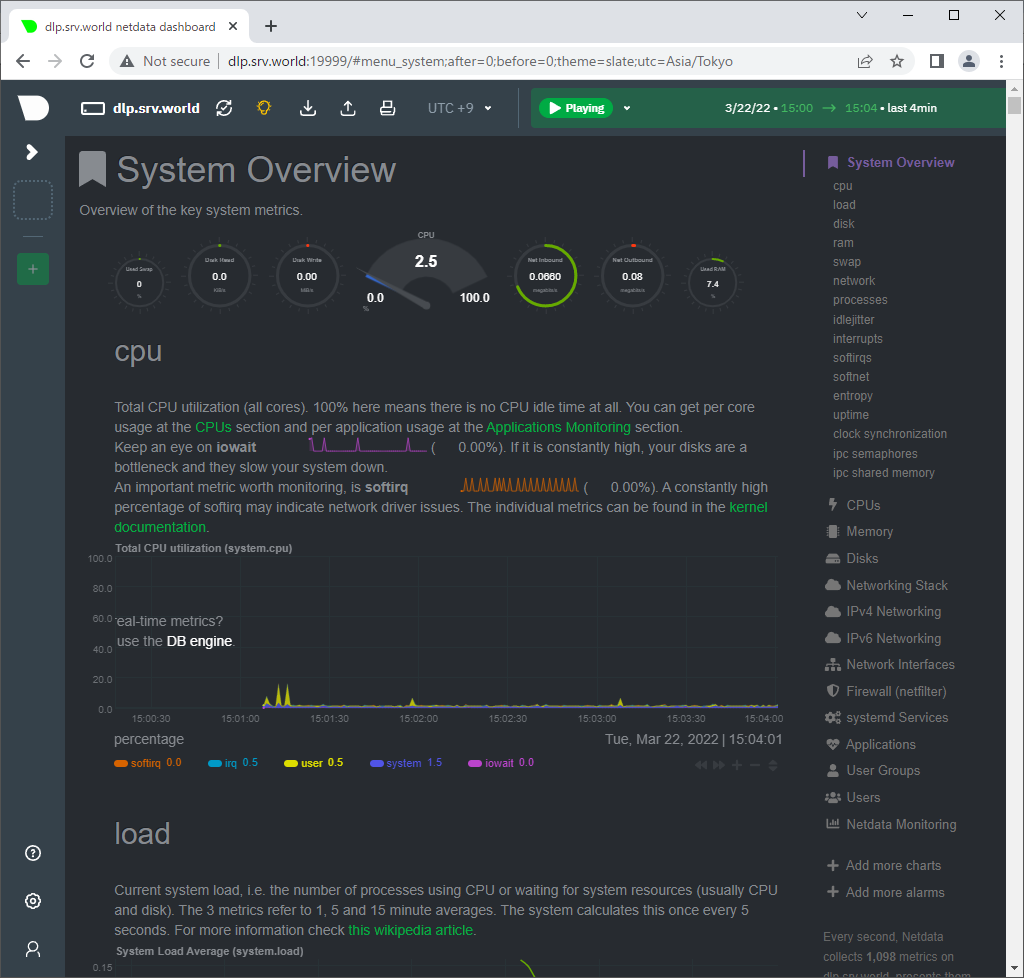
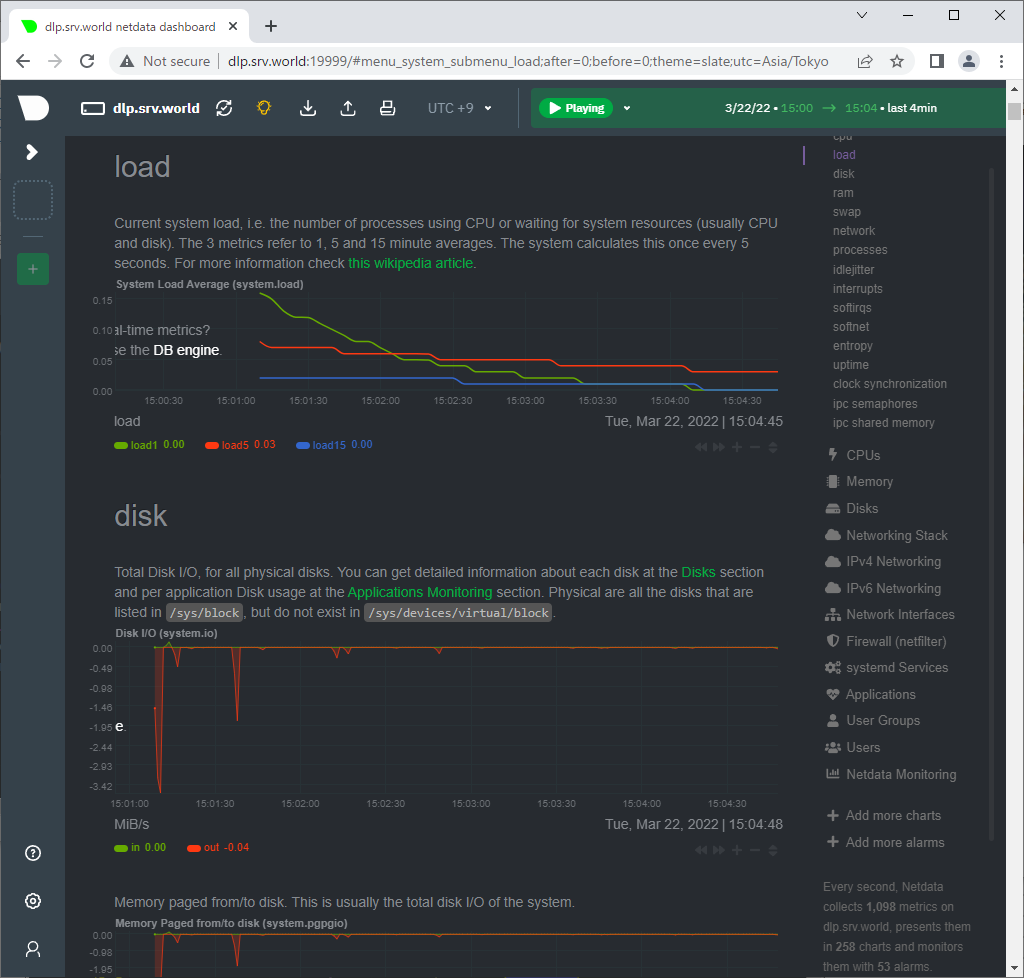
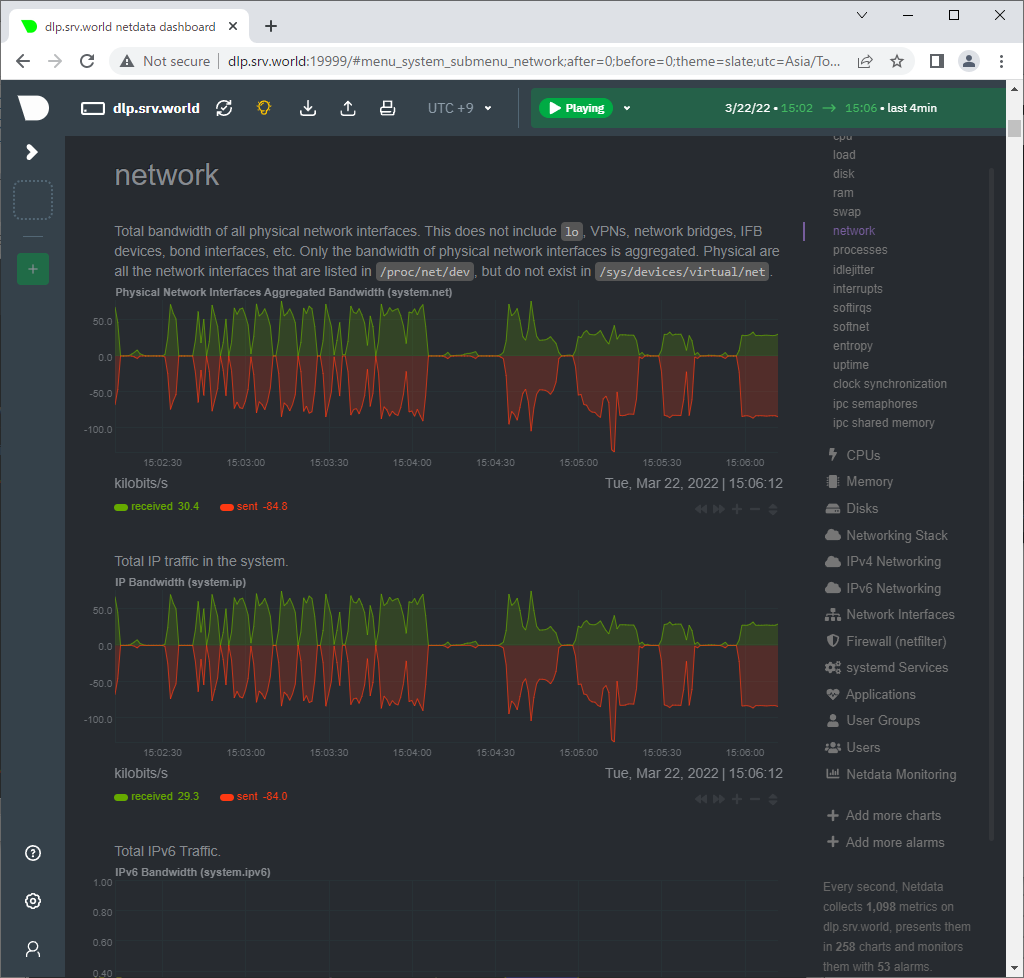
| [3] | Access to [http://(your server's hostname or IP address):19999/] with Web borwser on a Client in your network or from Localhost, then, NetData admin console is shown like follows and you can monitor System resources. |
 |
 |
 |

No comments:
Post a Comment