Node.js + TypeScript |
Configure TypeScript environment on Node.js. | |
| [1] | |
| [2] | Create a test project with TypeScript as a common user. |
# generate package.json [cent@dlp testproject]$ npm init -y Wrote to /home/cent/testproject/package.json:
{
"name": "testproject",
"version": "1.0.0",
"description": "",
"main": "index.js",
"scripts": {
"test": "echo \"Error: no test specified\" && exit 1"
},
"keywords": [],
"author": "",
"license": "ISC"
}
# install TypeScript [cent@dlp testproject]$ npm install typescript ts-node added 19 packages, and audited 20 packages in 6s found 0 vulnerabilities # install Node.js type declaration file [cent@dlp testproject]$ npm install @types/node up to date, audited 20 packages in 529ms found 0 vulnerabilities # generate tsconfig.json [cent@dlp testproject]$ npx tsc --init --module commonjs Created a new tsconfig.json with: target: es2016 module: commonjs strict: true esModuleInterop: true skipLibCheck: true forceConsistentCasingInFileNames: true You can learn more at https://aka.ms/tsconfig[cent@dlp testproject]$ grep -v -E "^ */|^$" tsconfig.json {
"compilerOptions": {
"target": "es2016", /* Set the JavaScript language version for emitted JavaScript and include compatible library declarations. */
"module": "commonjs", /* Specify what module code is generated. */
"esModuleInterop": true, /* Emit additional JavaScript to ease support for importing CommonJS modules. This enables 'allowSyntheticDefaultImports' for type compatibility. */
"forceConsistentCasingInFileNames": true, /* Ensure that casing is correct in imports. */
"strict": true, /* Enable all strict type-checking options. */
"skipLibCheck": true /* Skip type checking all .d.ts files. */
}
}
# create a test app [cent@dlp testproject]$ mkdir src [cent@dlp testproject]$ vi src/test-app.ts import * as http from "http";
import * as os from 'os';
const hostname = os.hostname();
const port = 3000;
const server = http.createServer((req, res) =>
{
res.write("Hello TypeScript World on Node.js!\n");
res.end();
}
);
server.listen(port);
console.log(`http://${hostname}:${port}`);
./node_modules/.bin/ts-node src/test-app.ts http://dlp.srv.world:3000 |
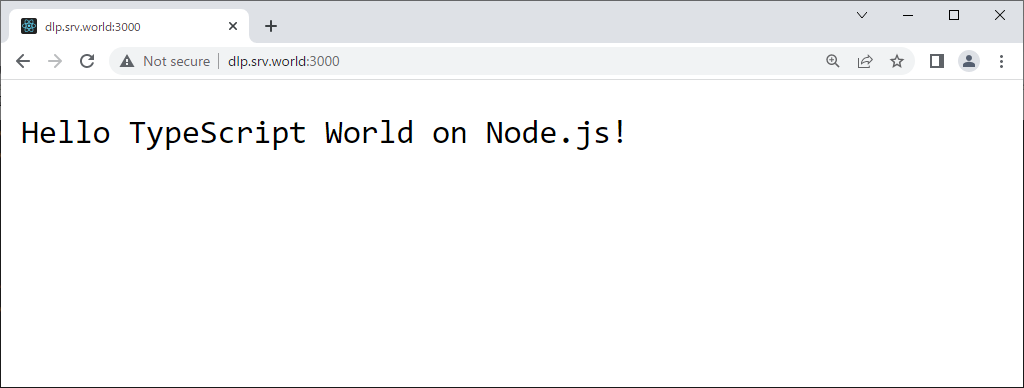
| Access to the URL that is shown on the console above from any client computer, and then that's OK if following app is shown. |
 |

No comments:
Post a Comment