NextCloud : Active Directory Integration |
Configure NextCloud with Windows Active Directory Integration to login to NextCloud with AD user accounts. | |||||||||||
| [1] | Install and run Active Directory in your local network, refer to here. This example is based on the environment like follows.
| ||||||||||
| [2] | Configure NextCloud to access to AD Server from PHP scripts. |
[root@dlp ~]# [root@dlp ~]# dnf -y install php-ldap systemctl reload php-fpm |
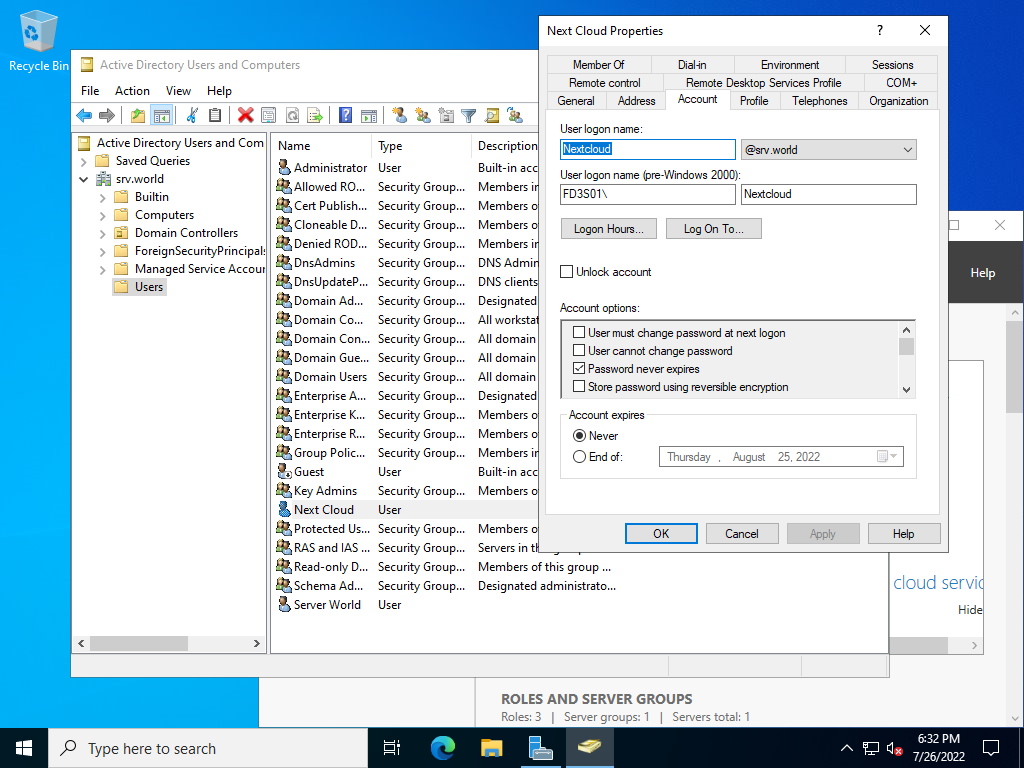
| [3] | On Active Directory side, create an AD user for binding from NextCloud Server. It's OK to grant [Domain Users] rights only for it. On this example, it creates [nextcloud] user like follows. |
 |
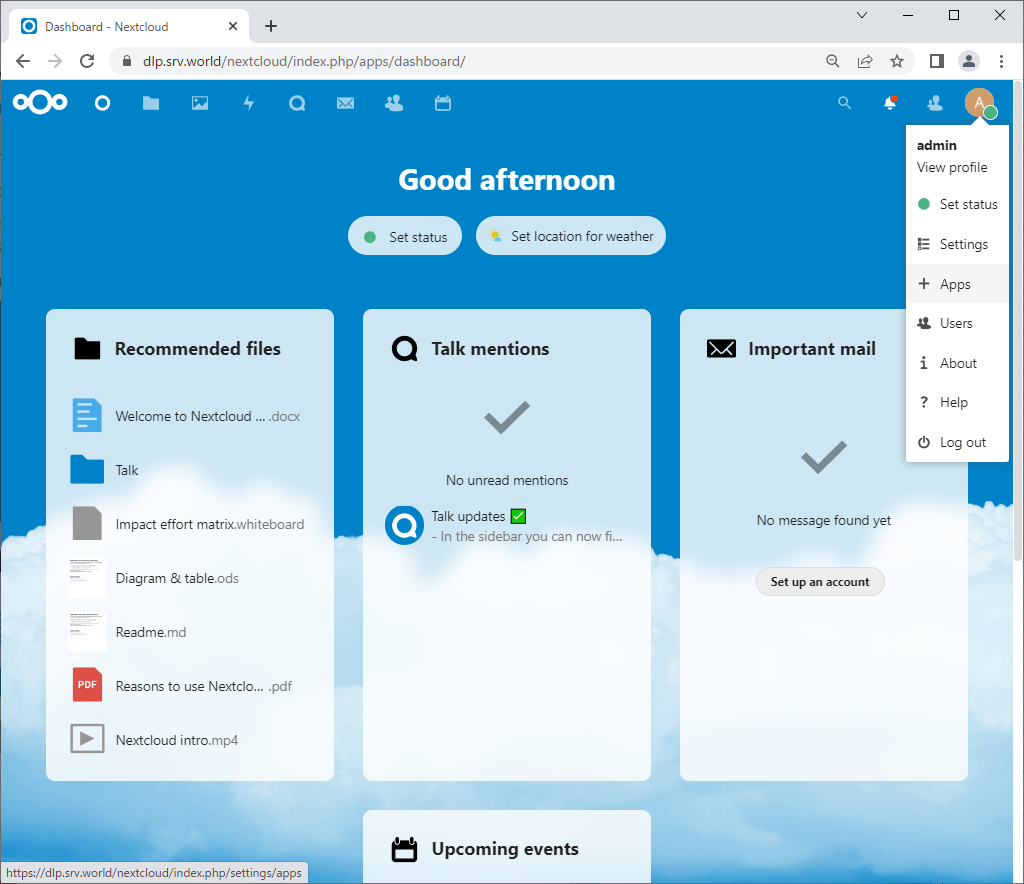
| [4] | Login to NextCloud Web with admin account and open [Apps]. |
 |
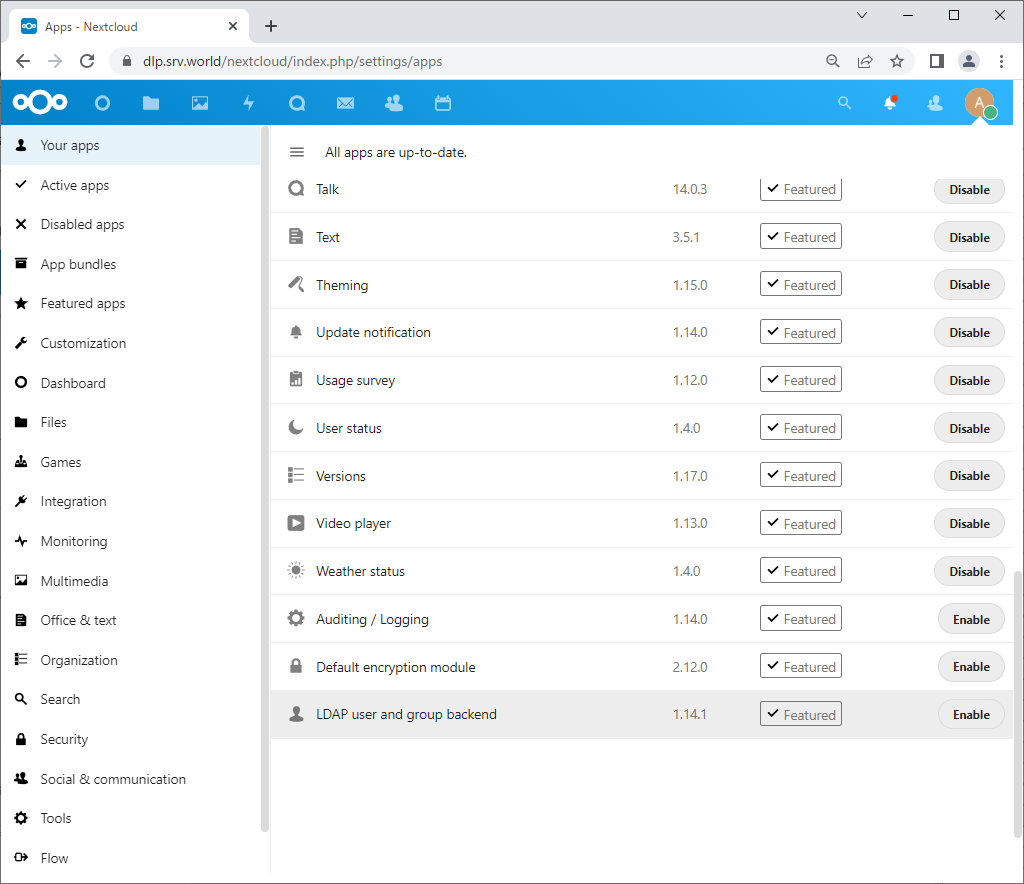
| [5] | Select [Your apps] on the left pane and Click [Enable] button on [LDAP user and group backend] section. |
 |
| [6] | After enabling [LDAP user and group backend], open settings again and select [Administration] - [LDAP / AD integration] on the left pane. |
 |
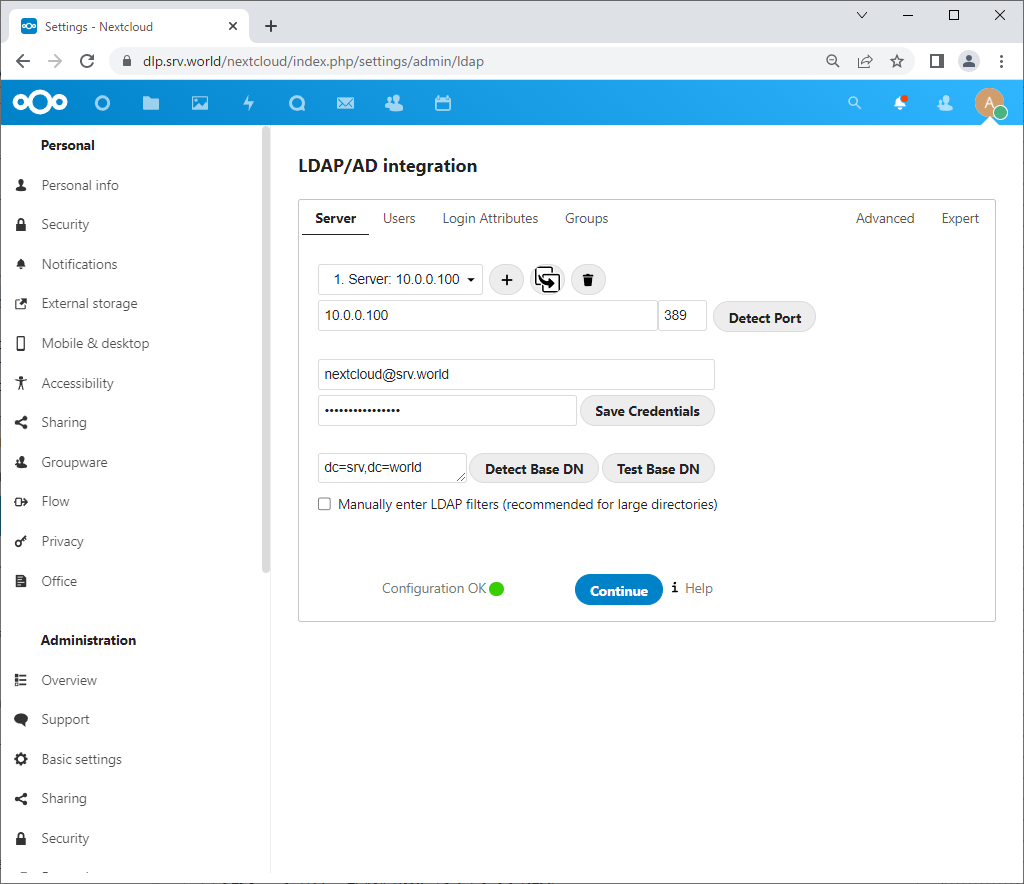
| [7] | Input AD server's information to connect. Input AD's hostname or IP address and Base DN, credentials of AD user for binding created in [3], and then click [Save Credentials] button. Next, Click [Test Base DN] button and if [Configuration OK] message is displayed like follows, that's OK, Click [Continue] to proceed. |
 |
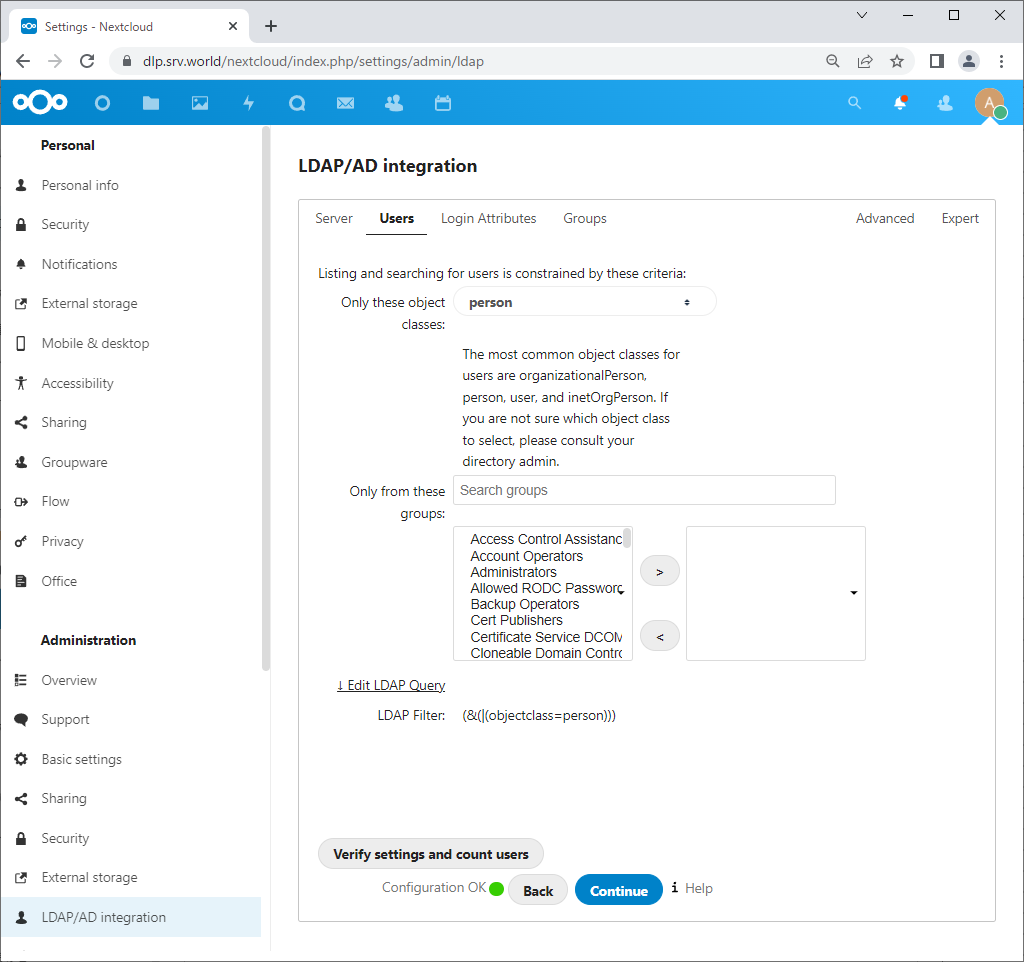
| [8] | Configure on [Users] tab. It's OK with default setting if you don't have specific requirements. Confirm [Configuration OK] and Click [Continue] to proceed. |
 |
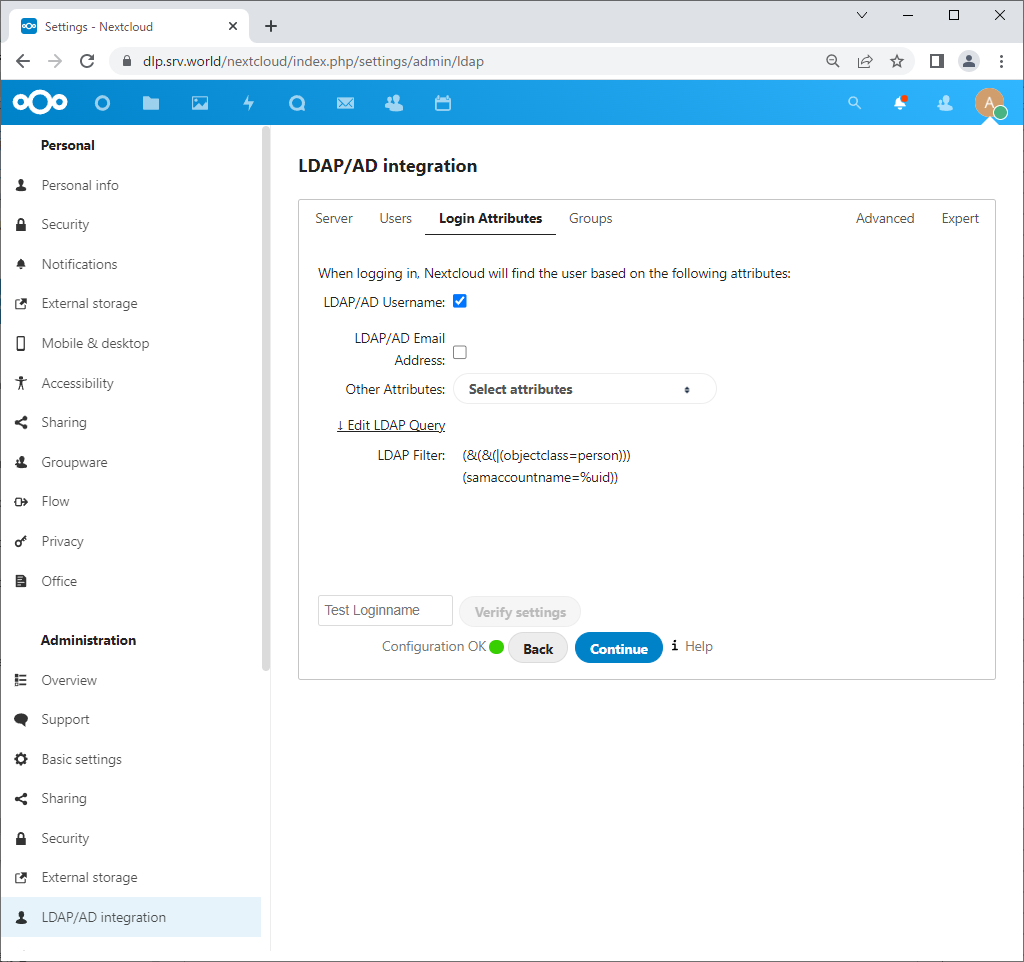
| [9] | Configure on [Login Attributes] tab. It's OK with default setting if you don't have specific requirements. Confirm [Configuration OK] and Click [Continue] to proceed. |
 |
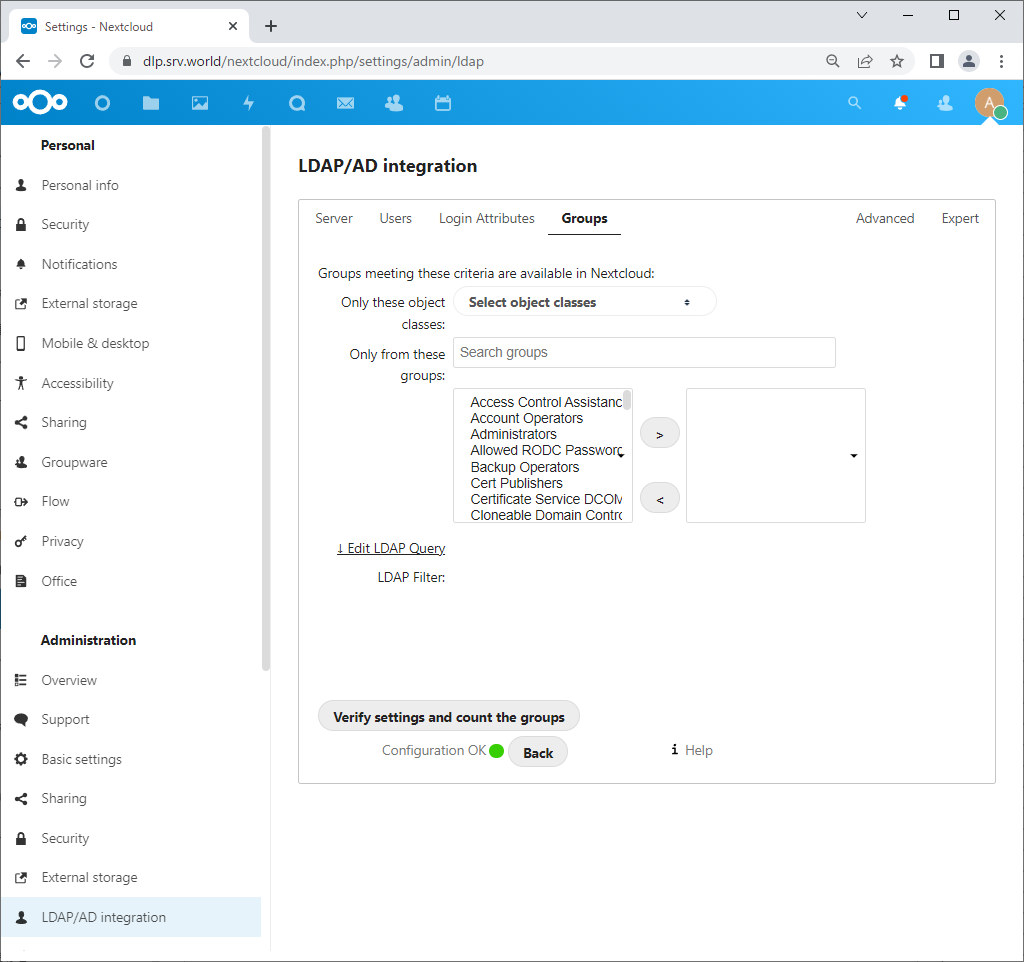
| [10] | Configure on [Groups] tab. If you'd like to limit groups they can search AD directory, configure here. But it's OK with default setting if you don't have specific requirements. Confirm [Configuration OK] and finish configuration for admin account. |
 |
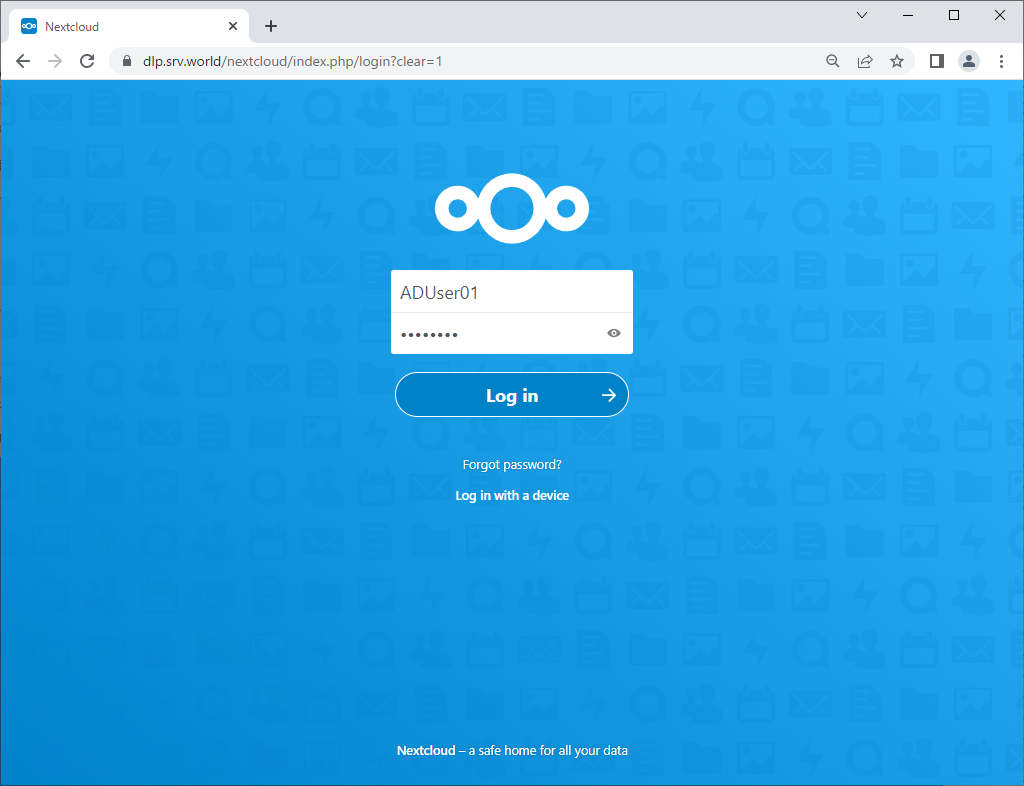
| [11] | Move to Login form and specify an AD user. |
 |
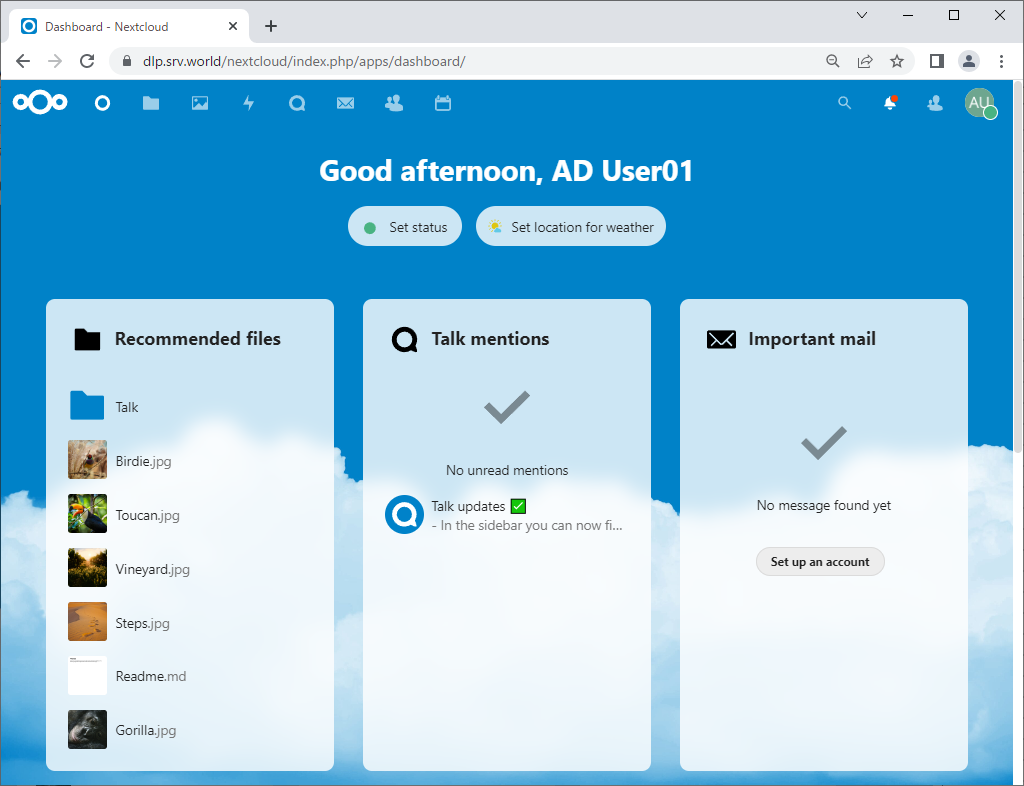
| [12] | If configuration OK, it's possible to login to NextCloud with AD users like follows. |
 |

No comments:
Post a Comment