Ansible : AWX : Add Projects |
This is the basic configuration for Ansible AWX to run Ansible Playbooks. To run Playbooks on target Hosts on AWX, it needs to configure the following settings. * Add inventories * Add credentials * Add projects * Add job templates To add projects, configure like follows. Before it, it needs to prepare Source Control repository that Playbooks are stored. When adding a Project, you can select Source Control Type like follows. [Manual], [Git], [Subversion], [RedHat Insights], [Remote Archive] | |
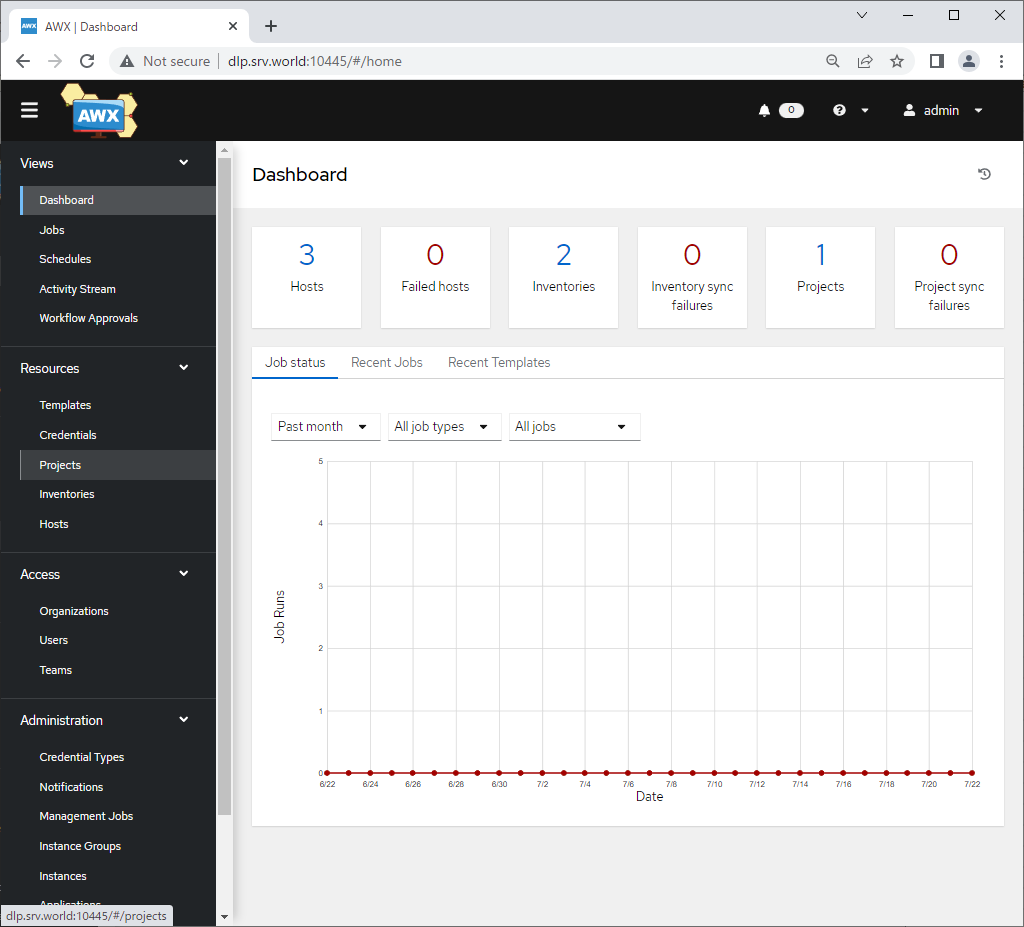
| [1] | Login to Ansible AWX Web and click [Projects] on the left pane. |
 |
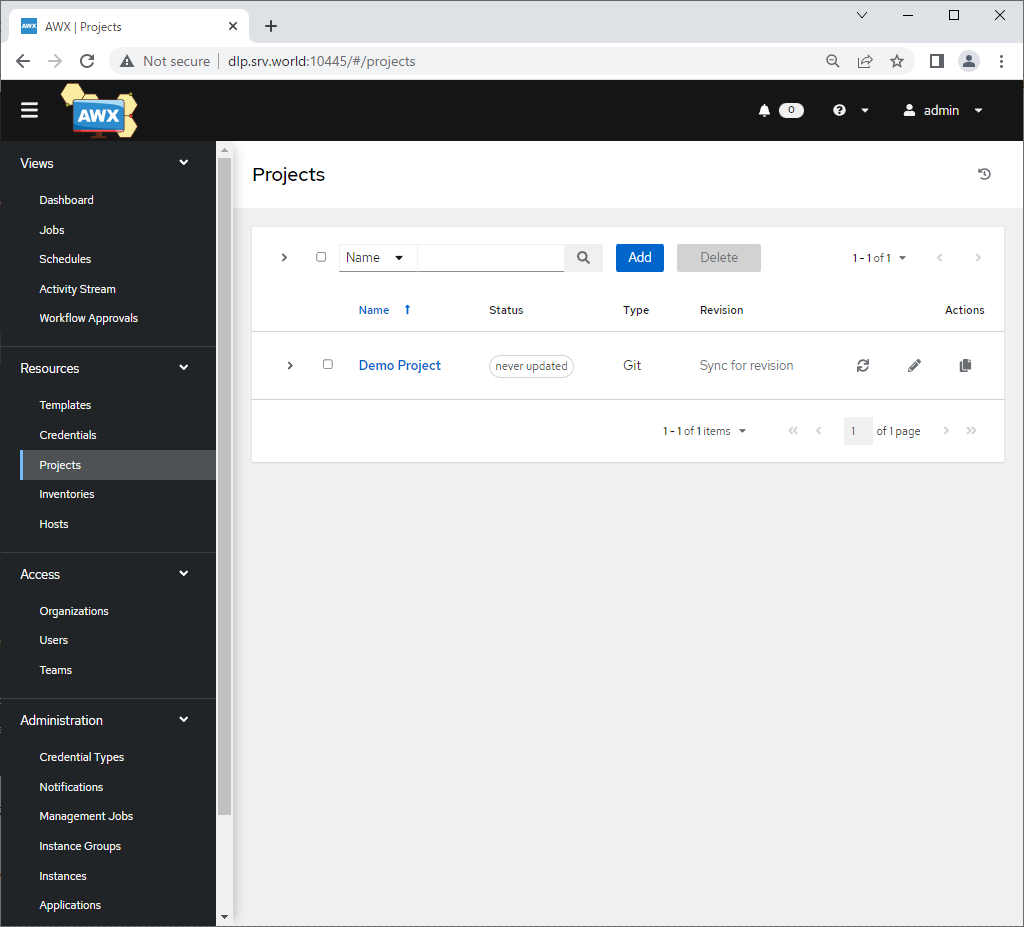
| [2] | Click [Add] button on the right pane. |
 |
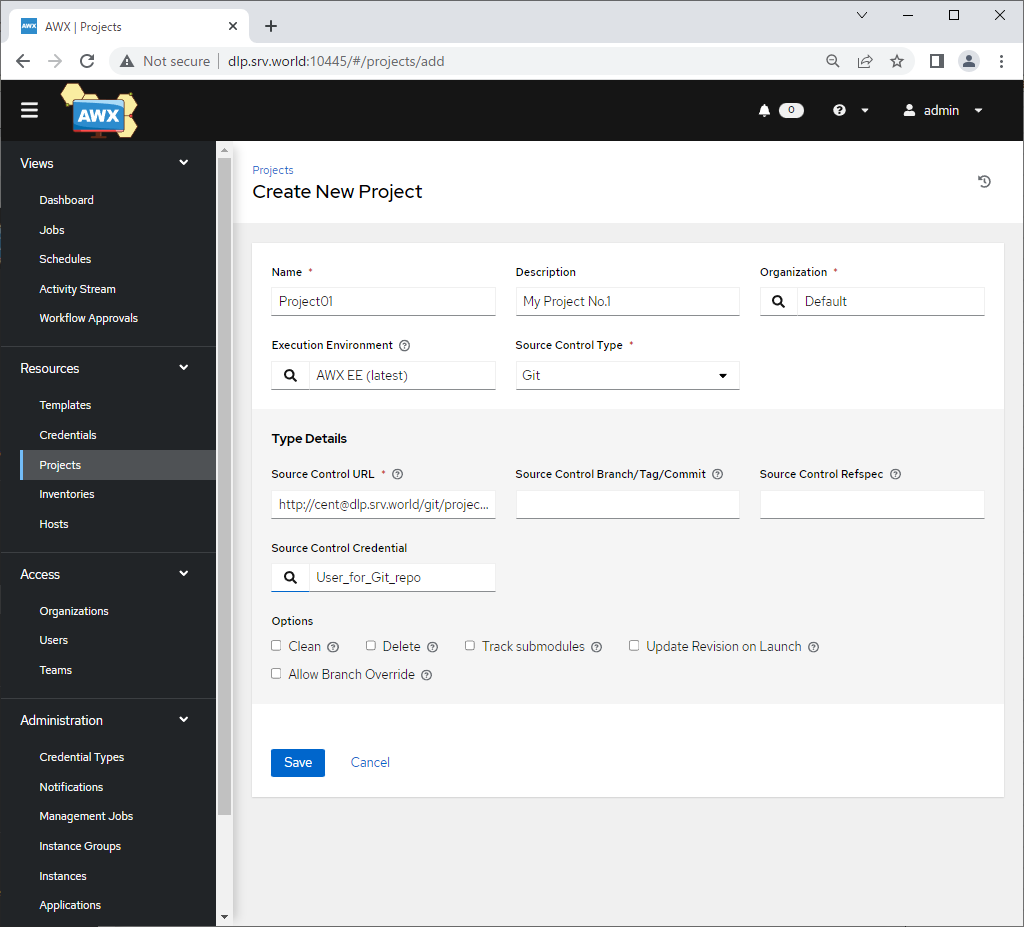
| [3] | Input basic information for project and click [Save] button to save.
|
 |
| [4] | After Saving credential, that's OK if following screen is shown. |
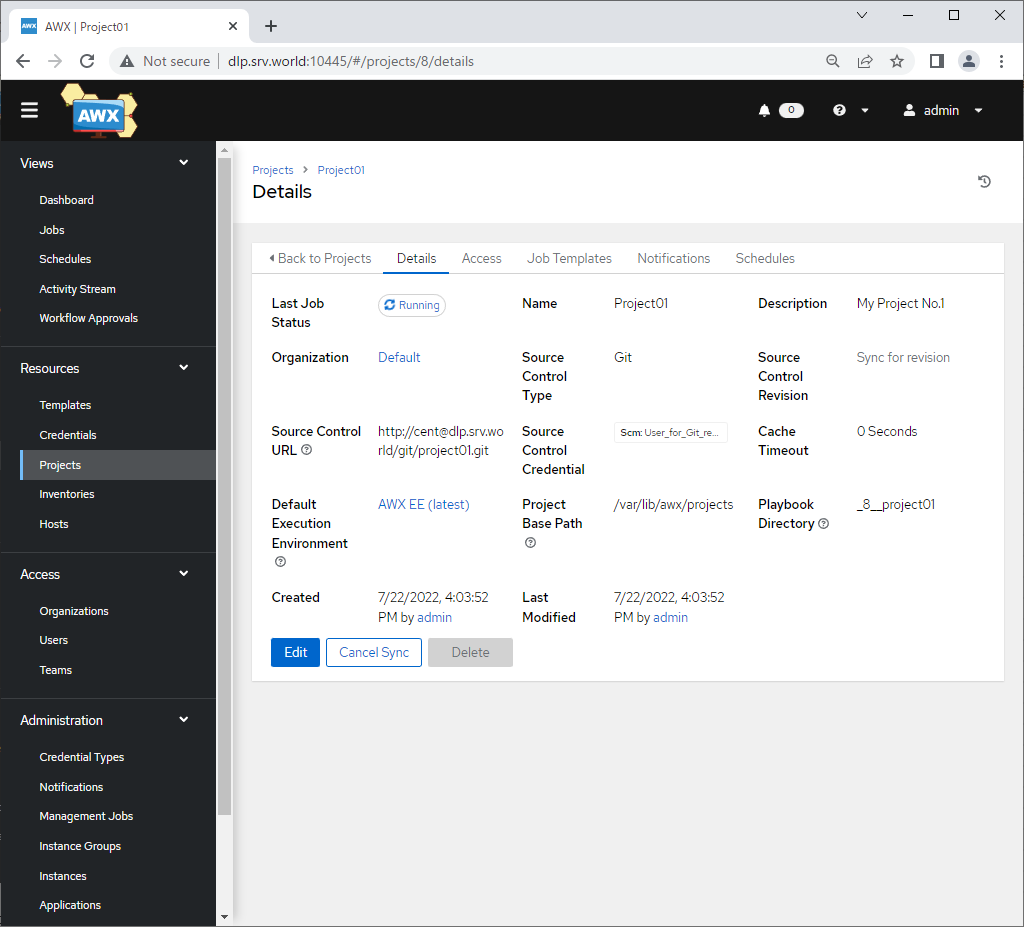 |
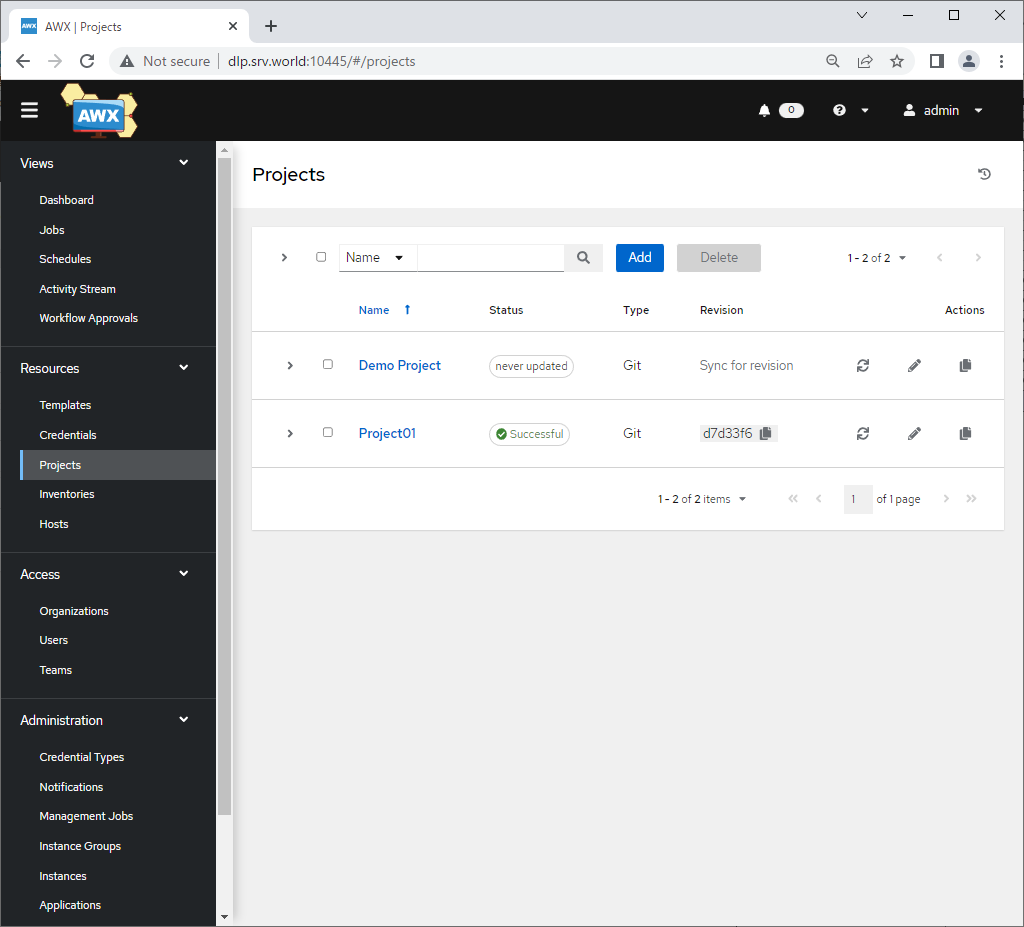
| [5] | After adding a project, That's OK if new project is displayed and also status is [Successful]. |
 |

No comments:
Post a Comment