NextCloud : Use Mail |
Configure Web Mail feature to send or receive emails on NextCloud Web. |
| [1] | |
| [2] | |
| [3] | |
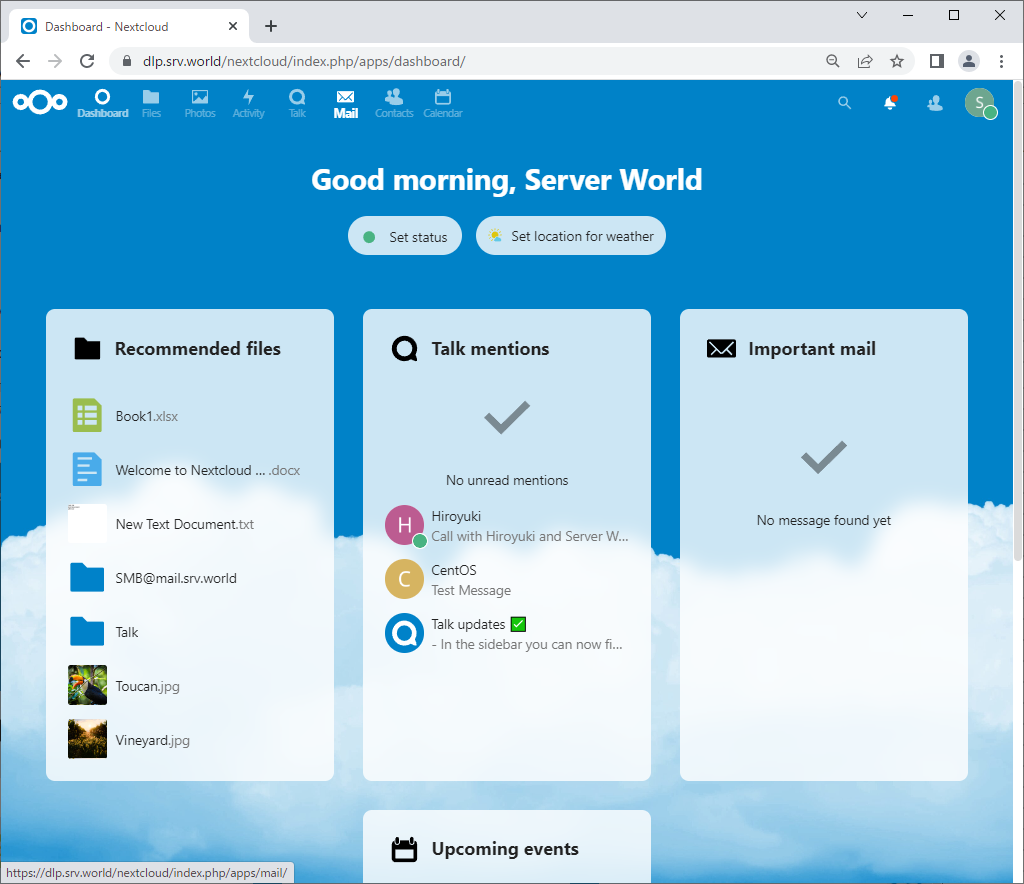
| [4] | Login to NextCloud Web with your own account and Click [Mail] icon on upper menu. |
 |
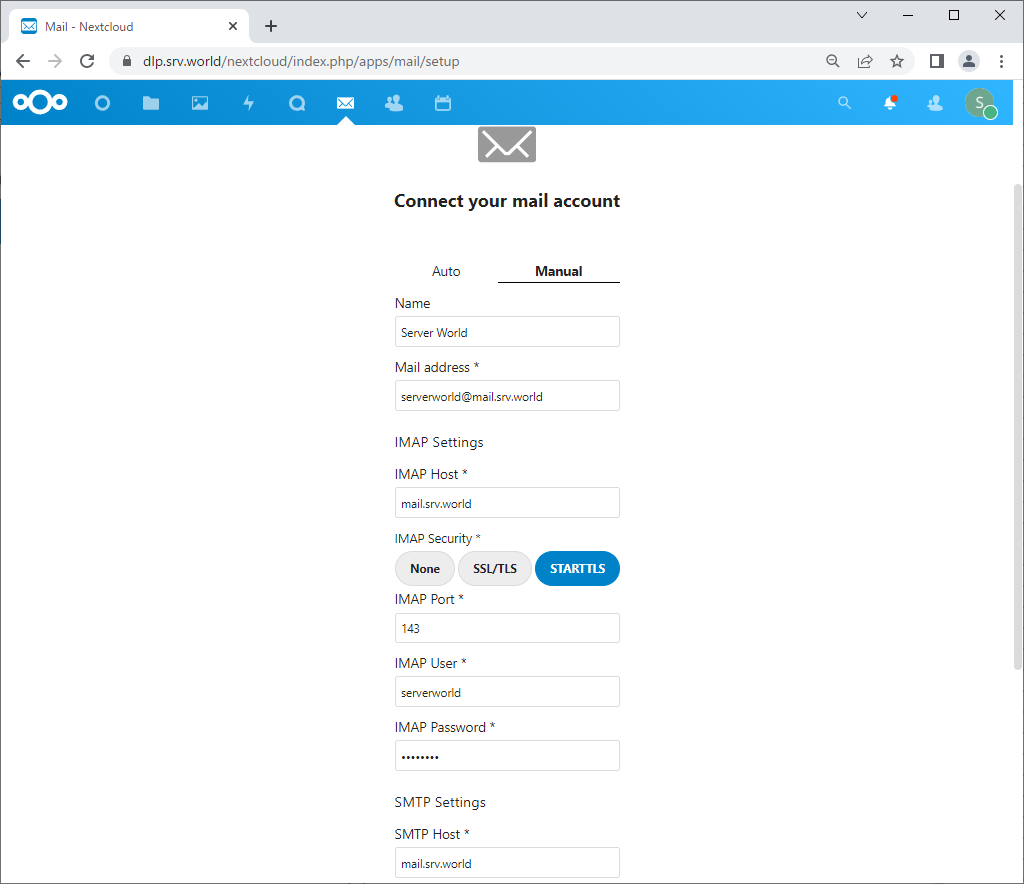
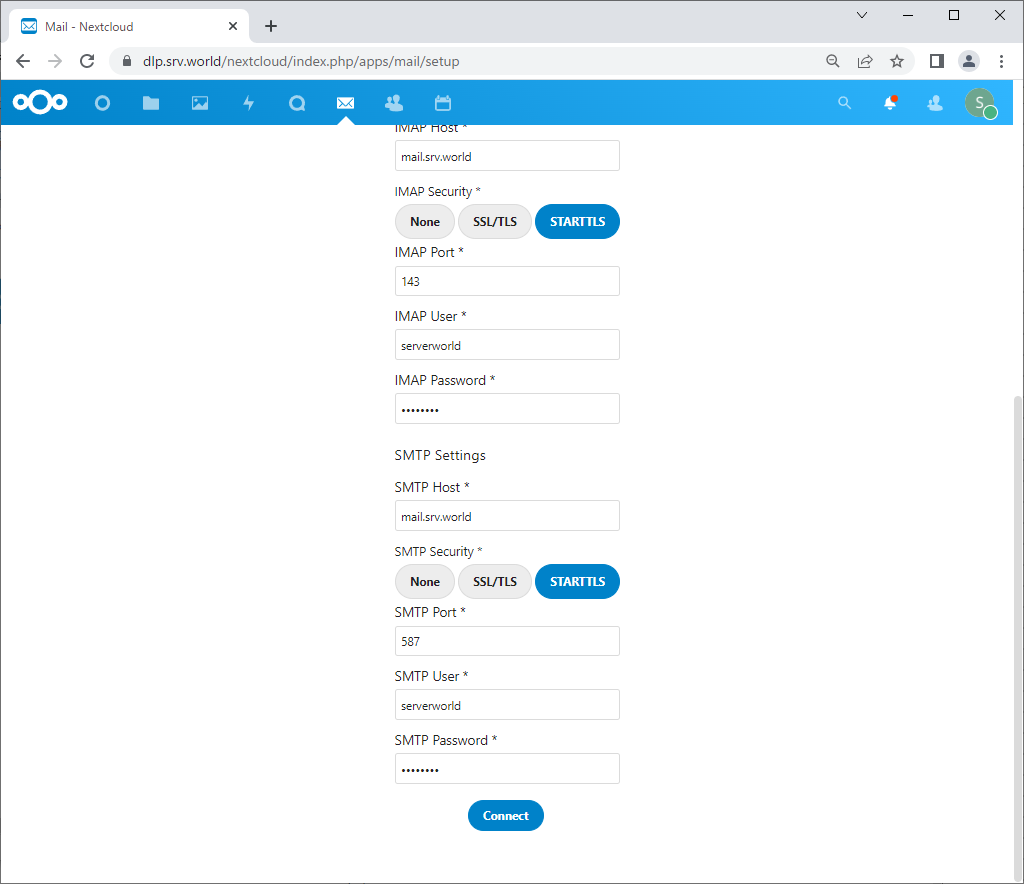
| [5] | Configure mail connection settings. Move to [Manual] tab and input required information to connect to your mail server. |
 |
| [6] | After inputting all, Click [Connect] button. |
 |
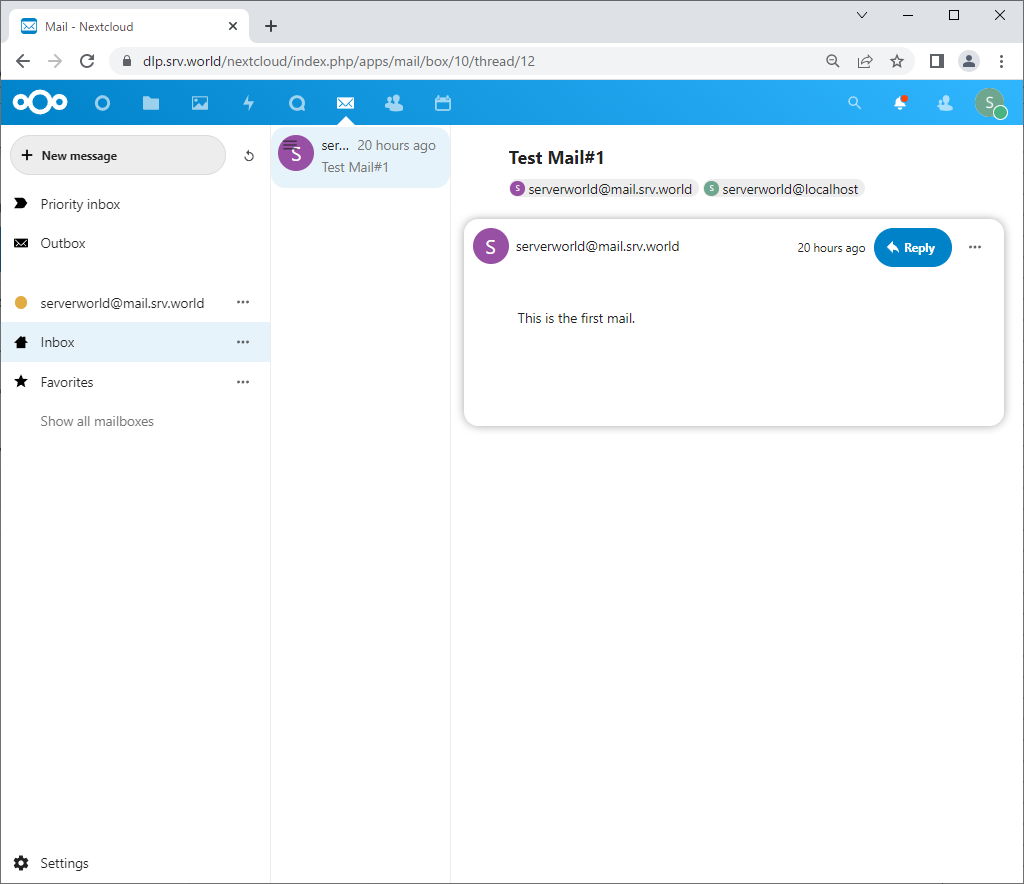
| [7] | After successfully connected to your mail server, your mail box is displayed. |
 |
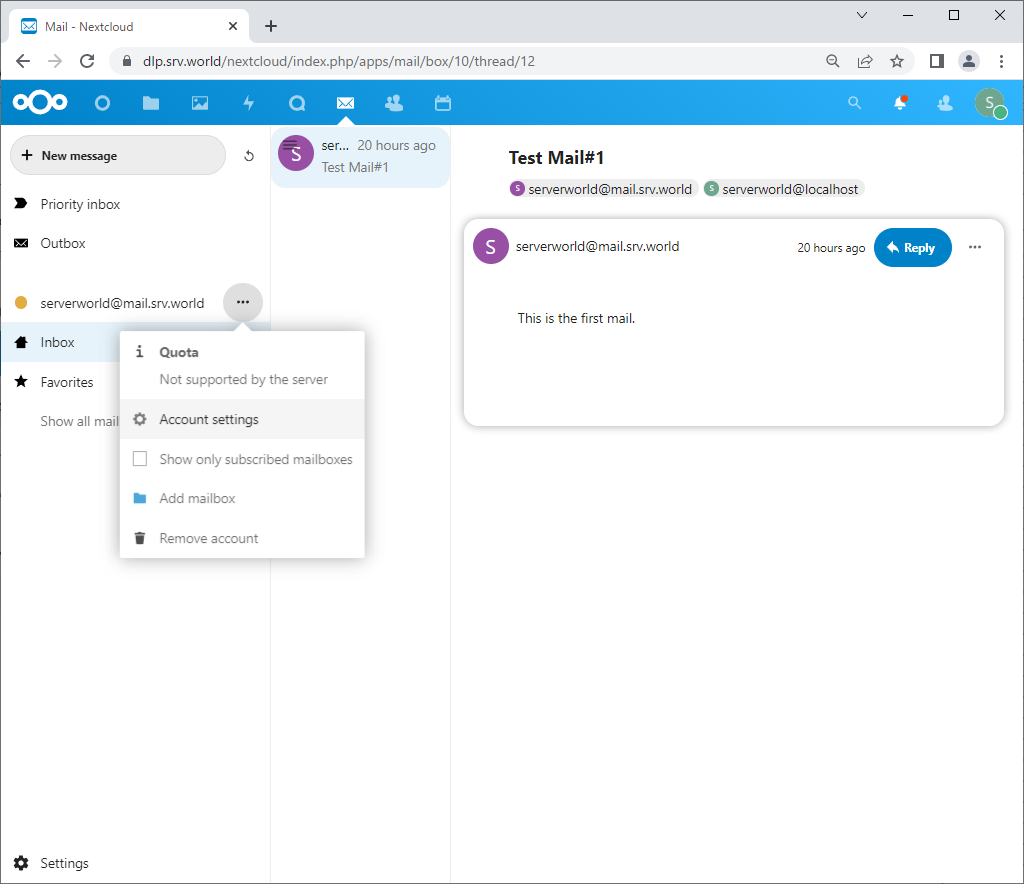
| [8] | To sending emails, it needs to configure sent-folder setting, Click [Account settings]. |
 |
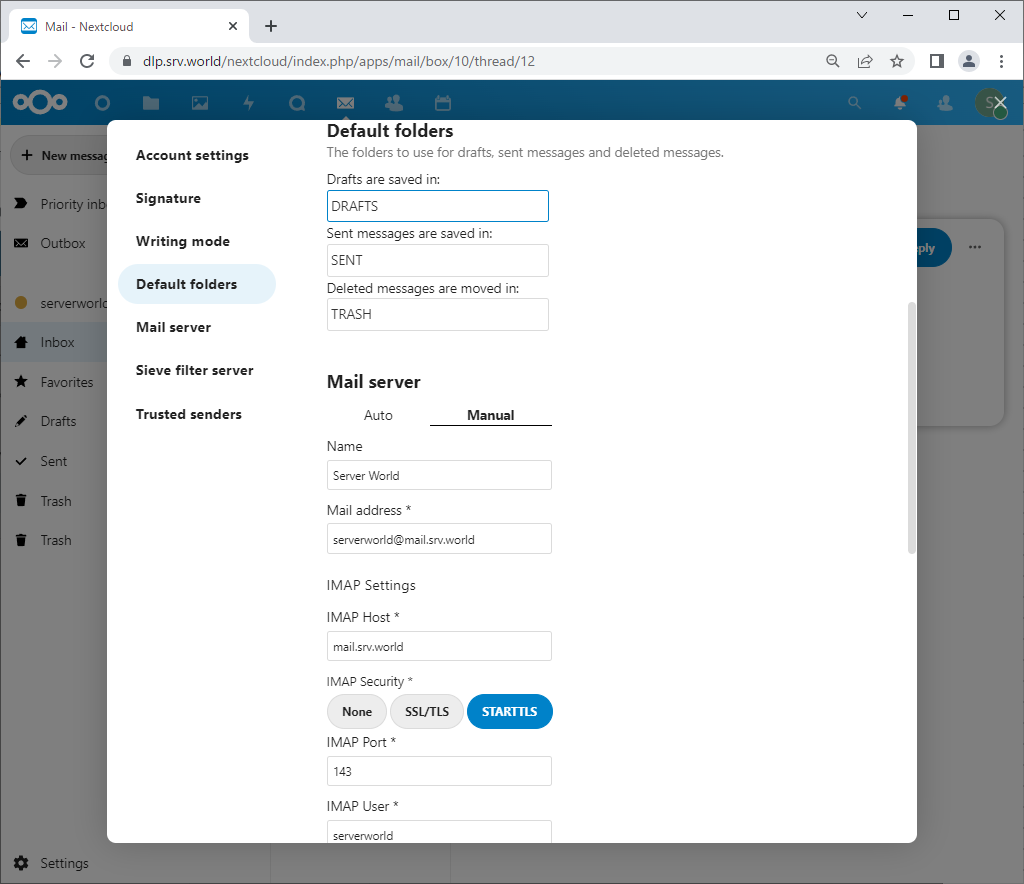
| [9] | Set any folder on [Default folders] and save settings. |
 |
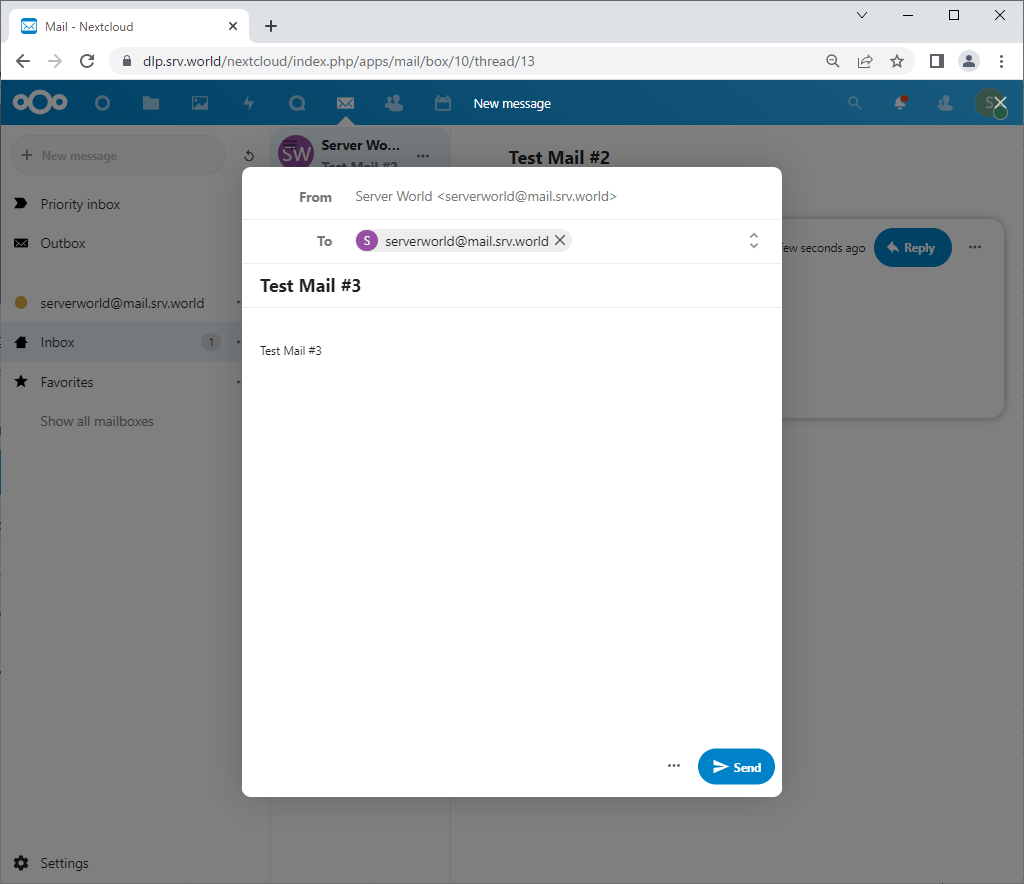
| [10] | To write new email, Click [New message] button on upper left and write messages on the right pane. |
 |
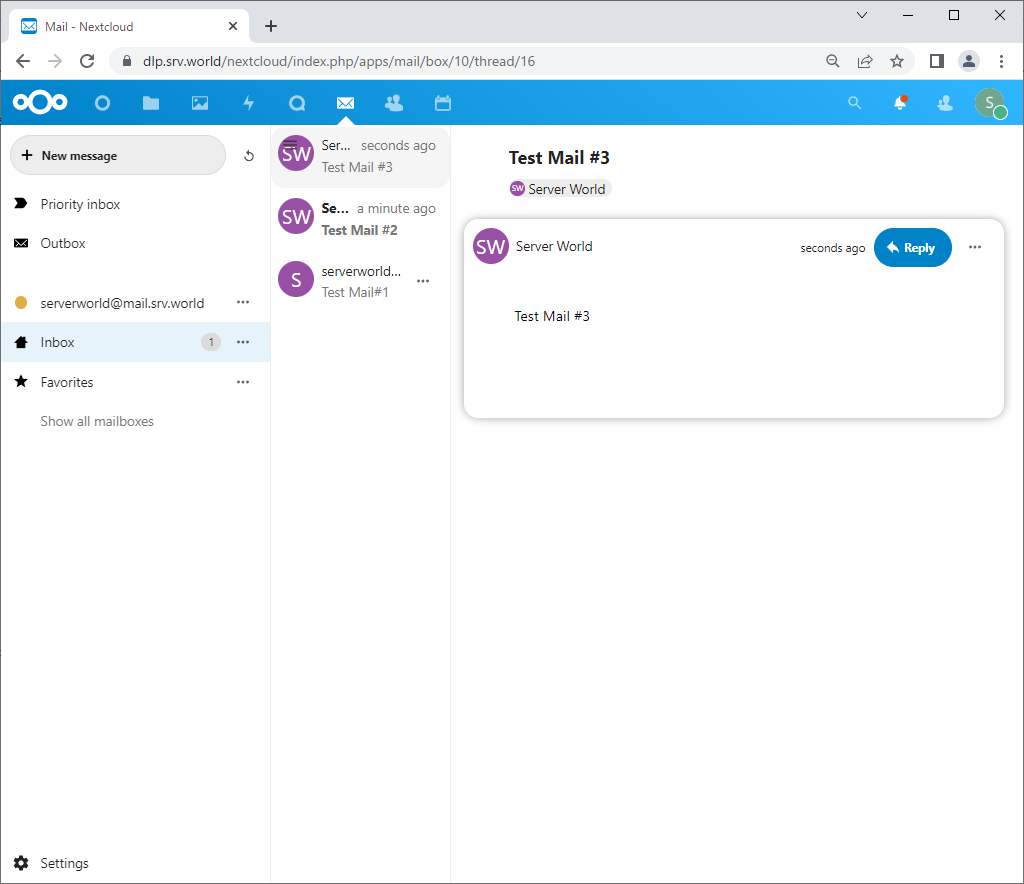
| [11] | That's OK if sending or receiving emails are normally done. |
 |

No comments:
Post a Comment