NextCloud : Access via WebDAV |
It's possible to access to NextCloud via WebDAV. |
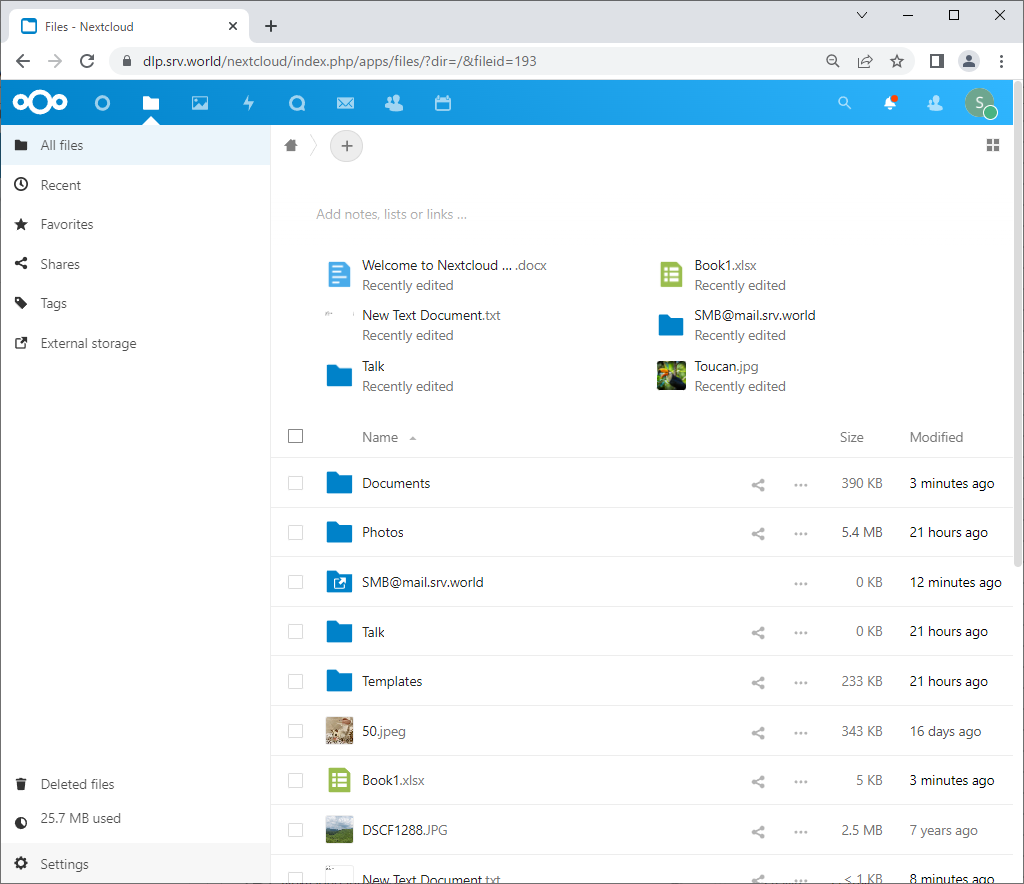
| [1] | Login to NextCloud Web with your own account and Click [Files] icon on upper menu and Open [Settings] on the left pane. |
 |
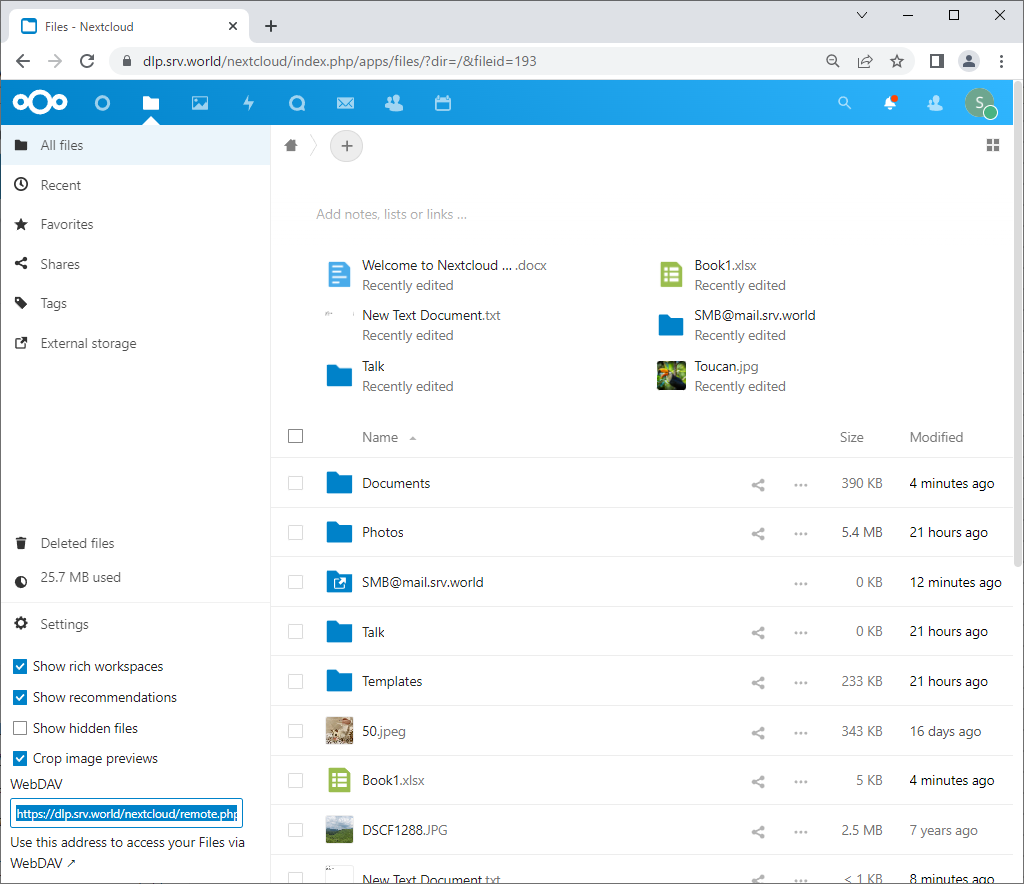
| [2] | Remember the URL which is shown under the [WebDAV] section on the left pane. |
 |
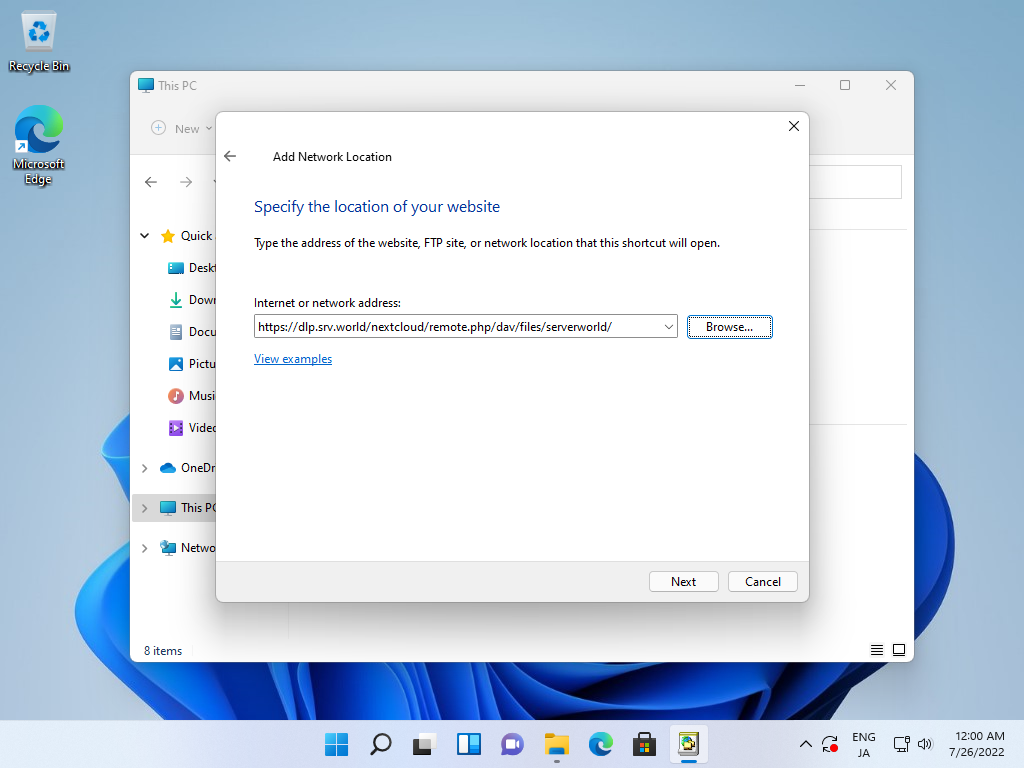
| [3] | Configure Client computer for WebDAV. This is an example to use WebDAV client feature on Windows 11. Refer to here of the WebDAV settings on Windows 11 ([4] and later). On the [7] section on the link above, input Nextcloud WebDAV URL like follows and then authenticate with your own Nextcloud account. |
 |
| [4] | After finishing setup, Nextcloud is added on Network locations. |
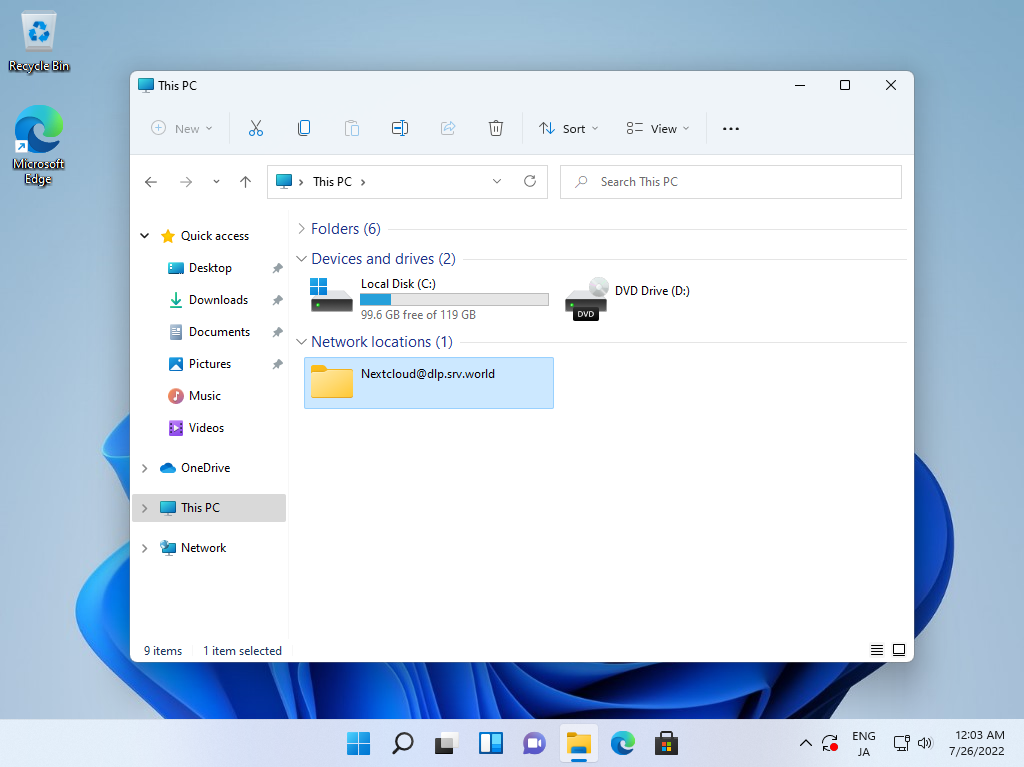 |
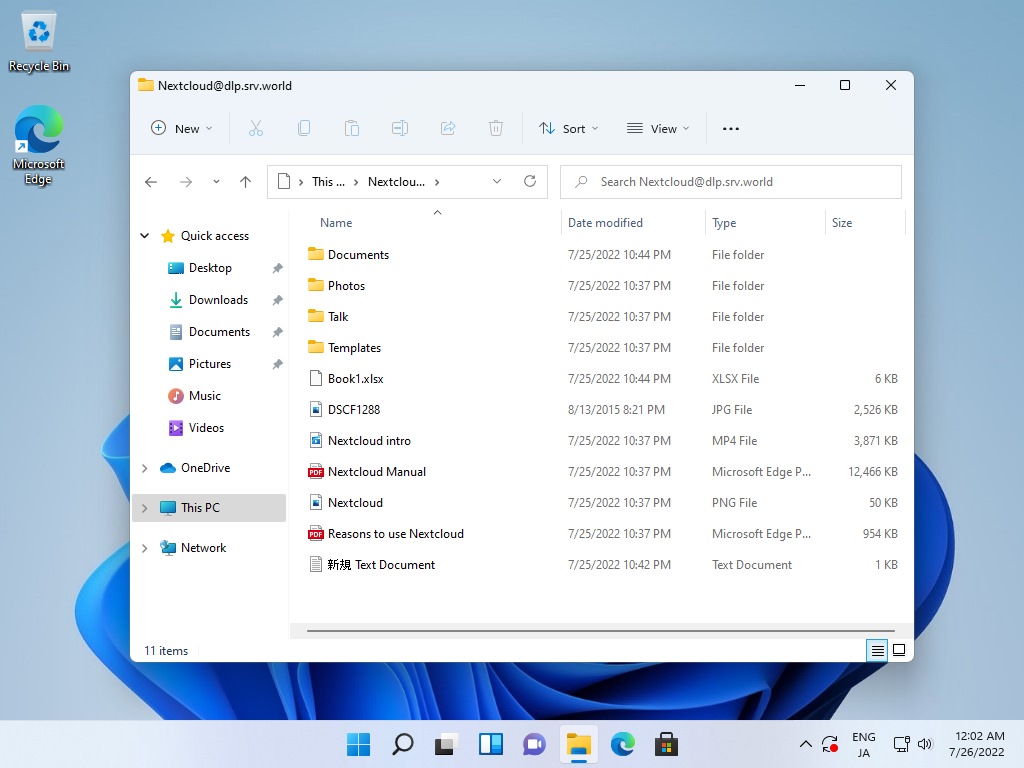
| [5] | It's possible to open or edit files on NextCloud on Windows file explorer. |
 |

No comments:
Post a Comment