PXE Boot : Network Installation (UEFI) |
Install CentOS Stream to a client computer which starts on UEFI from a PXE Server via network. | |
| [1] | |
| [2] | Download an ISO image of CentOS Stream first to your PXE server. On the example below, CentOS Stream 9 ISO image is under [/home]. |
| [root@dlp ~]# mkdir rpm [root@dlp ~]# [root@dlp ~]# dnf -y install --downloadonly --downloaddir=/root/rpm shim grub2-efi-x64 cd rpm [root@dlp rpm]# rpm2cpio shim-x64-*.rpm | cpio -dimv [root@dlp rpm]# rpm2cpio grub2-efi-x64-*.rpm | cpio -dimv [root@dlp rpm]# cp ./boot/efi/EFI/BOOT/BOOTX64.EFI /var/lib/tftpboot/ [root@dlp rpm]# cp ./boot/efi/EFI/centos/grubx64.efi /var/lib/tftpboot/ [root@dlp rpm]# chmod 644 /var/lib/tftpboot/{BOOTX64.EFI,grubx64.efi} [root@dlp rpm]# [root@dlp ~]# mkdir -p /var/pxe/centos-st9 [root@dlp ~]# mkdir /var/lib/tftpboot/centos-st9 [root@dlp ~]# mount -t iso9660 -o loop,ro /home/CentOS-Stream-9-latest-x86_64-dvd1.iso /var/pxe/centos-st9 [root@dlp ~]# cp /var/pxe/centos-st9/images/pxeboot/{vmlinuz,initrd.img} /var/lib/tftpboot/centos-st9/ [root@dlp ~]# vi /var/lib/tftpboot/grub.cfg # create new # replace PXE servers hostname or IP address to your own one set timeout=10
menuentry 'Install CentOS Stream 9' {
linuxefi centos-st9/vmlinuz ip=dhcp inst.repo=http://10.0.0.30/centos-st9
initrdefi centos-st9/initrd.img
}
|
| [3] | Install and Start Apache httpd, refer to here. Next, add following settings. |
[root@dlp ~]# vi /etc/httpd/conf.d/pxeboot.conf # create new Alias /centos-st9 /var/pxe/centos-st9
<Directory /var/pxe/centos-st9>
Options Indexes FollowSymLinks
# access permission
Require ip 127.0.0.1 10.0.0.0/24
</Directory>
systemctl restart httpd |
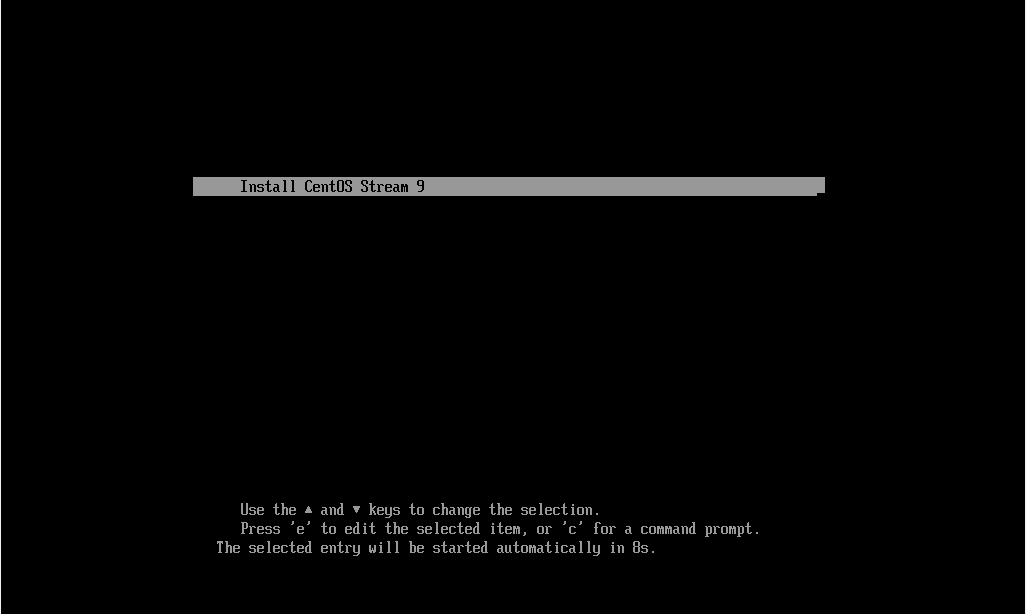
| [4] | Enable network booting on UEFI settings of client computer and start it, then installation menu you set is shown, push Enter key to proceed to install. |
 |
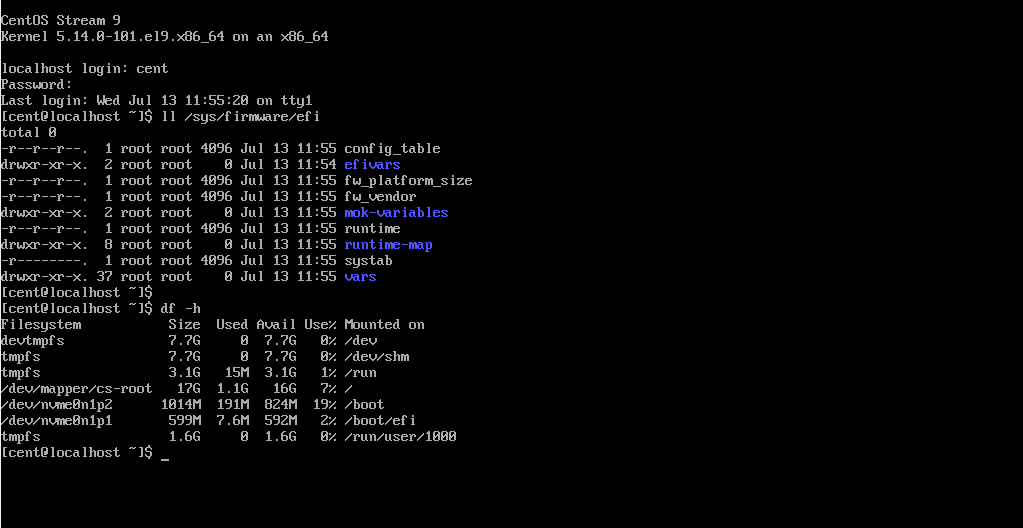
| [5] | After finishing successfully, that's OK if CentOS Stream started normally. |
 |

No comments:
Post a Comment