FTP Server : FTP Client (Windows) |
For how to connect to FTP server from Client computer, the example follows is on Windows Client. | |
| [1] | For example, use FileZilla for FTP Client software. Download FileZilla from the follows. ⇒ https://filezilla-project.org/download.php?type=client |
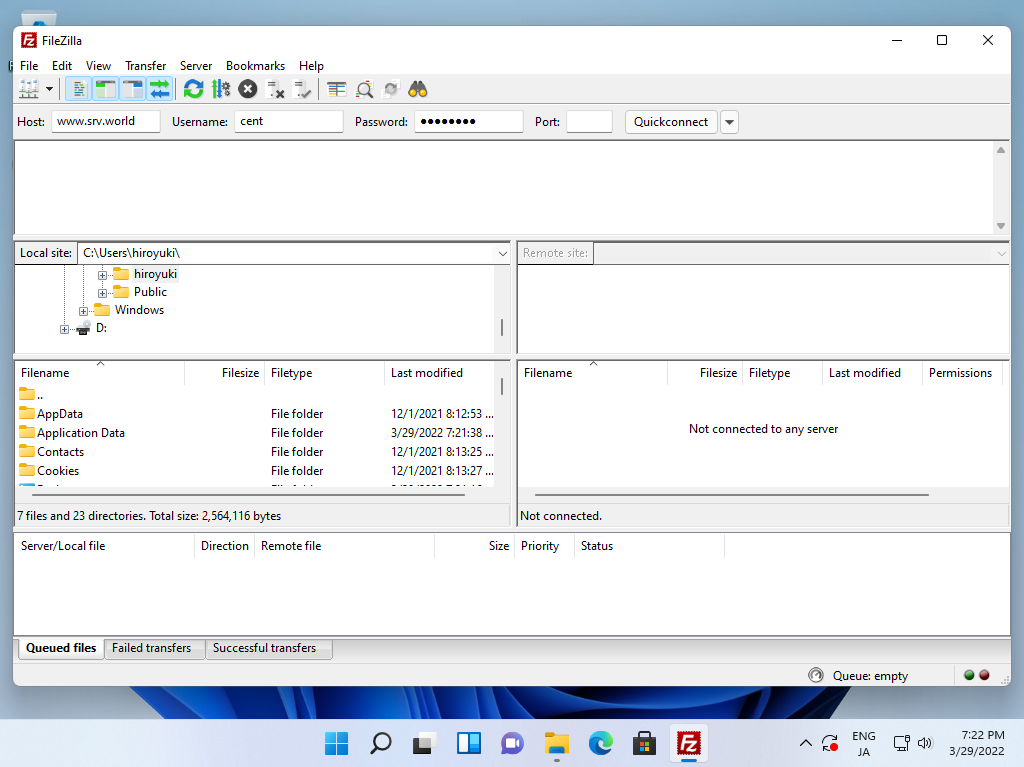
| [2] | Install FileZilla to your Windows Computer and start it, then following screen is shown. Input your FTP server [Host], [Username]. [Password], like follows. Next Click [Quick connect]. |
 |
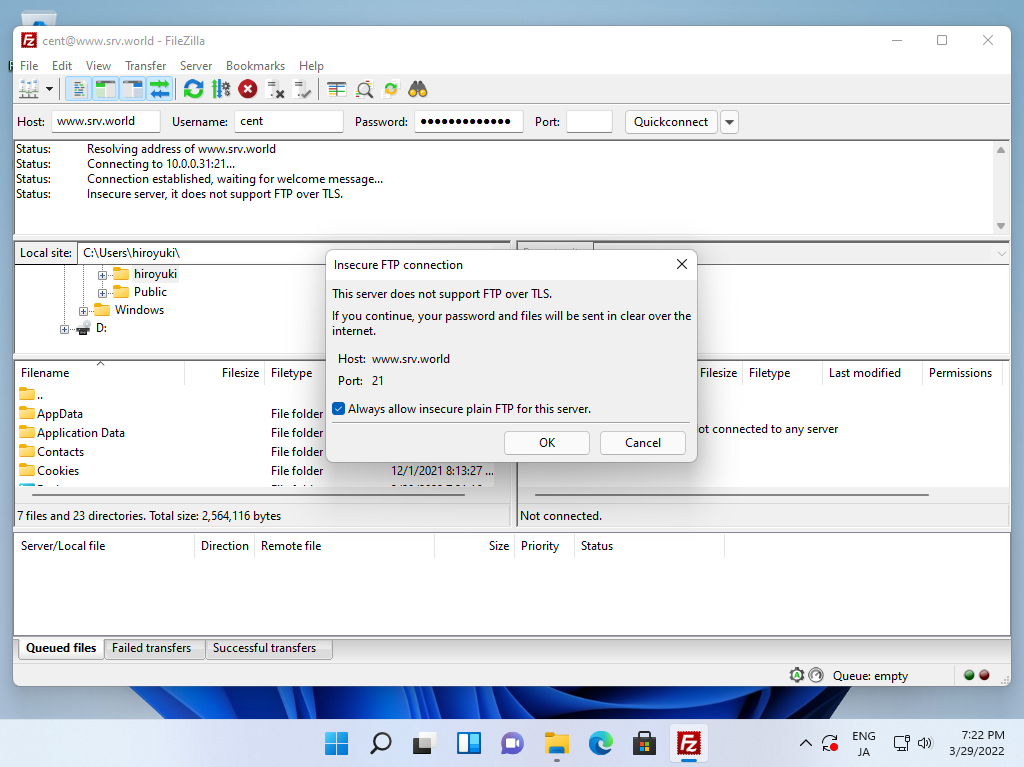
| [3] | The warning that FTP connection is not encrypted. If you configure it, refer to here. |
 |
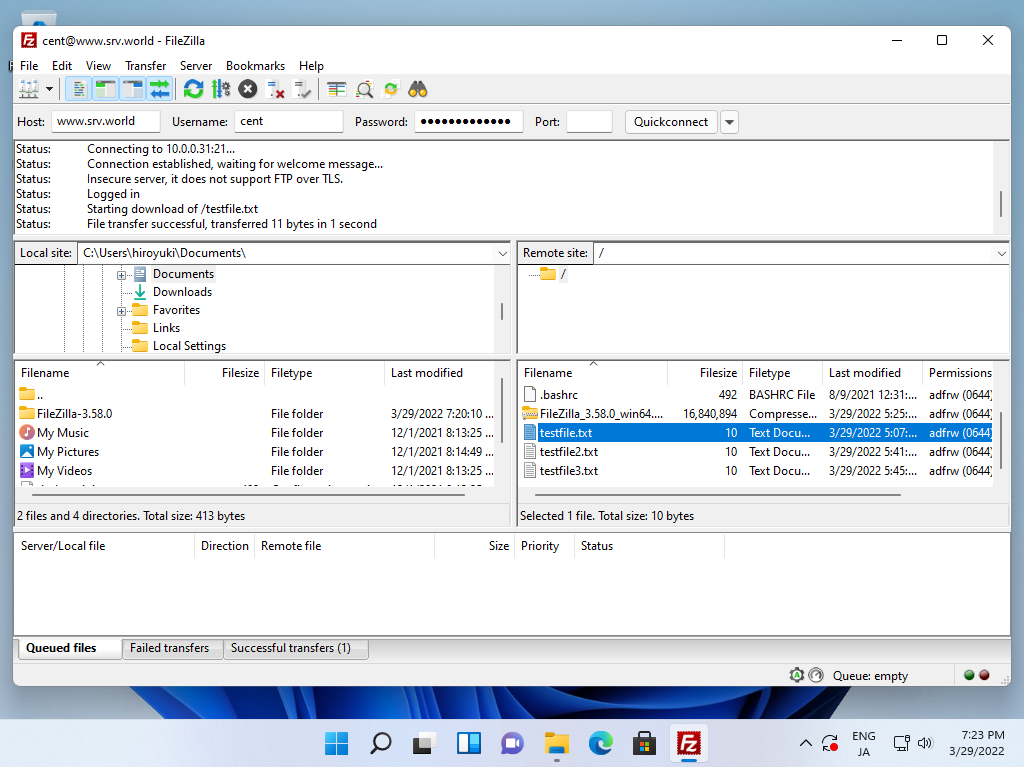
| [4] | If settings are OK, it's possible to connect to FTP server like follows. |
 |

No comments:
Post a Comment