KVM : UEFI boot for Virtual Machine |
Boot Virtual Machines with UEFI (Unified Extensible Firmware Interface). | |
| [1] | Install UEFI Firmware for Virtual Machines. |
| root@dlp:~# apt -y install ovmf |
| [2] | To set UEFI, Specify [--boot uefi] When creating Virtual Machine. When you install Windows, TPM 2.0 is also enabled. |
| root@dlp:~# virt-install \ --name Win2k25 \ --ram 6144 \ --disk path=/var/kvm/images/Win2k25.img,size=40 \ --vcpus 4 \ --os-variant win2k22 \ --network bridge=br0 \ --graphics vnc,listen=0.0.0.0,password=password \ --video virtio \ --cdrom /home/Win2025_26100.1742.240906-0331.ge_release_svc_refresh_SERVER_EVAL_x64FRE_en-us.iso \ --boot uefi |
| [3] | Virtual Machine starts on UEFI mode. |
 |
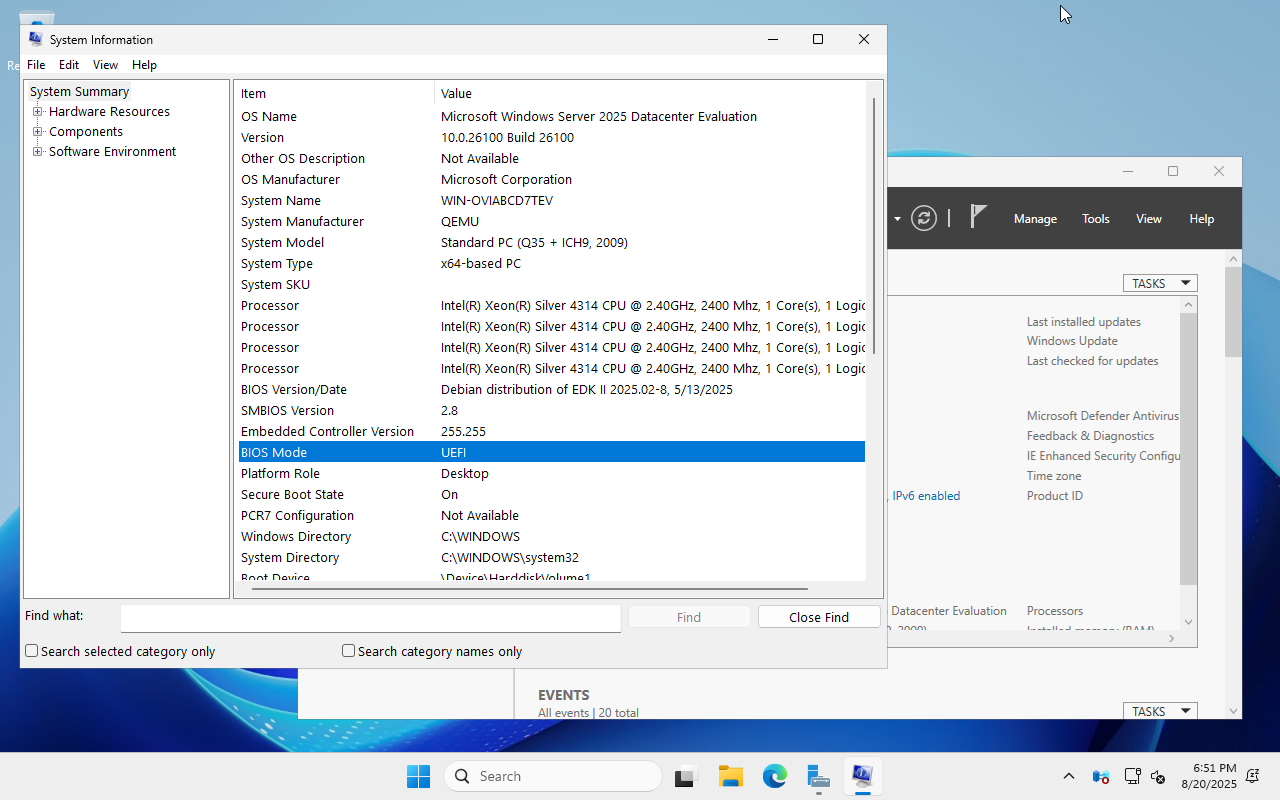
| [4] | After installation, you can find [UEFI] on [BIOS Mode]. |
 |

No comments:
Post a Comment