Apache httpd : Configure WebDAV2022/03/16 |
Configure WebDAV Folder. | |
| [1] | |
| [2] | For example, Create a directory [/home/webdav] and it makes possible to connect to WebDAV folder only by HTTPS. |
| [root@www ~]# mkdir /home/webdav [root@www ~]# chown apache. /home/webdav [root@www ~]# chmod 770 /home/webdav [root@www ~]# vi /etc/httpd/conf.d/webdav.conf # create new <IfModule mod_dav_fs.c>
DAVLockDB /var/lib/httpd/davlockdb
</IfModule>
Alias /webdav /home/webdav
<Location /webdav>
DAV On
SSLRequireSSL
Options +Indexes
AuthType Basic
AuthName WebDAV
AuthUserFile /etc/httpd/conf/.htpasswd
<RequireAny>
Require method GET POST OPTIONS
Require valid-user
</RequireAny>
</Location>
# add a user : create a new file with [-c] [root@www ~]# htpasswd -c /etc/httpd/conf/.htpasswd cent New password: # set password Re-type new password: Adding password for user cent [root@www ~]# systemctl reload httpd |
| [3] | If SELinux is enabled, add rules to allow accesses to target WebDAV directory. |
| [root@www ~]# chcon -R -t httpd_sys_rw_content_t /home/webdav [root@www ~]# semanage fcontext -a -t httpd_sys_rw_content_t /home/webdav |
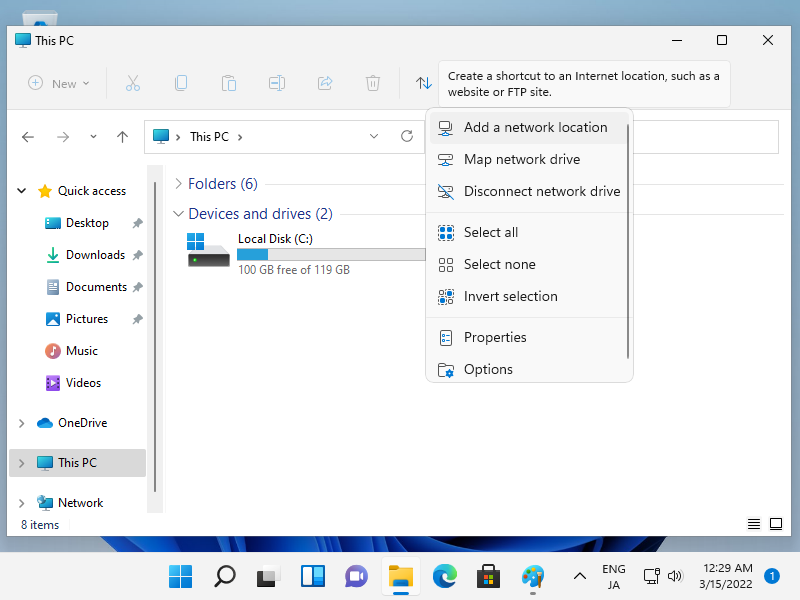
| [4] | Configure WebDAV client on client computer. This example is on Windows 11. Open File Explorer and and Click the [Add a network location] on the top menu bar. |
 |
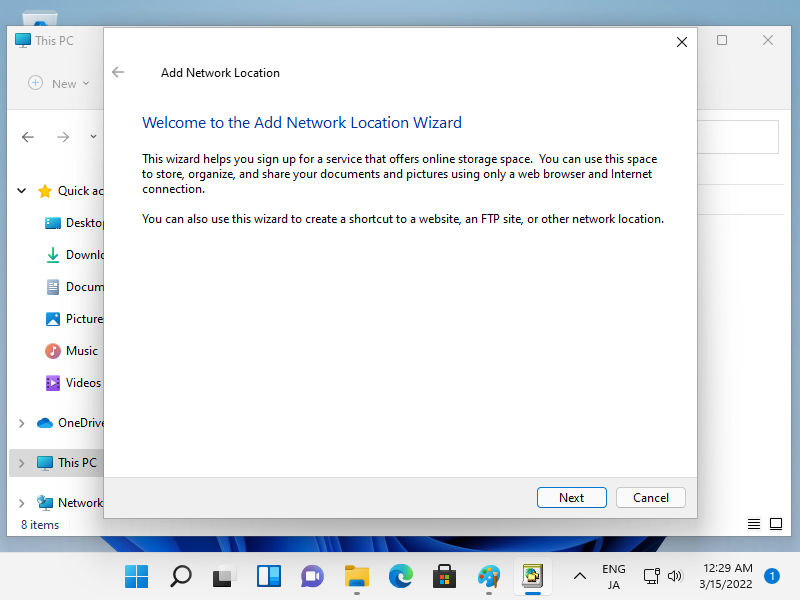
| [5] | Click the [Next] button. |
 |
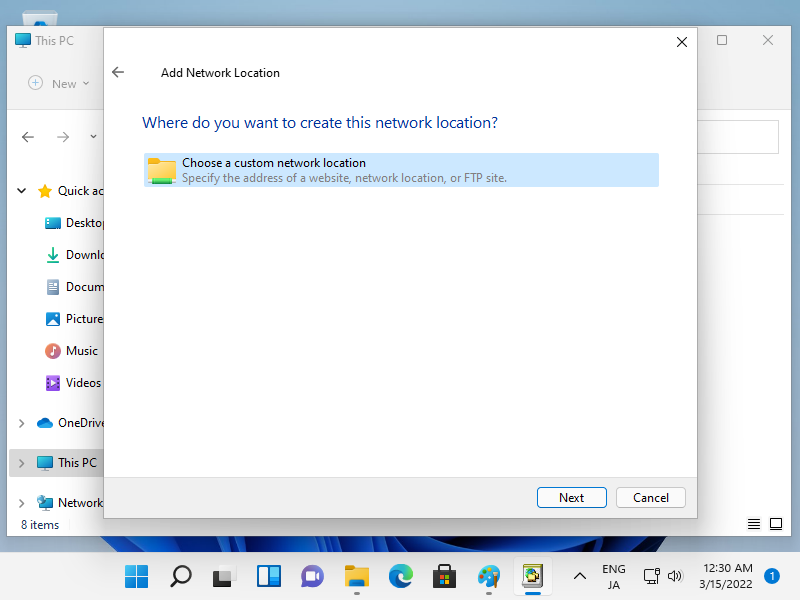
| [6] | Click the [Next] button. |
 |
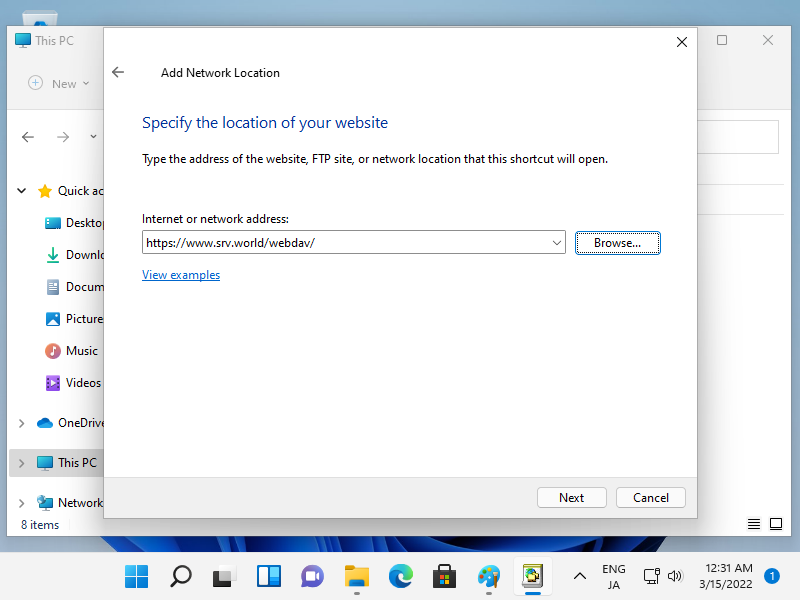
| [7] | Input the URL of WebDav folder. |
 |
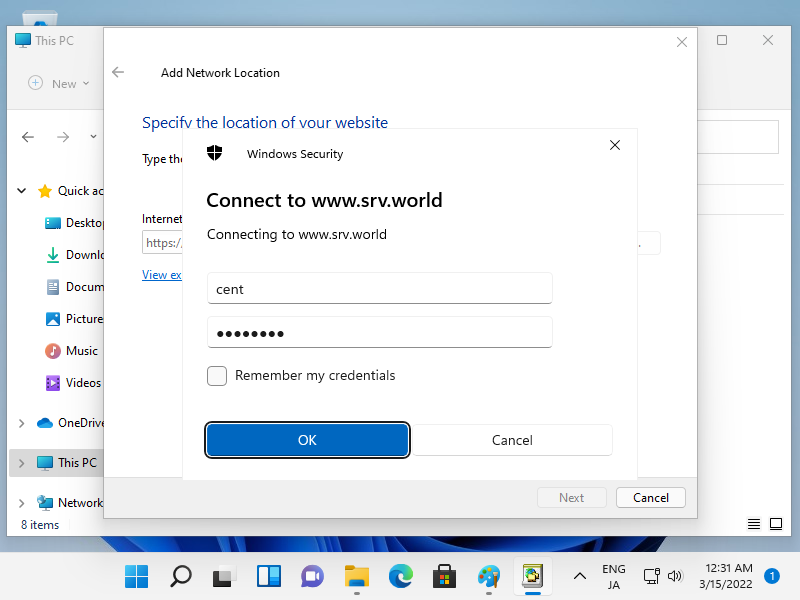
| [8] | Authentication is required, input username and password you added in section [1] by [htpasswd]. |
 |
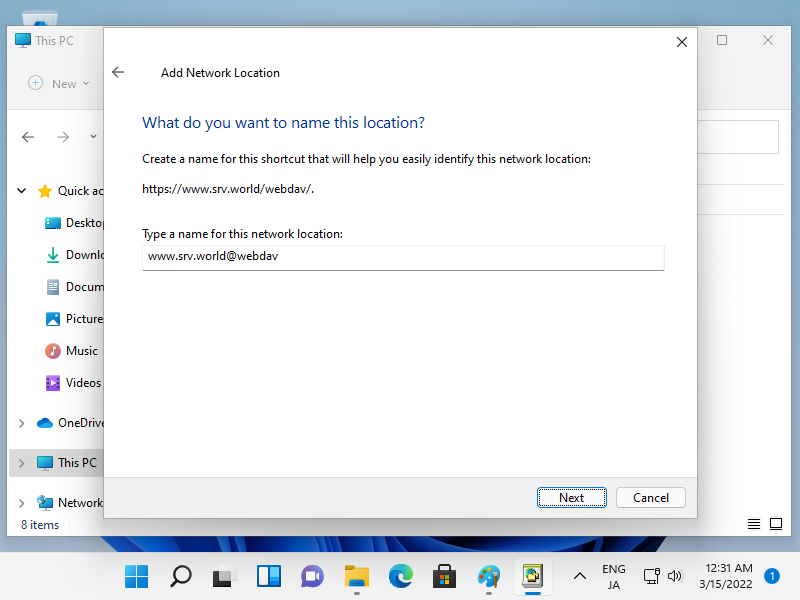
| [9] | Input WebDav Folder Name. Any name is OK, it's used on your Windows Computer. |
 |
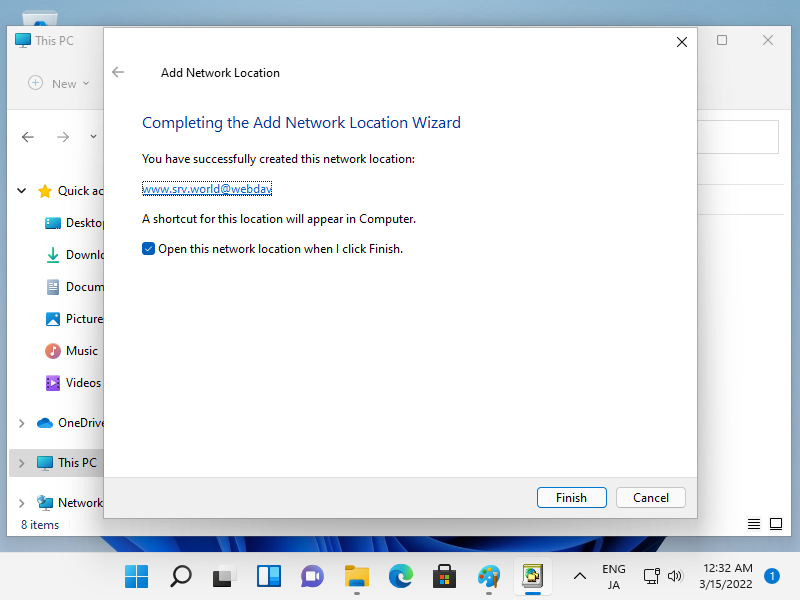
| [10] | Click the [Finish] button. |
 |
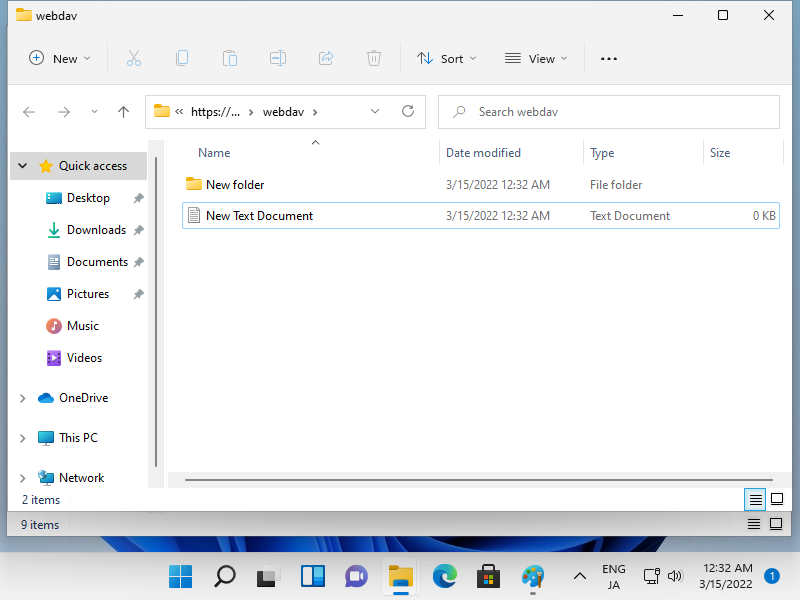
| [11] | Just accessed to the WebDav Folder. Verify to create new files normally. |
 |

No comments:
Post a Comment