Git : Install TortoiseGit |
It's possible to access to Git repositories from Windows Clients, too. For example, Install TortoiseGit on Windows 11. Download TortoiseGit from the site below. ⇒ https://tortoisegit.org/ | |
| [1] | |
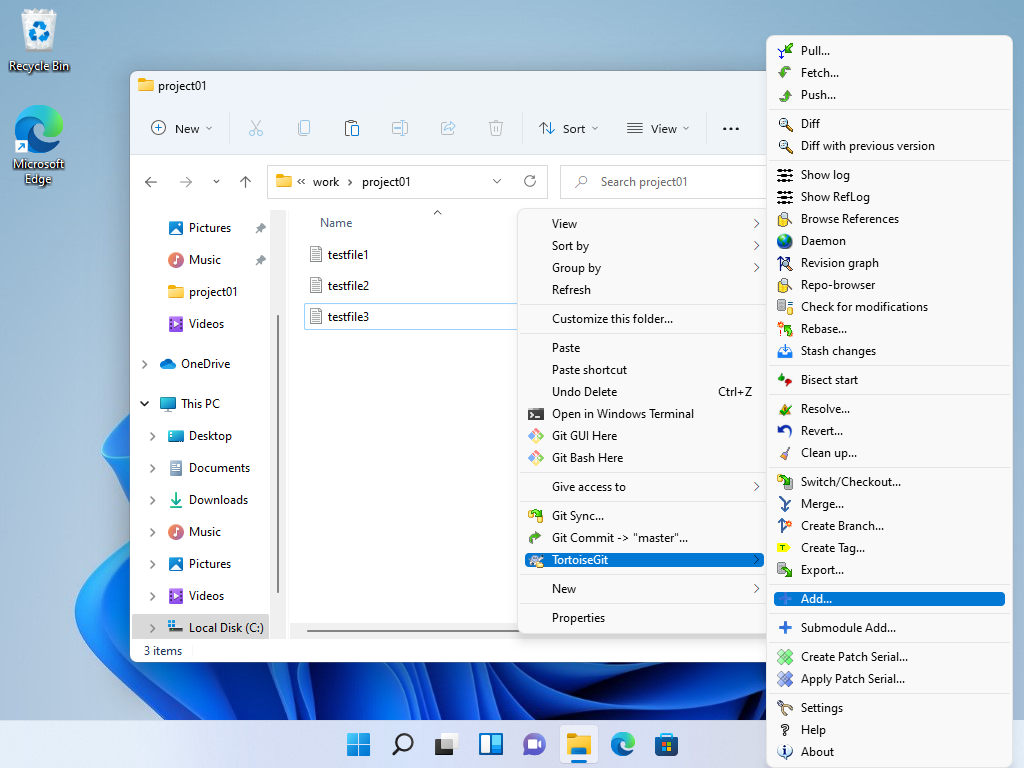
| [2] | During Installation, you need to select some settings. (proceed to keep default all on this example) After installing TortoiseGit, it's possible to operate on file explorer. For example, after updating a file on local working repository, Execute Add ⇒ Commit ⇒ Push like follows. Right-Click the target file and select [TortoiseGit] - [Add]. |
 |
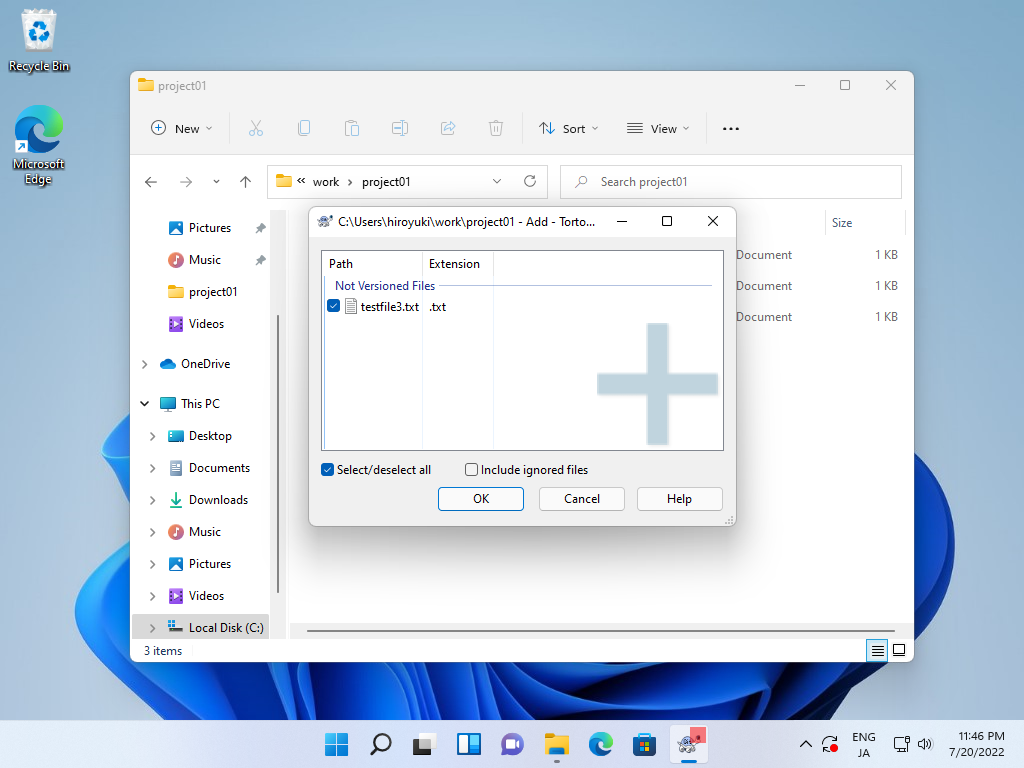
| [3] | Click [OK] on here. |
 |
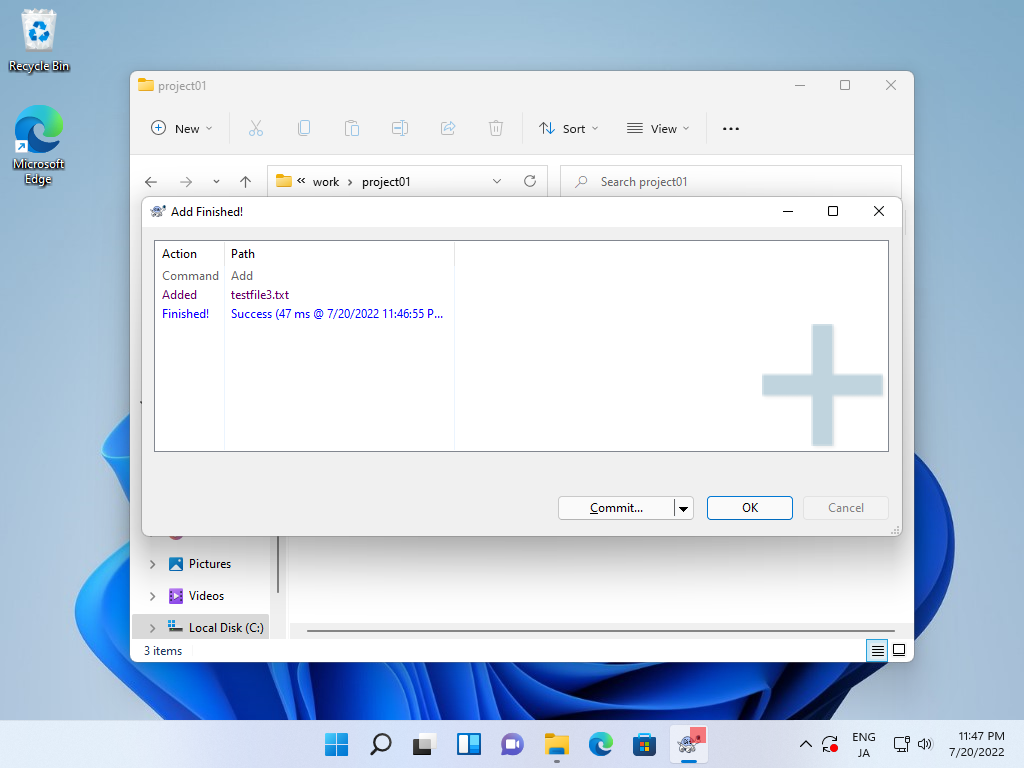
| [4] | It's possible to run Commit at once but Click [OK] on here. |
 |
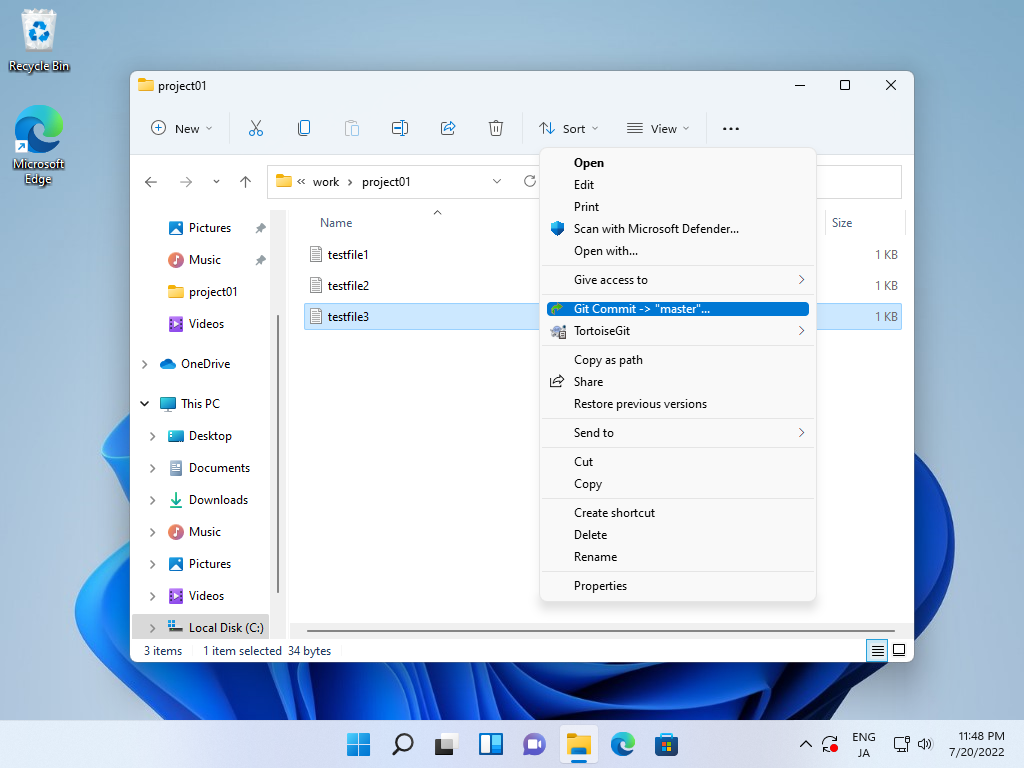
| [5] | After running [Add], right-click the target file and select [Git Commit]. |
 |
| [6] | Input messages of this Commit and click [Commit] button. |
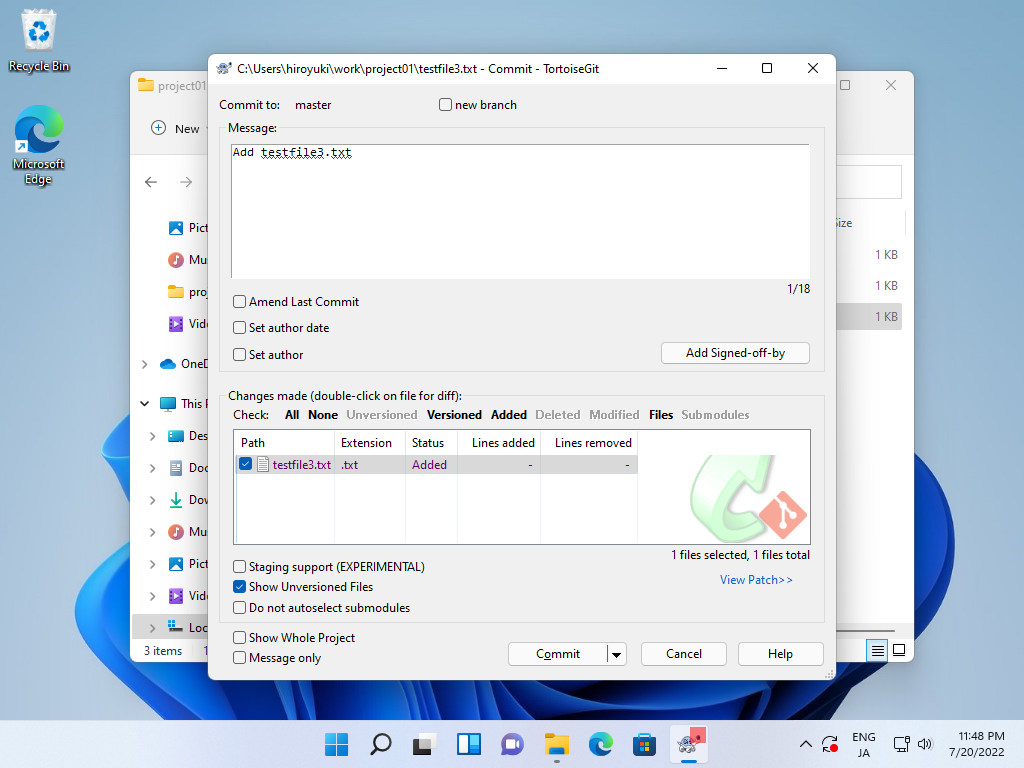 |
| [7] | It's possible to run Push at once but Click [OK] on here. |
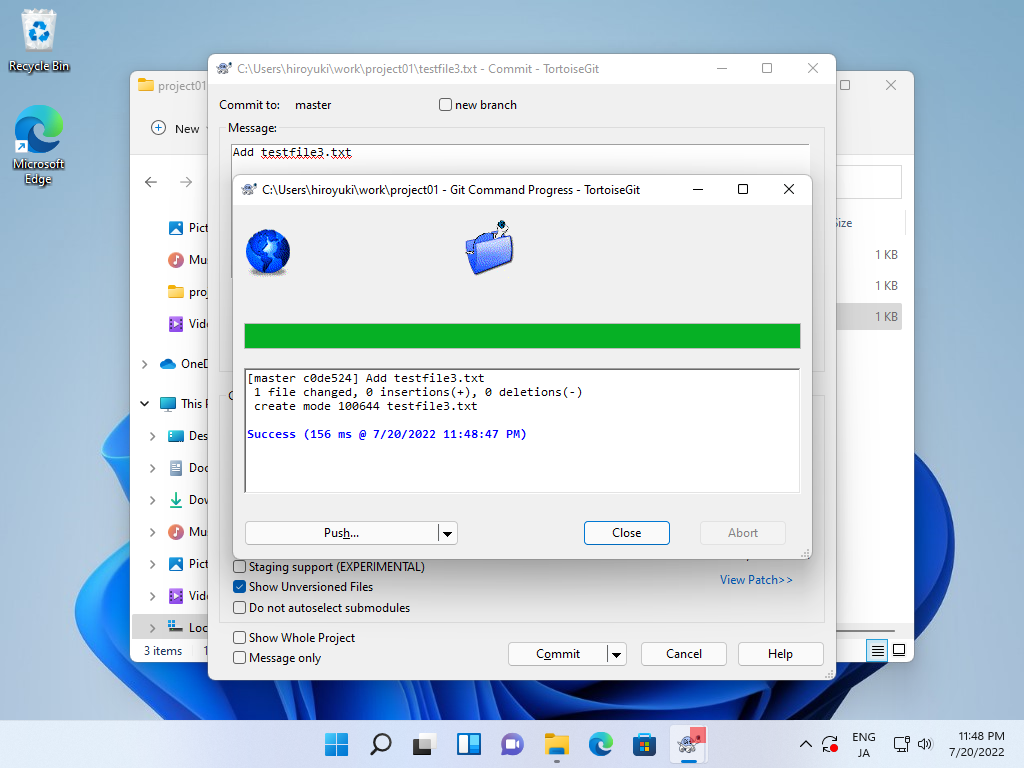 |
| [8] | To right-click the project folder, then [Push] is shown. |
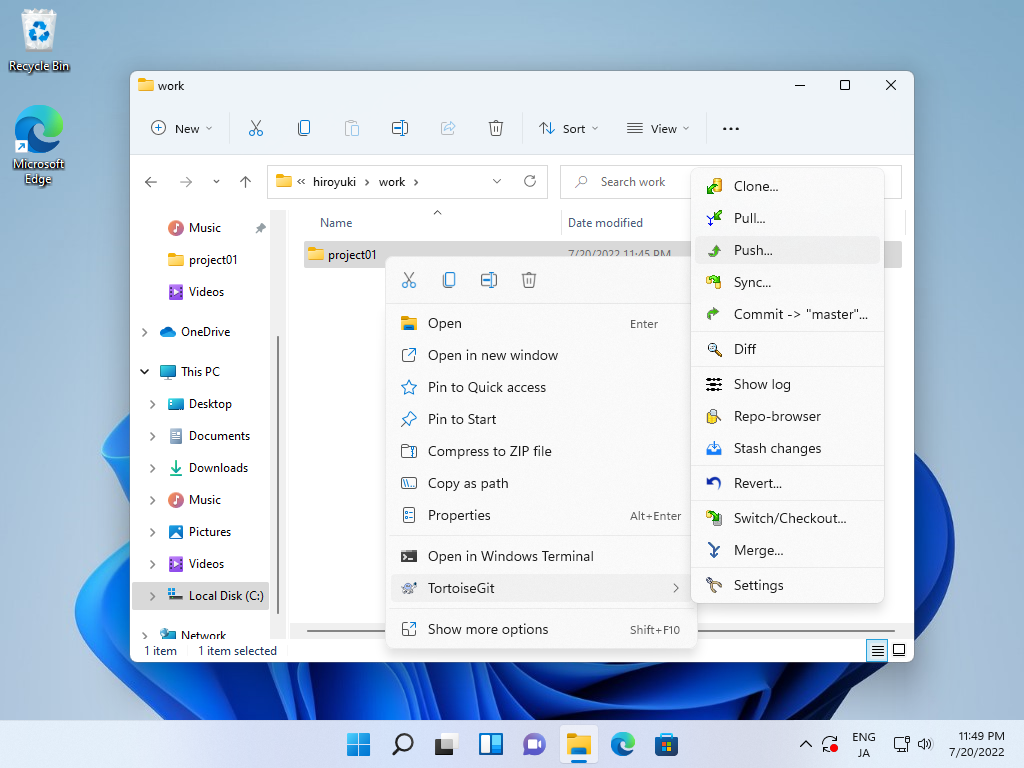 |
| [9] | To select the target branch of [Push] and click [OK]. |
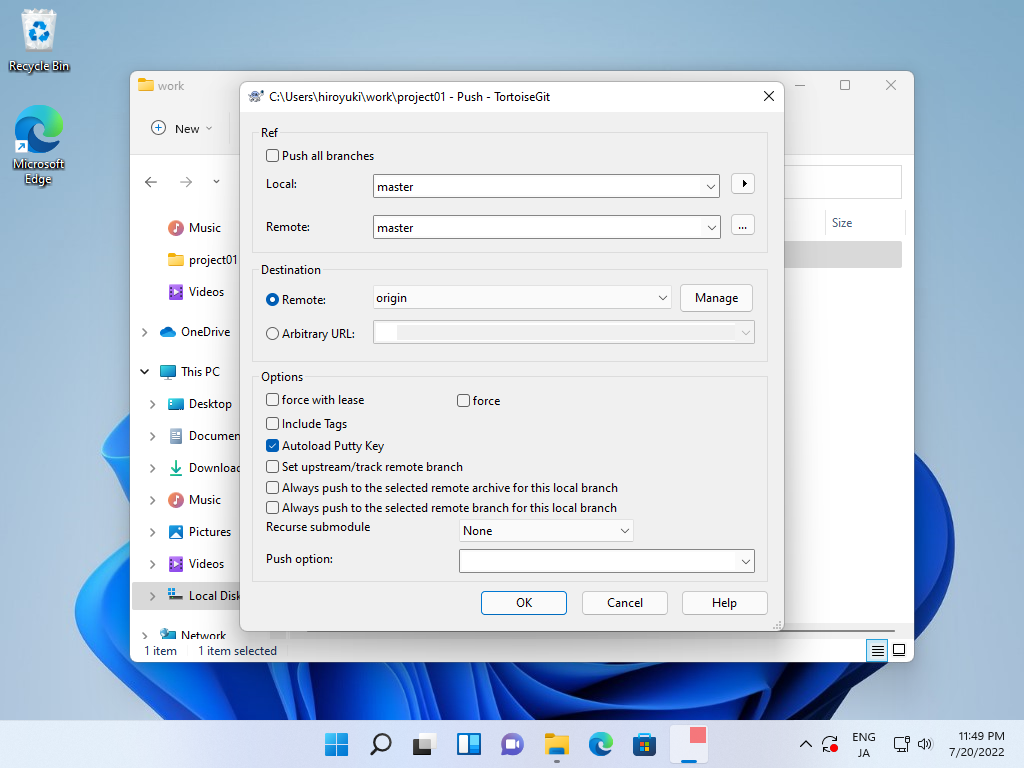 |
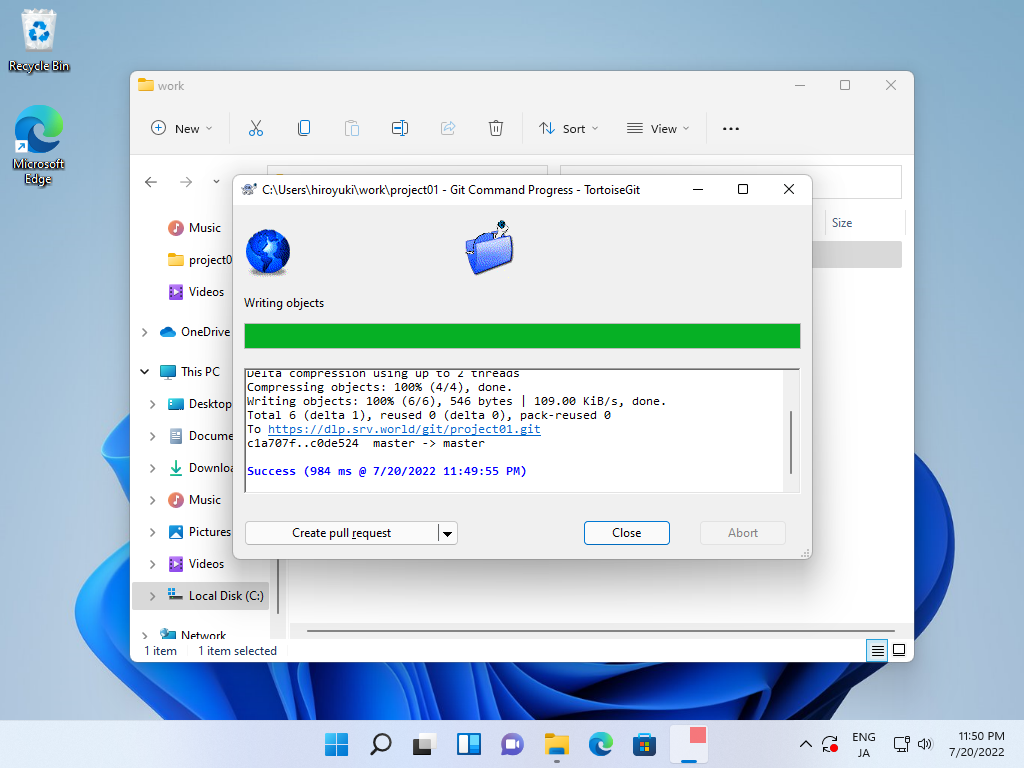
| [10] | After finishing [Push], [Success] is shown. |
 |

No comments:
Post a Comment