Configure DHCP Client : Debian |
Configure DHCP Client to get IP address from DHCP Server in local network. | |
| [1] | For Debian Clients, Configure like follows. |
root@dlp:~# vi /etc/network/interfaces # change to [dhcp] on target interface line iface enp1s0 inet dhcp systemctl restart ifup@enp1s0 |
Configure DHCP Client : Windows |
Configure DHCP Client on Windows computer. This example is based on Windows 11. | |
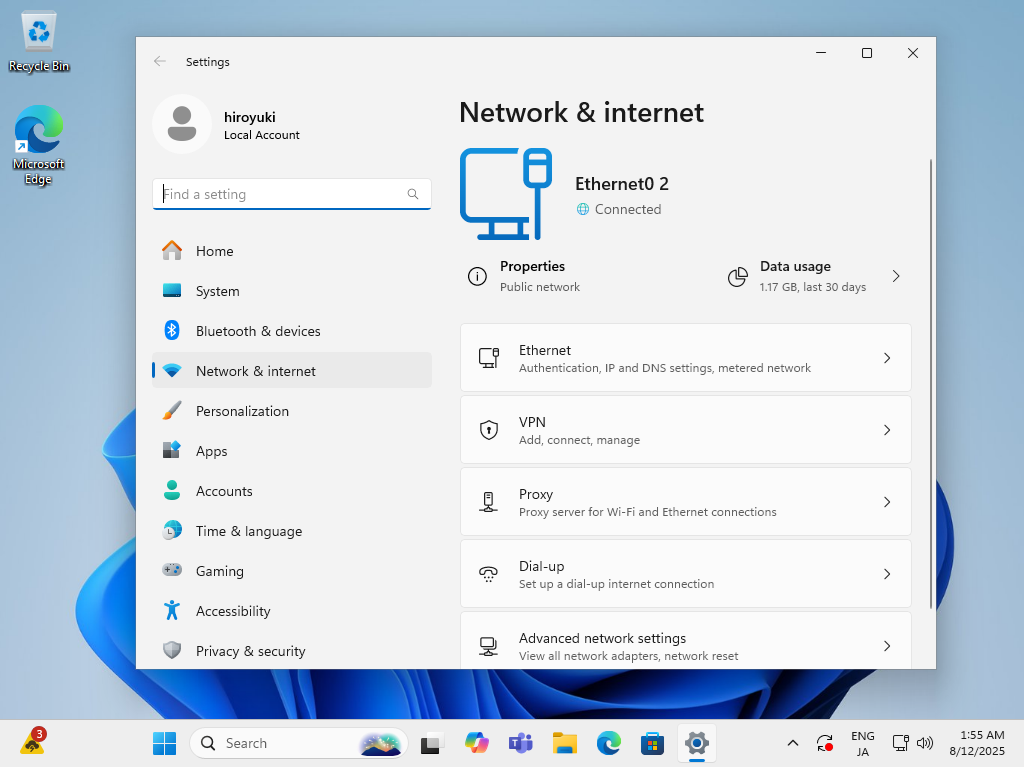
| [2] | Right-click the start button and open the [Network connection], and then click the [Ethernet]. |
 |
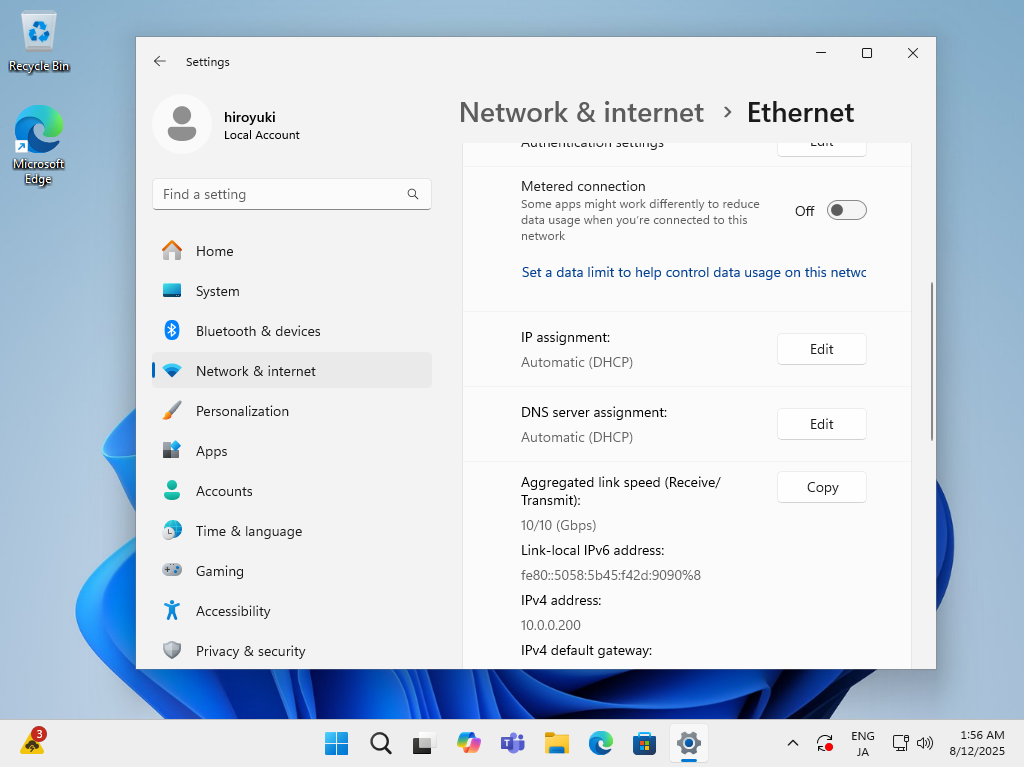
| [3] | That's OK if [IP assignment] is [DHCP]. If not, click the [Edit] button. |
 |
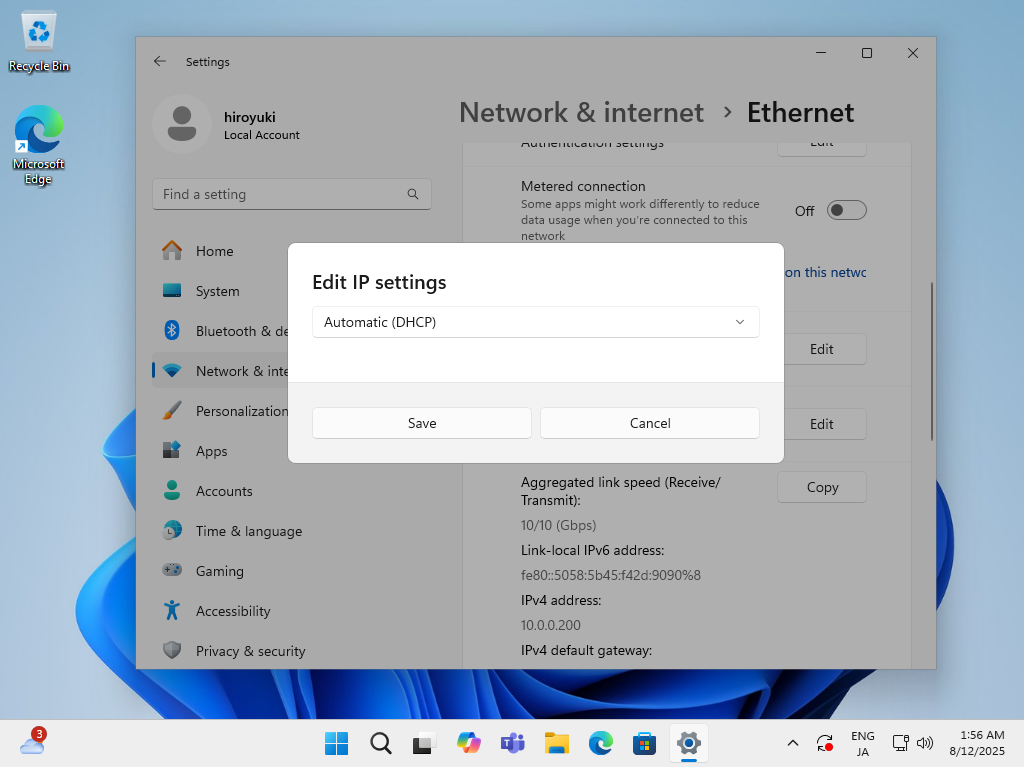
| [4] | If clicked [Edit] button on previous section, following window is shown. Select [Automatic (DHCP)] and save. |
 |
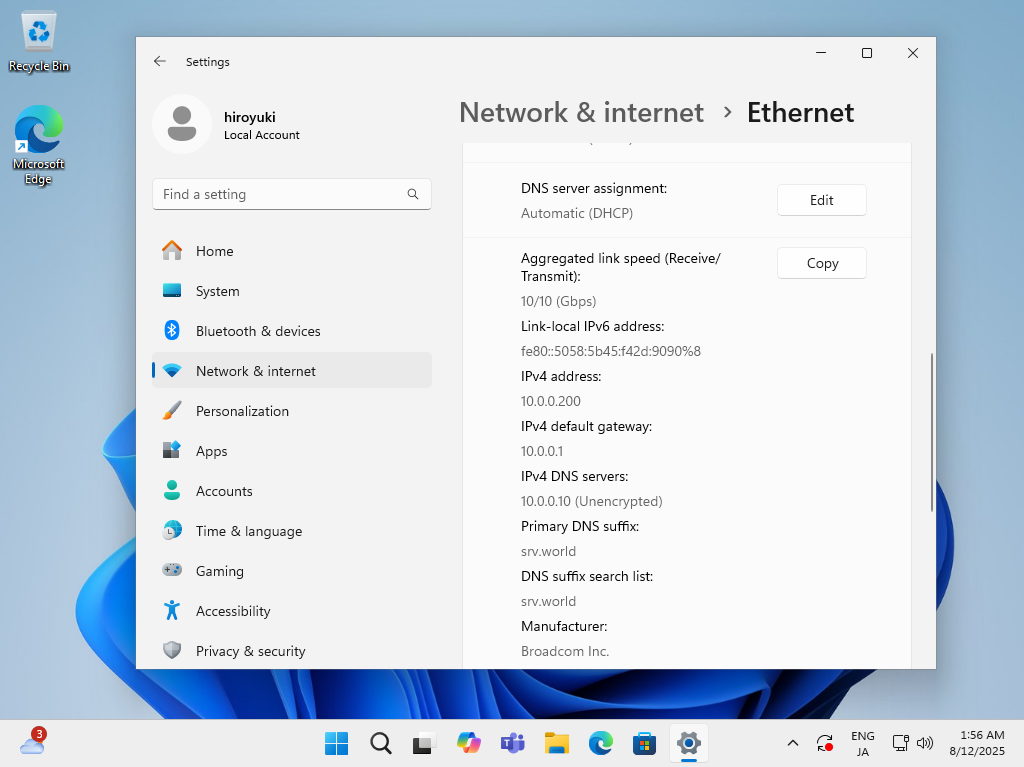
| [5] | Confirm the Network connection status, that's OK if IP is assigned. |
 |
Matched Content

No comments:
Post a Comment