OpenSSH : SSH File Transfer (Windows) |
It's possible to transfer files via SSH on Windows Client. If you are using Windows, OpenSSH Client has been implemented as an Windows feature like here [7], so it's possible to use [scp], [sftp] commands like the examples here. | |
| [1] | Install and start WinSCP, then following initial windows is displayed. Input Hostname, Username and User's Password and then Click [Login] button. |
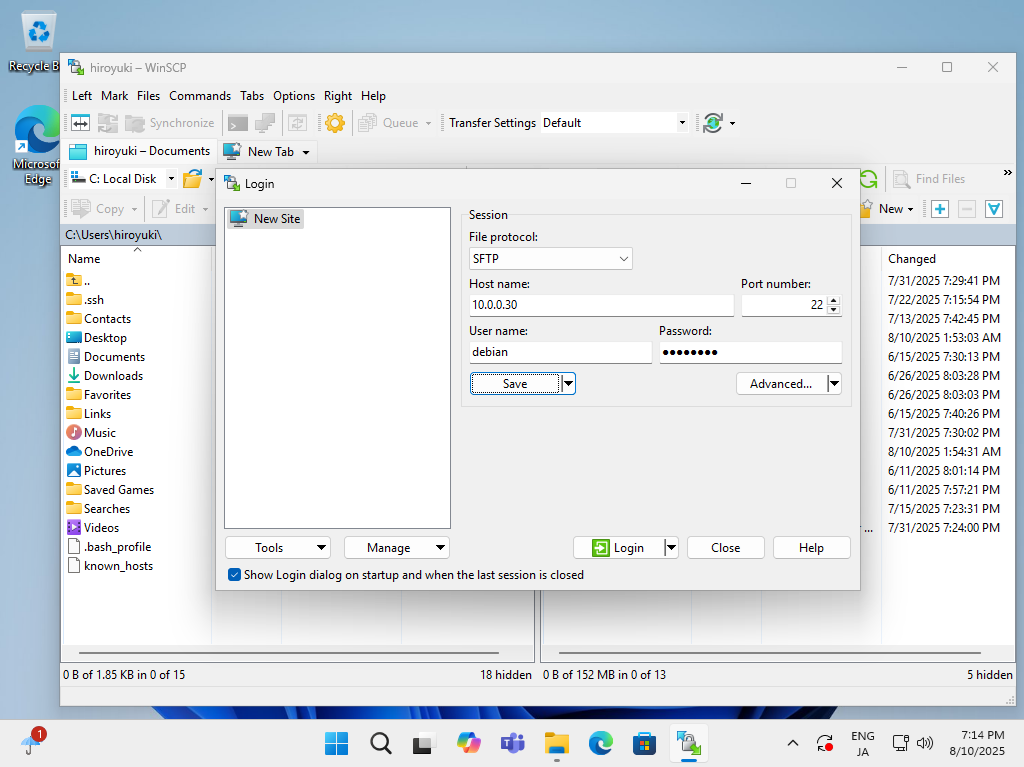 |
| [2] | After successing authentication, it's possible to transfer files on WinSCP via SSH. |
 |

No comments:
Post a Comment