Subversion : Windows Client |
It's possible to access to SVN repositories from Windows clients. For example, install TortoiseSVN on Windows 11 and access to a repository. ⇒ http://tortoisesvn.net/downloads.html | |
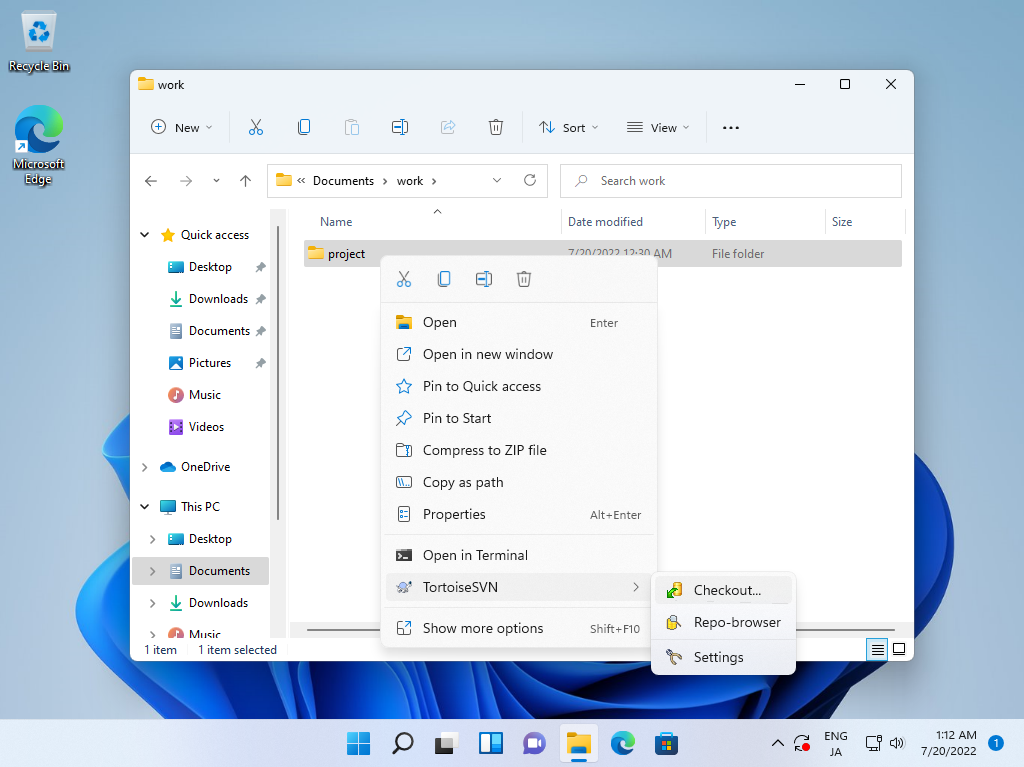
| [1] | After installing TortoiseSVN, create a working folder on any place and right click it, then select [SVN Checkout] to run Checkout from a SVN repository. |
 |
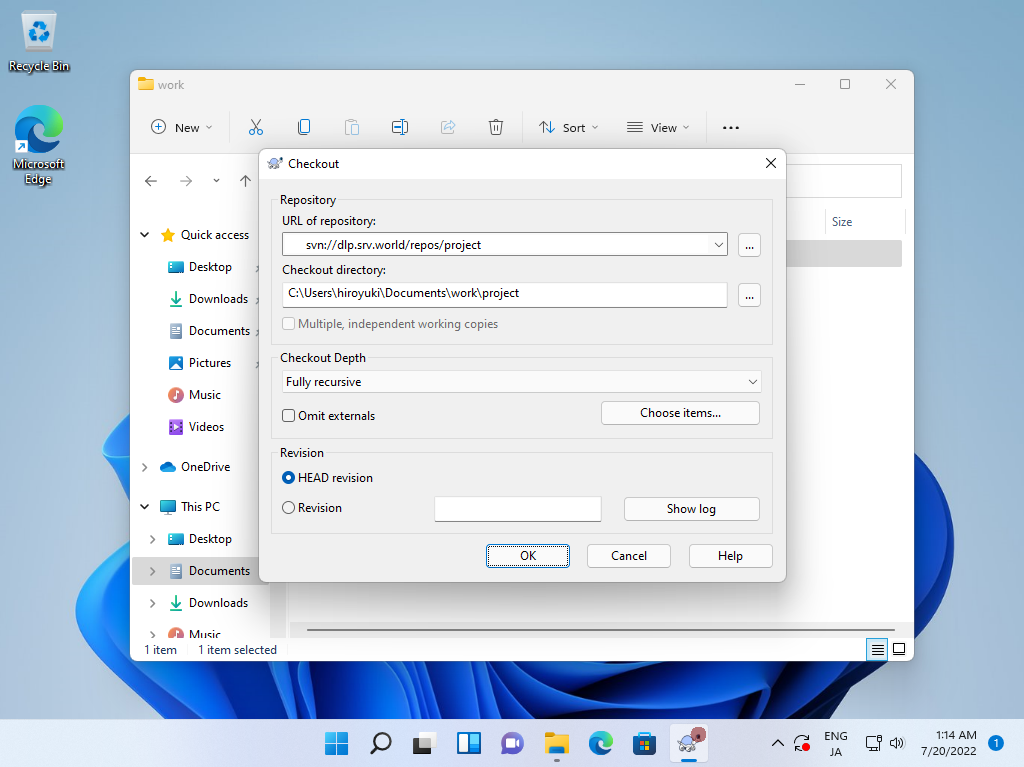
| [2] | Specify the URL of a repository and click [OK]. |
 |
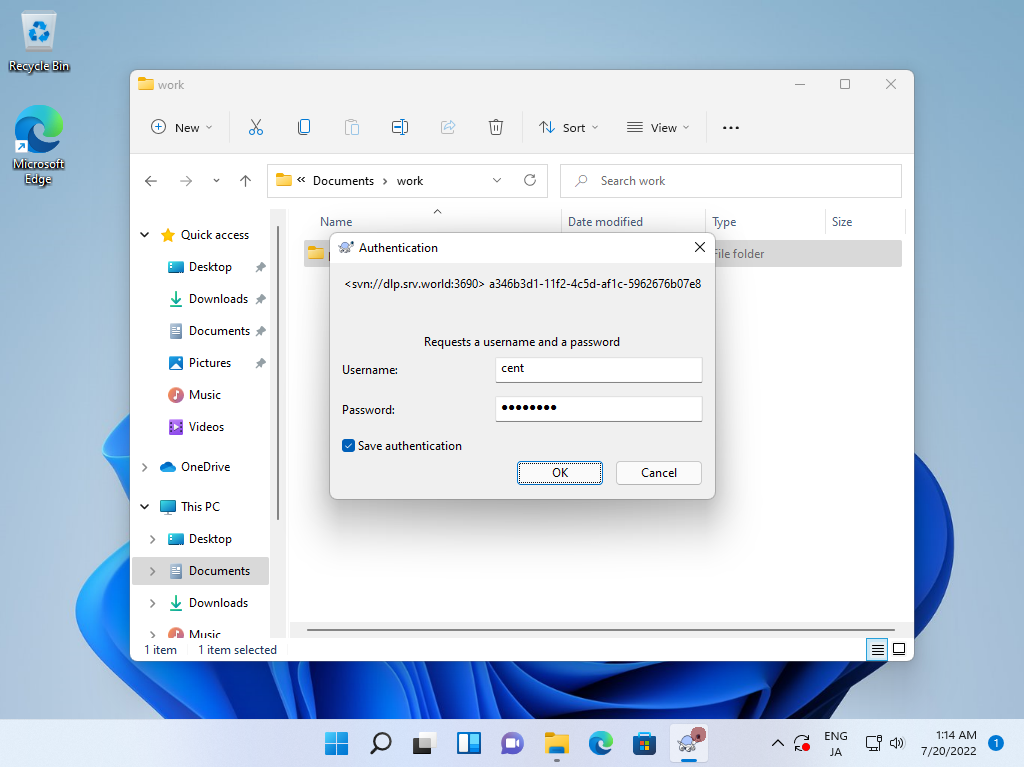
| [3] | If you set access control on the repository, authentication is required like follows, proceed with a valid user and password. |
 |
| [4] | After finishing Checkout, click [OK] button. |
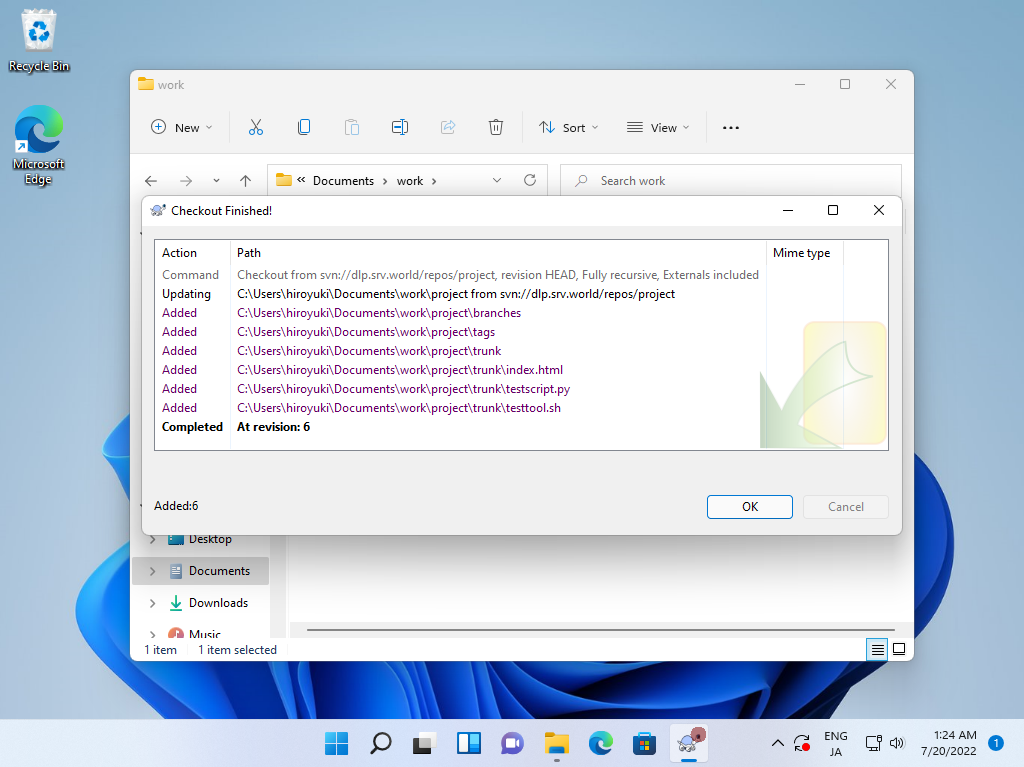 |
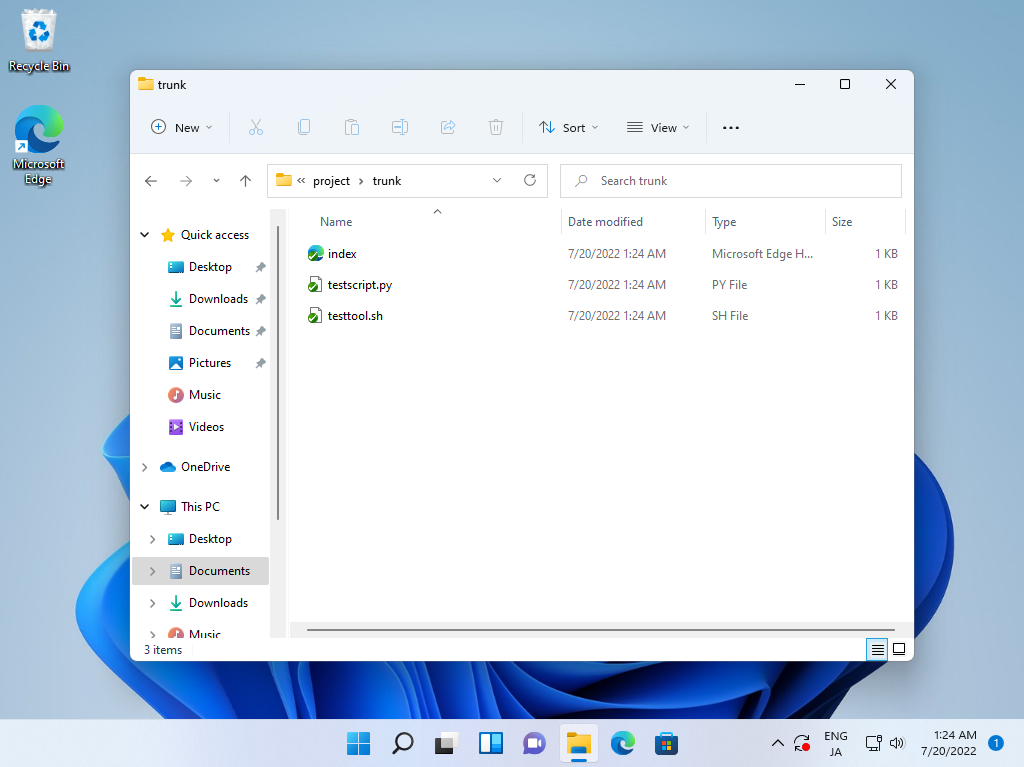
| [5] | Files on the repository are downloaded. |
 |
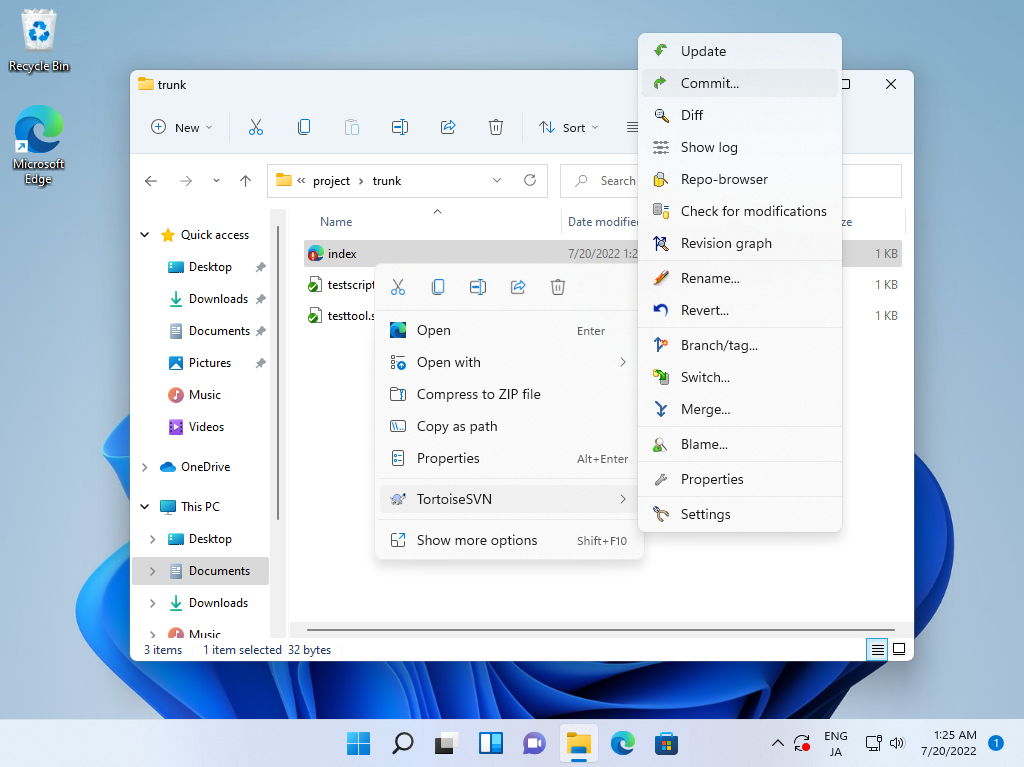
| [6] | When you update a file in working folder, right-click it and select [SVN Commit]. |
 |
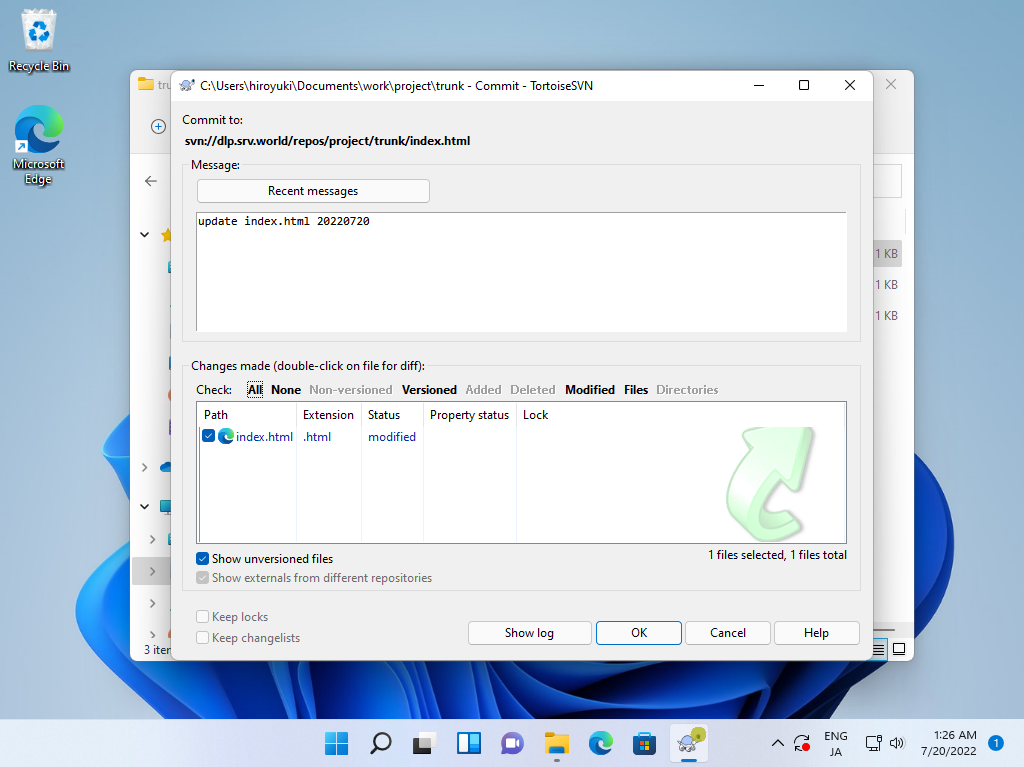
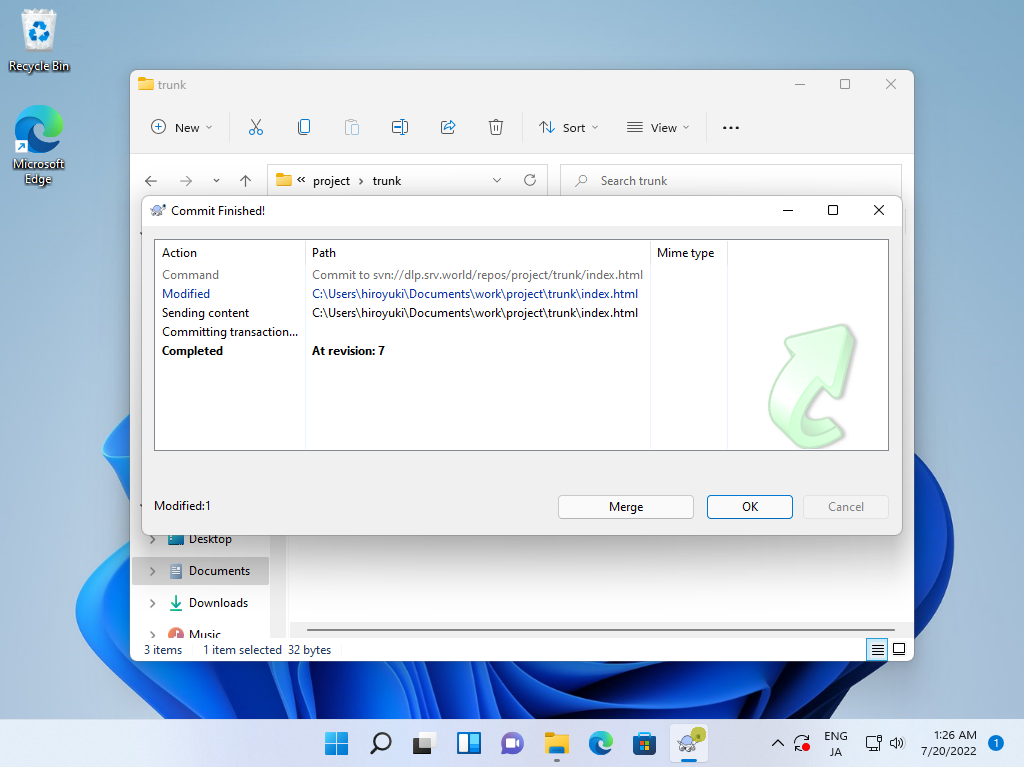
| [7] | Input any messages for logging and Click [OK] button, update file will be committed. |
 |
 |

No comments:
Post a Comment